
Telegram scripts work like OnlyFans scripts: a scene, a sequence of steps, free teasers first, then paid media at rising prices. Everything about scripts in general (name, description, timers, steps, pacing, post-media messages, variations, folders) is in the Scripts collection. This page covers only what changes on Telegram: prices are in Stars, short free videos can be sent as round bubbles, a step can sell through a Dropp.fans link instead of Stars, and scripts can be imported from another bot.
Where to find it
Fourth tab of the Telegram workspace, or Scripts in the Quick access row. Requires "View Scripts tab"; editing needs "Edit and create scripts".
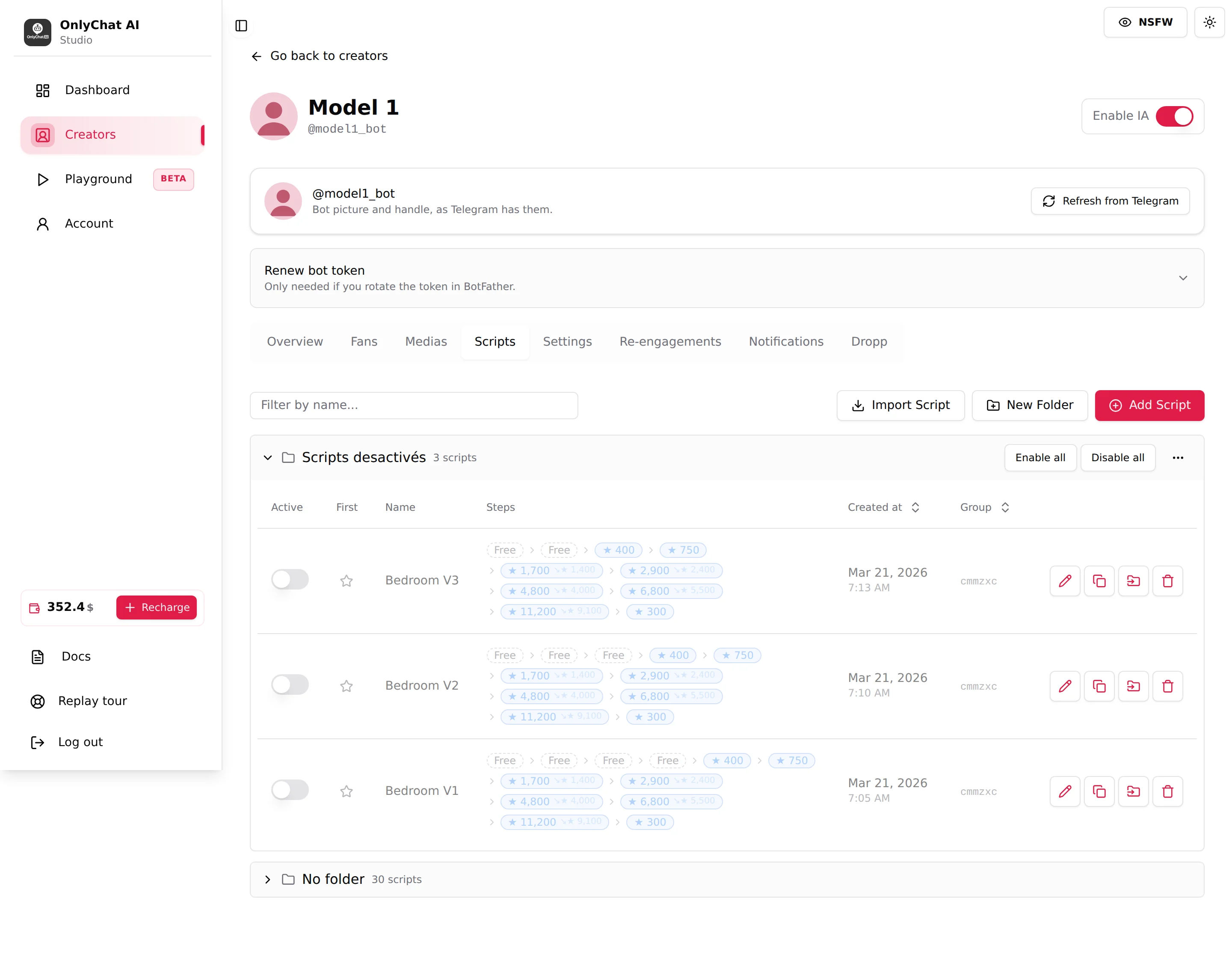
The Steps column in Stars
Each script row summarises its steps: "Free" pills for free steps, then Stars amounts for paid ones; a step with a discount shows the full price and the discounted price side by side. A step sold through Dropp reads "paid on Dropp" with the link name. Read the ladder left to right: this is the price path a fan will be walked through.
The editor: Telegram fields
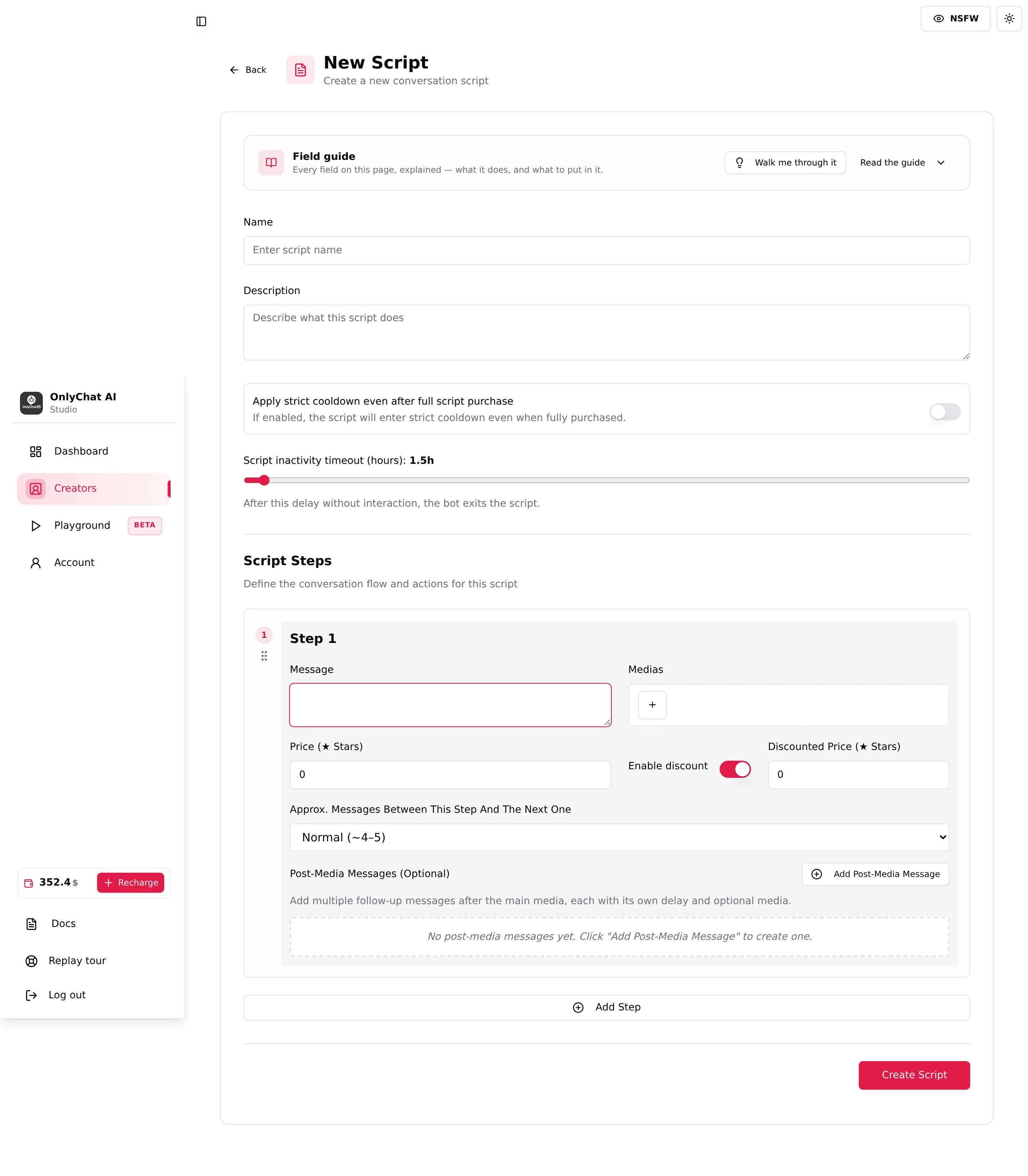
Open Add Script or the pencil on a row. The page is the same editor as OnlyFans ("New Script: Create a new conversation script", Field guide, Name, Description, the two timers, Script Steps). The differences are inside each step card.
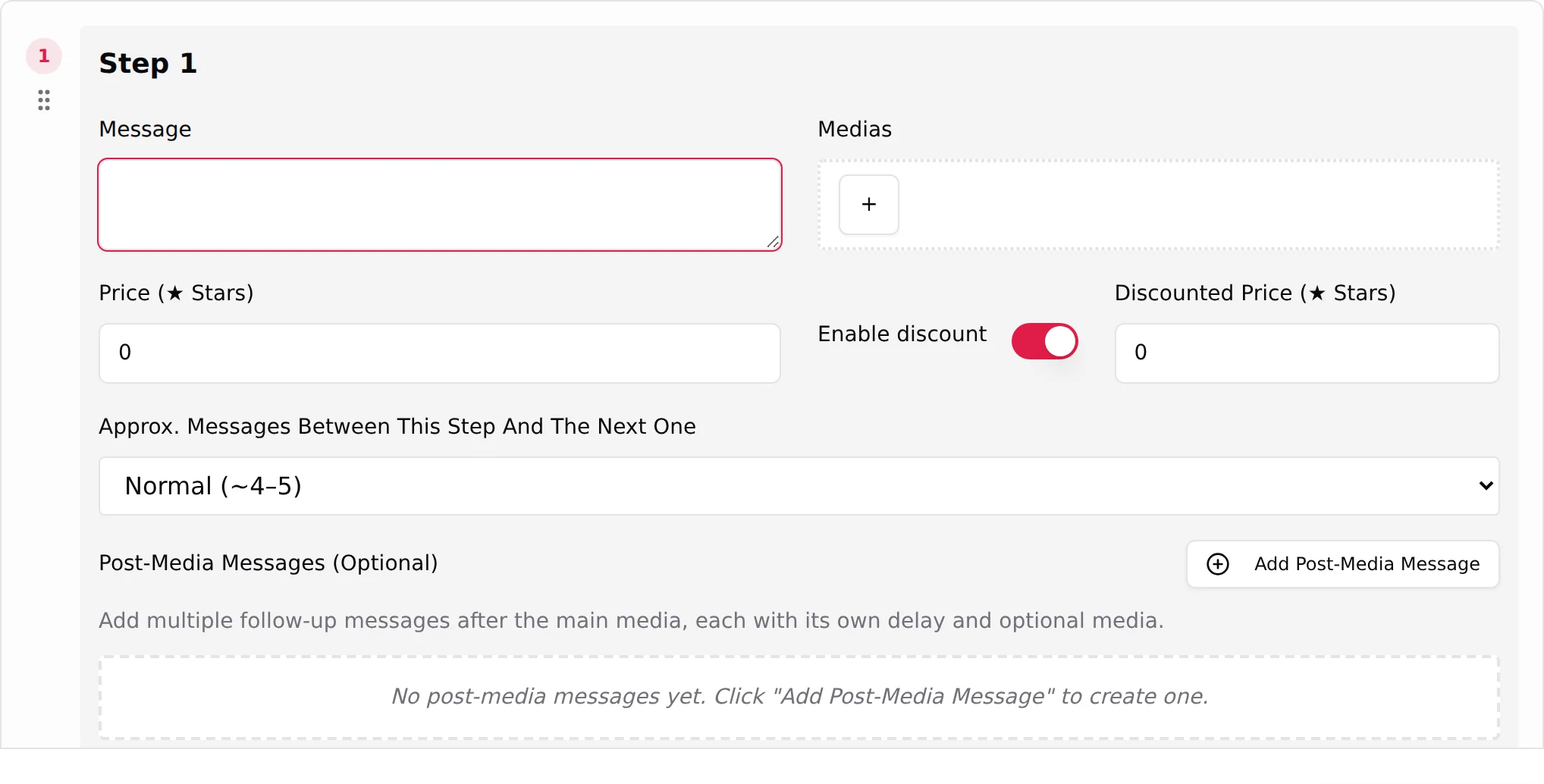
Price (Stars)
Label "Price (Stars)", placeholder "e.g. 100". 0 means the step is free: the media is sent without a payment request. Any other value is the number of Stars the fan pays to unlock the media. Stars are Telegram's in-app currency; the dashboard converts them to dollars everywhere. There is no minimum enforced by the field; a realistic ladder on Telegram is a few hundred Stars for the first paid step and climbs from there. See Prices and discounts and Telegram Stars for the ladder logic and how fans buy Stars.
Enable discount and Discounted Price (Stars)
Switch Enable discount, then "Discounted Price (Stars)" (placeholder "e.g. 50"). When the fan refuses or stalls, the AI can offer the same media at the discounted price. The Steps column then shows both prices.
Send as bubble
Telegram only. Default on. Helper: "Free videos under 60s are sent as a Telegram video note. Turn off to send a regular video."
A video note is the round, auto-playing bubble Telegram users send from their phone. It looks spontaneous, which is exactly what a free teaser should look like. The step card tells you what will happen with the media you attached:
| Status line | Meaning |
|---|---|
| "This free video (60 s or less) will be sent as a bubble (video note). The step message is sent right after." | Bubble confirmed. |
| "This video is longer than 60 seconds, so it cannot be sent as a bubble…" | Telegram limits video notes to 60 seconds; it goes as a regular video. |
| "Duration unknown for now: at send time, if the video is 60 s or less it will go as a bubble…" | The file is still being converted; the decision is taken when the message is sent. |
| "This video will be sent as a regular video (bubble disabled)." | You turned the switch off. |
| "Free photo: sent directly in the chat (Telegram does not support bubbles for photos)." | Photos never bubble. |
Bubbles apply to free steps only. Paid media is delivered after payment as a regular file. The same switch exists on each Post-Media Message.
Wait before sending video/audio
Default on. Helper: "If enabled, the video/audio will be delayed by its duration. Disable to send it immediately without delay or pre-media teaser."
With the switch on, the AI sends the Pre-Media Teaser immediately ("Text sent immediately if step contains video/audio...") and delays the main media by at least the media's duration, as if the creator were recording it right now. Turn it off for content that is presented as pre-recorded, or when you want the fan to receive the file the instant he pays.
Dropp.fans Link (Optional)
Telegram only. Picker "Select Dropp.fans Link: Choose a payment link from your creator's Dropp.fans folders to attach to this step." Links are grouped by Dropp folder ("No links in this folder." when empty) and show as "link name · folder".
When a link is set, the price fields lock with "Free: the fan pays on Dropp.fans instead." The step sends the Dropp URL; the fan pays on Dropp.fans and receives the content there. Use it for content you would rather sell outside Stars (higher prices, card payments, bundles). The Dropp tab must be configured first; see Dropp.fans.
- Link preview switch: "Enable "Link preview" to show Telegram's preview card for that URL." On, Telegram renders the Dropp page card under the message; off, only the text link. Keep it off if the preview reveals a thumbnail you would rather tease in words.
- Discount Dropp.fans Link (Optional): appears with Enable discount on. "Pick a Dropp link below for the discounted offer." and "When set, the discounted offer sends this tracked Dropp URL instead of resending the original media at a reduced price." Create a second, cheaper link on Dropp and select it here.
Medias picker on Telegram
"Select Medias: Choose media files from your creator's library to add to this step." with Filter by folder ("All folders", "No folder", or a folder name). Media already used in this script are greyed with "Used". Empty state: "No media for creator found" with a reminder to upload on the Medias tab. Validation: "At least one media is required (or select a Dropp link)": a paid step needs either a media or a Dropp link.
Everything else
Message, Pre-Media Teaser, Approx. Messages Between This Step And The Next One (Few / Normal / Many), Skip media followup if paid, Post-Media Messages with their Delay (in seconds), the script Description, "Apply strict cooldown even after full script purchase" and "Script inactivity timeout (hours)" behave exactly as on OnlyFans. See Script steps and Create a script.
Import Script
Telegram only. Button Import Script in the toolbar. Modal "Import a script from another bot".
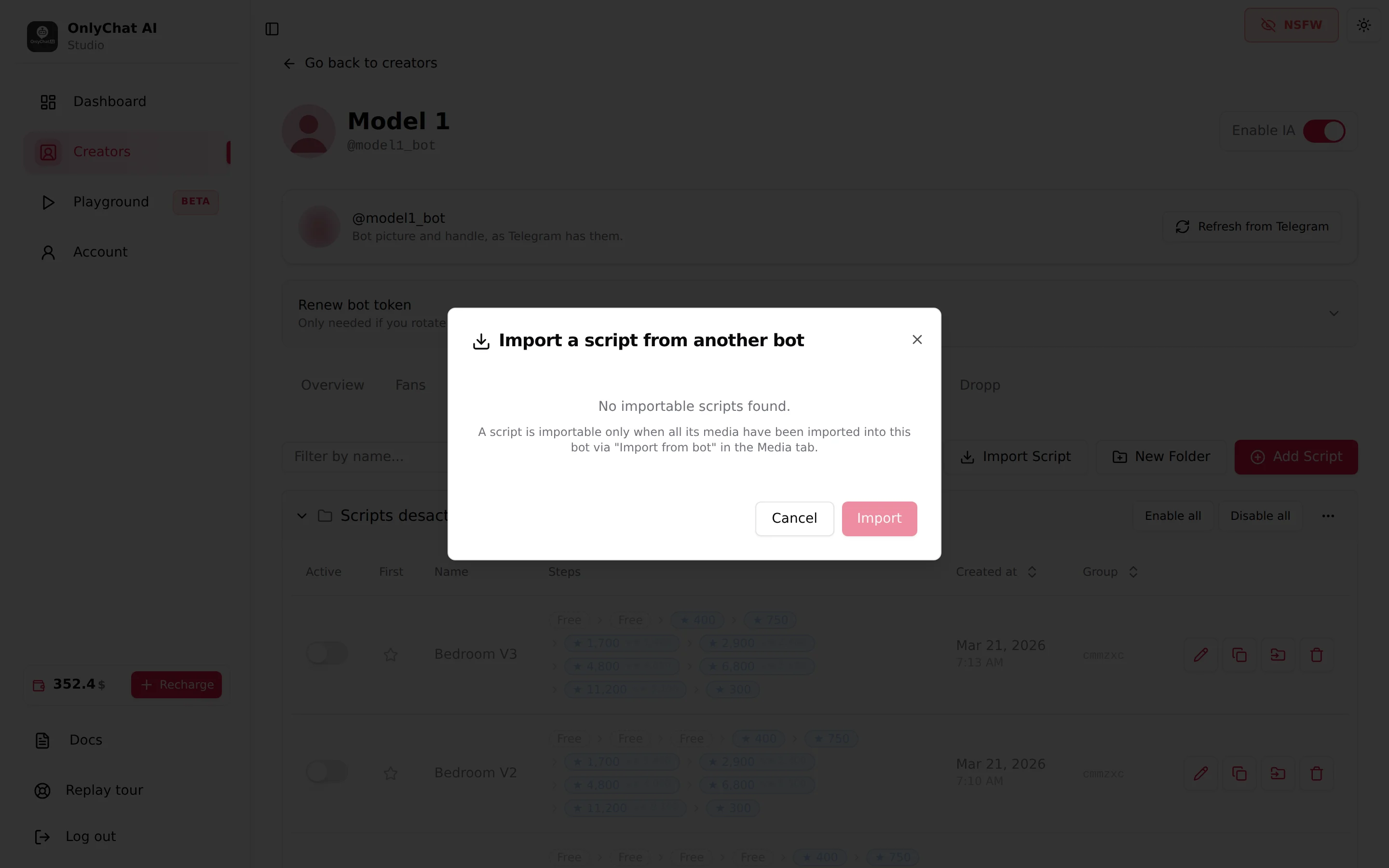
- Import the media firstOn the Medias tab, use Import from bot for every folder the script uses. See Media on Telegram.
- Open Import ScriptThe list shows each importable script as "N step(s): [bot name]". Already imported ones carry an "Imported" badge.
- Pick one and click ImportToast: "Script "[name]" imported (inactive: review before enabling)". The copy lands in this creator, inactive.
- Review, then activateOpen the copy, check every step still has its media and that prices fit this creator, then switch Active on.
Errors: "This script has already been imported. Delete the existing copy first if you want to re-import it." and "Import failed". Full procedure in Import a script.
Going live on Telegram
The AI switch needs at least 2 active scripts. Deactivating below that shows "Script deactivated. AI has been disabled because you have less than 2 active scripts." and switches the creator off. Flag one script as First so the AI knows where to start with a new fan; the star refuses inactive scripts ("Cannot flag an inactive script as first to use").