
A Telegram license is what lets a Telegram creator go live. One license, one creator, one month. Telegram licenses live in their own pool, separate from OnlyFans licenses, and cost $20 per month per creator plus 15% commission on the net revenue the AI sells. You buy them from the Account page and assign them from the creator card. Without a license, the card reads "No active license" and the AI switch refuses to turn on.
Where to find it
Licenses are bought in Account, tab Balance & Licenses. They are assigned from the Creators board, on the card of the creator, with the Assign License button. The board's license chips show at a glance how many are active and available per platform.

Telegram licenses vs OnlyFans licenses
| Telegram | OnlyFans | |
|---|---|---|
| Price | $20 per month per creator | Basic $20, Premium $70 per month per creator |
| Tiers | One tier, everything included (Notifications, Re-engagements, Fan notes, Tags) | Basic or Premium |
| Commission | 15% of AI net revenue | 10% of AI net revenue |
| Pool | Telegram pool | OnlyFans pool |
| Bulk packs | Yes, discounted | No |
Commission on Telegram is 15% or 4%, never zero: a PPV always goes out through the OnlyChat bot, including one you send by hand. It is 15% when the AI sold it, or when you send it by hand while the AI is chatting the fan or within 30 minutes after switching the AI off on that fan; it is a reduced 4% when you send it by hand on a fan whose AI is off. There is no zero-commission manual sale like on OnlyFans, where the human sells through OnlyFans directly. The full explanation is in Plans and commission.
Buy Telegram licenses
- Open Account, Balance & LicensesCheck the Current Balance card first. Licenses are paid from the balance; if it is too low, click Recharge Balance.
- Click Buy LicensesThe modal "Purchase Licenses" opens with "Choose license platform". Pick Telegram, labelled with its monthly price.
- Choose the Telegram offerSingle license: "$20/month: Choose your own quantity", then type a number in "How many licenses?". Bulk packs: cards showing "N licenses", a "-X%" badge, the pack price next to the struck regular price, and "$x.xx/month per license". The summary reads "Pack of N Telegram licenses" and "You save $N compared to the regular price."
- ConfirmThe button reads "Confirm Purchase (N license(s) - $X)" and the line "New Balance after purchase: $Y" turns red if the balance would go negative. Toast: "Telegram licenses purchased successfully." or "Failed to purchase Telegram licenses."
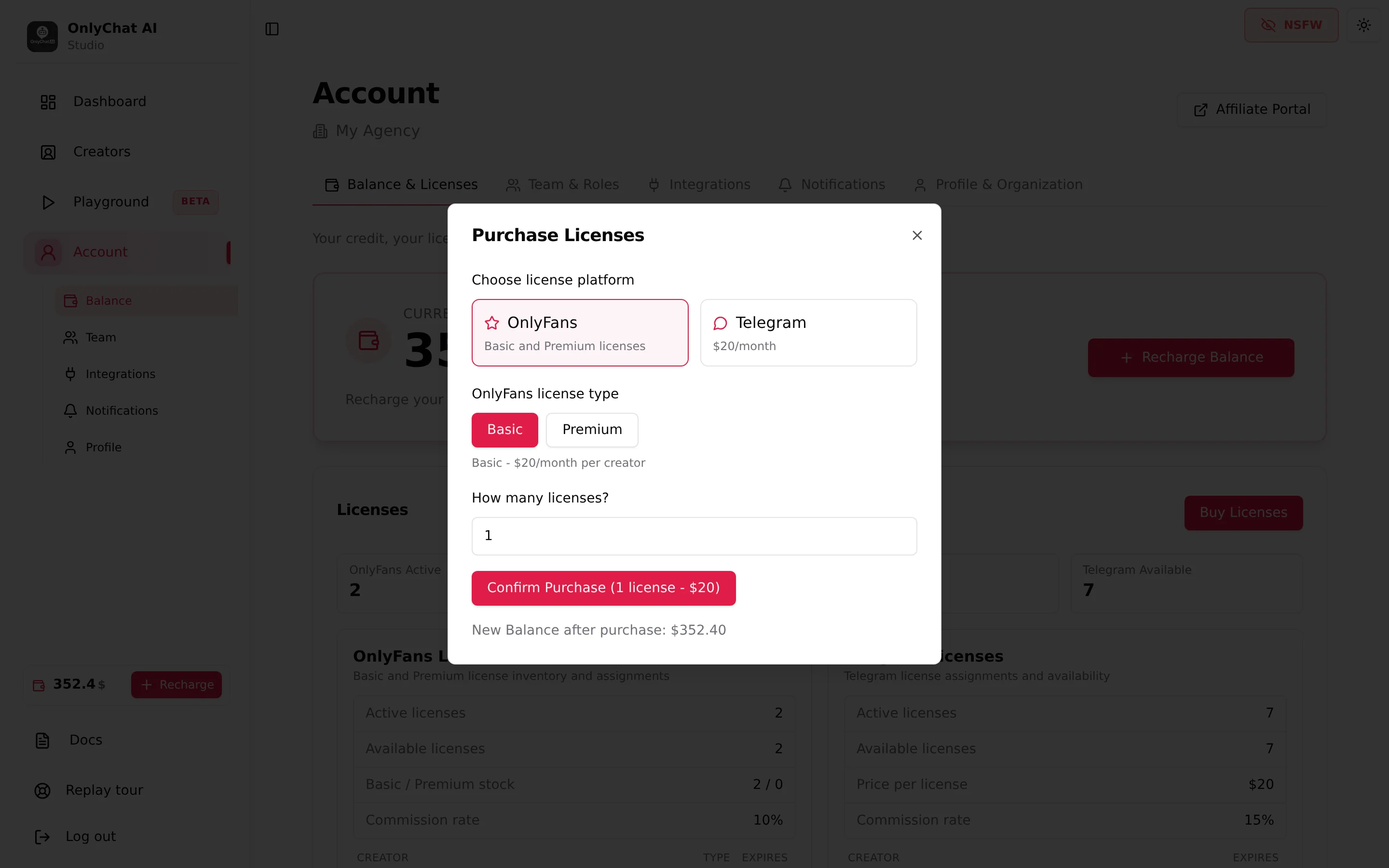
The pack sizes and their discounts come from the current offer and are shown in the modal; they are not fixed in this documentation.
Assign the license to a creator
- Find the creator cardOn the Creators board, the card shows "No active license" and the hint "Assign a license to start".
- Click Assign LicenseThe modal "Assign Telegram License to [creator]" opens. It reminds you that "Telegram licenses are separate from OF licenses and cost $20 each." and shows "Available Telegram licenses: N".
- ConfirmToast "Telegram license assigned." The card now shows the expiry date in the status block and the Renew switch appears.
If "Available Telegram licenses" is 0, buy one first. Other errors: "Failed to assign Telegram license." (try again, then check the Transaction History) and "Missing organization context." (reload).
After assignment: what the card shows

- Status block: "Ready to launch" with "Flip the AI toggle to go live" once the license is on, "Live" with "License until MMM D, YYYY" once the AI is on. Before assignment: "No active license".
- Renew switch: tooltip "On, this license is bought again from your balance when it expires. Off, the creator goes offline on the expiry date." Needs the "Toggle auto-renew" permission. Keep it on for any creator that earns; a lapsed license silently stops the AI.
- License line on the Overview tab: "expires MMM D" or "expired MMM D" or "No license assigned". See Overview and bot token.
Track licenses on the Account page
The Telegram Licenses card ("Telegram license assignments and availability") lists Active licenses, Available licenses, "Price per license", "Commission rate 15%", and a table Creator, Expires. Empty state: "No active Telegram licenses." The Transaction History table logs every "Telegram license purchase (N)" and renewal.