
A fan who already spent 250 dollars with a creator does not need the same treatment as a fan who arrived yesterday: he does not need a discount, he can take higher prices, and he deserves faster replies. Spender tiers give these fans their own settings. A fan joins a tier as soon as his total spend on the creator reaches the tier's amount, and from then on the AI follows the tier's settings instead of the creator's. Everything you leave on "Same as bot" keeps following the Settings tab.
Spender tiers exist on Telegram creators only.
Where to find it
Open a Telegram creator and click the Spenders tab. The tab text: "Treat the fans who already paid differently from newcomers. A fan joins a tier as soon as their total spend on this bot reaches it, and the AI then follows the tier's settings instead of the bot's." Under it, the number of fans who already spent something with this creator.
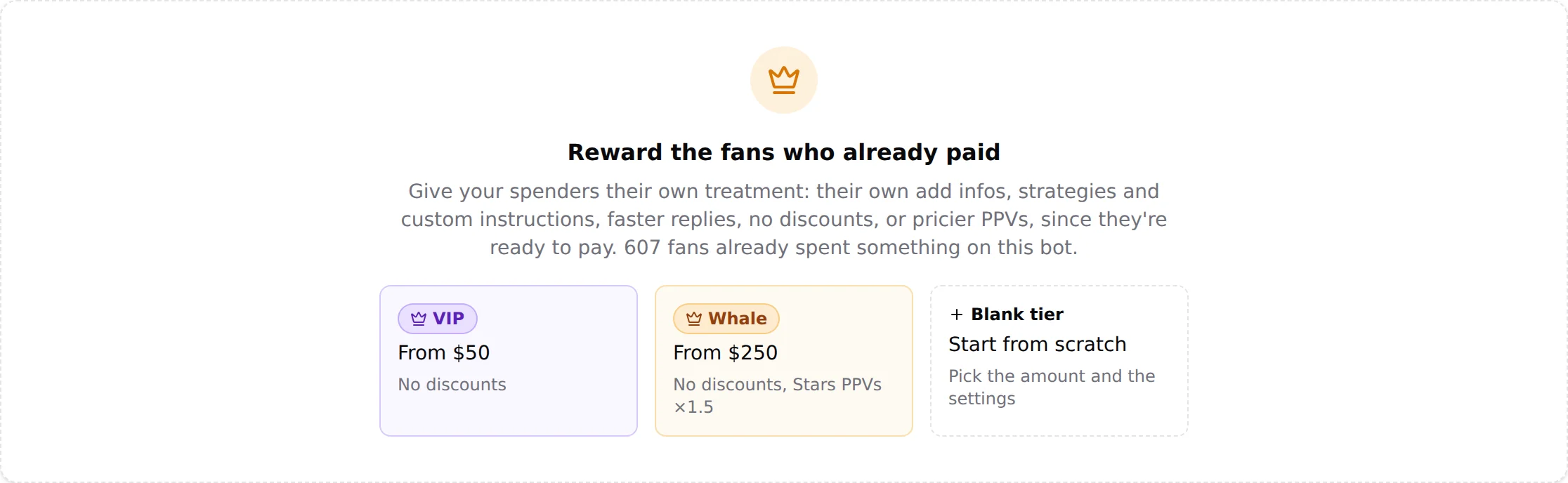
Three cards start a tier. The amounts of the two presets are starting points, not a rule: Applies from is yours to set on the next screen, and nothing stops you from creating a third tier much higher, for the fan who already spent 2,000 dollars with the creator. A creator can have up to five tiers.
| Card | Amount | Preset settings |
|---|---|---|
| VIP | From 50 dollars | Never offers discounts |
| Whale | From 250 dollars | Never offers discounts, Stars PPVs x1.5 |
| Blank tier | You choose | Nothing changed yet |
The tab also shows an Import from bot button.
Create a tier
Click a card. The dialog New spender tier opens with five tabs. The summary line at the bottom recaps what the tier changes; Create tier saves it.
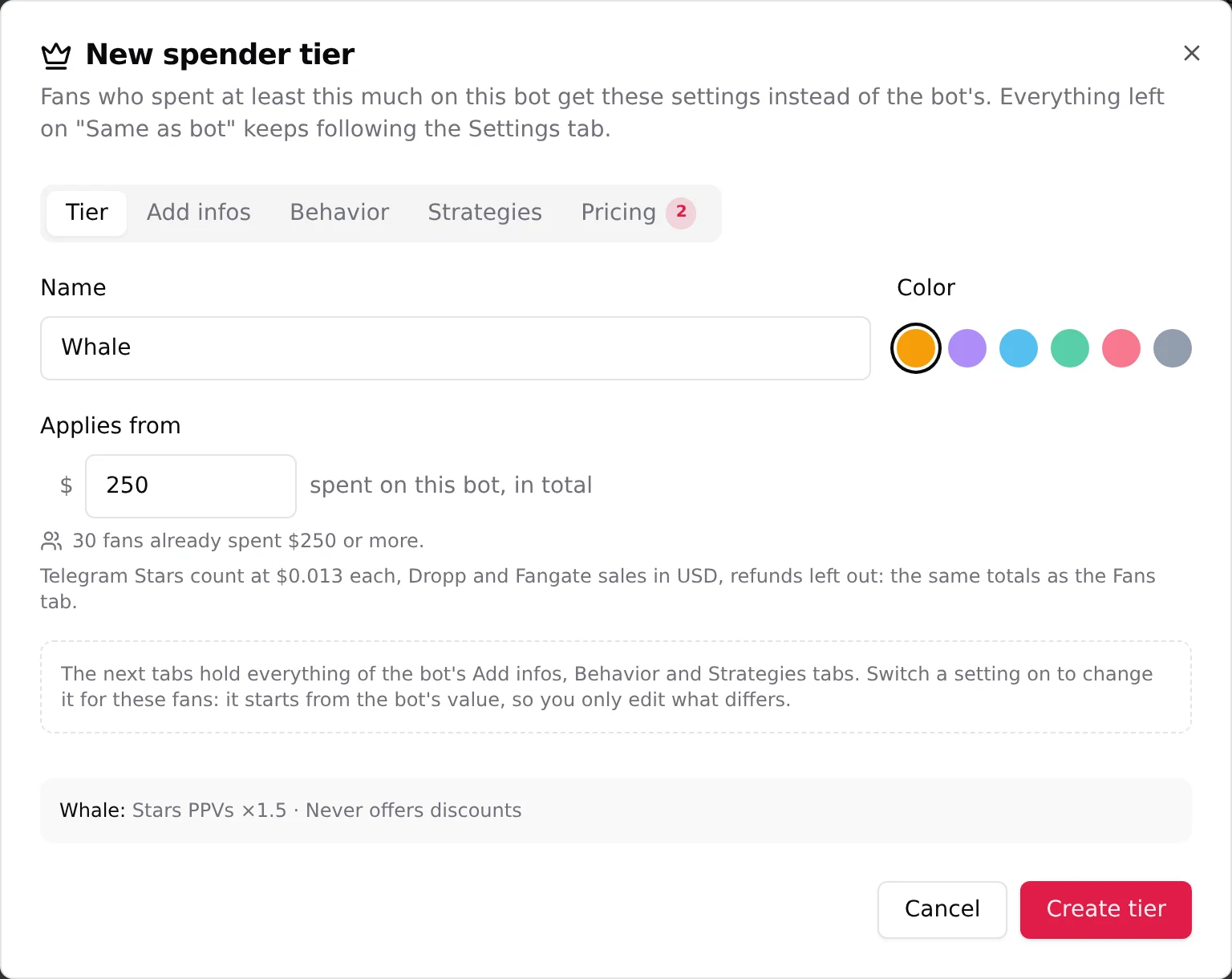
- TierGive it a Name and a Color. Set Applies from: the amount, in dollars, "spent on this bot, in total". The line under it reads "N fans already spent $X or more": the fans who reached this amount. Each fan belongs to one tier, the one with the highest amount he reached, so a fan above a higher tier is counted here but lands in that higher tier. The amounts are the same totals as the Fans tab: "Telegram Stars count at $0.013 each, Dropp and Fangate sales in USD, refunds left out."
- Add infosThe Additional info of the creator, for these fans only. Leave it on Same as bot or switch it on to write a version for your spenders. It starts from the creator's text, so you only edit what differs. See Additional info.
- BehaviorSix settings, each on Same as bot with the creator's current value shown ("Follows the bot: under 2 min"): Response time, Follow-up delay, Split long replies, Show "typing…", Cooldown after a script, Strict script cooldown. Switch one on to give the tier its own value. Big spenders notice when you are quick: a shorter response time is the usual first change.
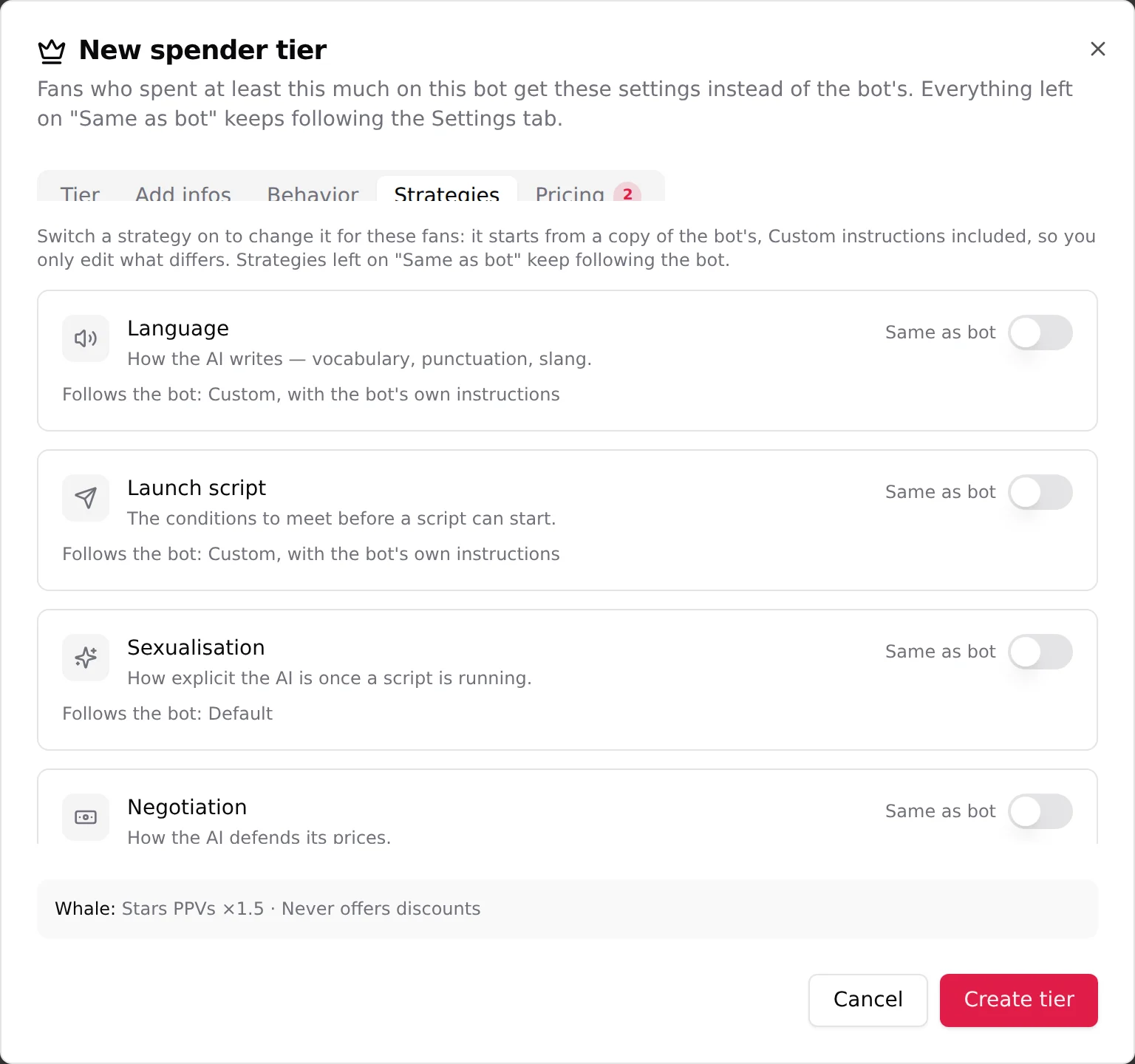
- StrategiesSix phases: Language, Launch script, Sexualisation, Negotiation, End of script, Follow-up. "Switch a strategy on to change it for these fans: it starts from a copy of the bot's, Custom instructions included, so you only edit what differs." There is no KYC here: "fans reach a tier by buying, so they're already past it."
- PricingTwo settings, described below.
Pricing: the multiplier and the no-discount switch
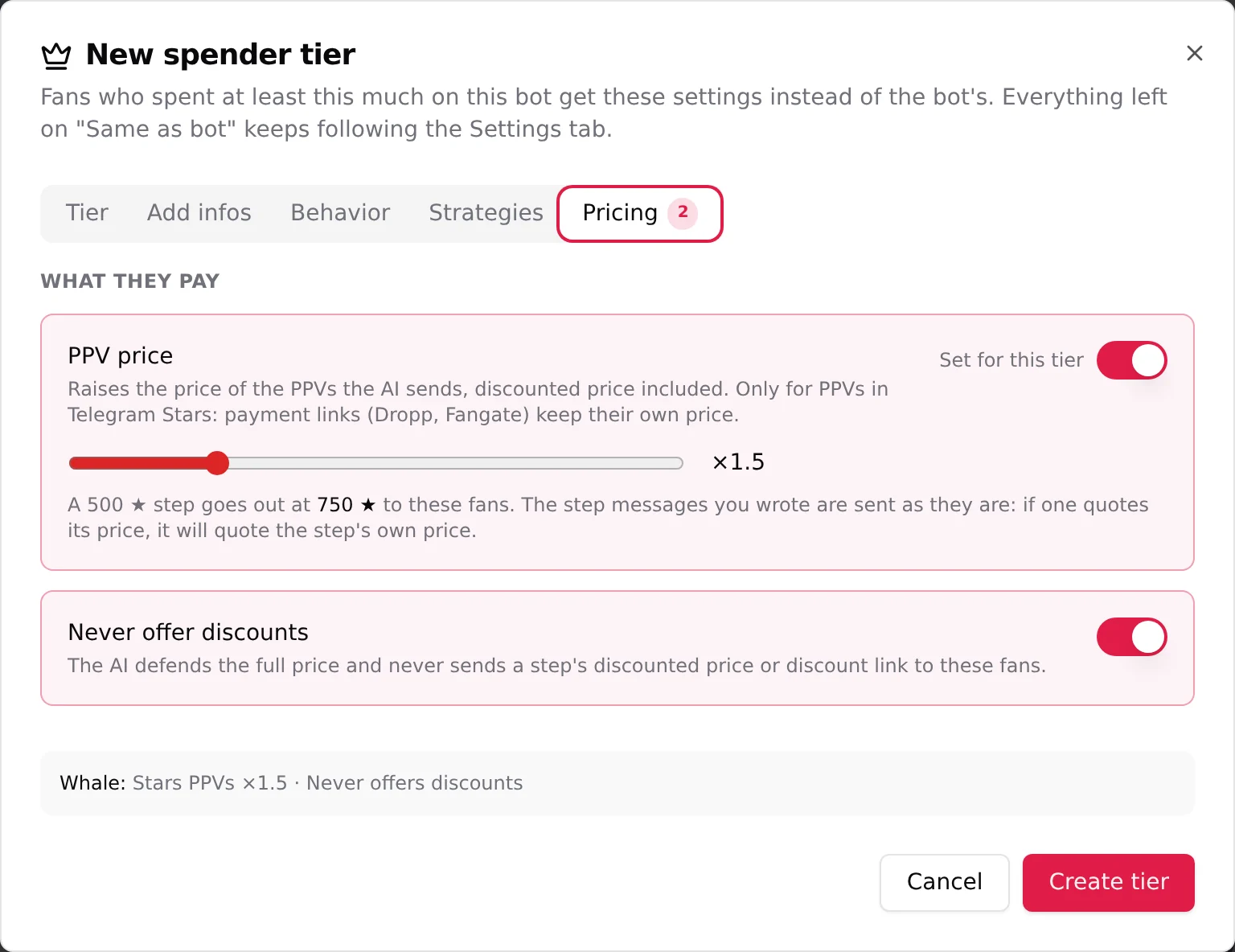
PPV price. Switch Set for this tier on and move the slider. "Raises the price of the PPVs the AI sends, discounted price included. Only for PPVs in Telegram Stars: payment links (Dropp, Fangate) keep their own price." The example under the slider updates as you move it: at x1.5, a 500 Stars step goes out at 750 Stars to these fans. Two things to keep in mind:
- The multiplier applies to the price and to the discounted price of every step, for the fans of this tier only. Your scripts do not change.
- "The step messages you wrote are sent as they are: if one quotes its price, it will quote the step's own price." A step message that says "just 500 stars" will say 500 while the media asks 750. Write prices on the media, not in the message, if you use a multiplier.
Never offer discounts. "The AI defends the full price and never sends a step's discounted price or discount link to these fans." The Discounted Price of your steps is simply never used for them.
How the tiers combine
- A fan belongs to one tier: the one with the highest amount his total spend reached. Reaching the next amount moves him up.
- Everything a tier leaves on Same as bot follows the Settings tab, including any later change you make there.
- A tier's settings apply right away to the fans assigned to it, no re-creation or waiting needed.
When to use it
The right amounts depend on your creator: how much her fans spend, how many are above each line. Read the count under Applies from and the Fans tab before you decide. Some ways agencies use it:
- Protect your margin: a no-discount tier from the amount where a fan has clearly shown he pays, so the AI stops discounting to fans who were going to pay anyway.
- Price up the top: a multiplier on the fans who unlock everything, from an amount only your best fans reach.
- A tier of their own for the very top: a fan who already spent 2,000 dollars deserves his own add infos and the fastest replies, whatever the two presets say.
- A different closing: an End of script instruction written for spenders, see End of script.
- Check the count under Applies from before you create a tier. A tier with 2 fans is not worth a different persona; a tier with 160 is.