
Most of the time the AI sends paid media on its own. Send a PPV by hand lets you do it yourself from the dashboard: open a Telegram fan's conversation, choose the media, set a price in Stars, and send. The fan receives a locked album in Telegram and unlocks it by paying the Stars. It is the manual counterpart to what the AI does automatically, for the moments you want to push a specific set to a specific fan.
Where to find it
Open the Telegram creator, go to the Fans tab, and open a fan's conversation. The composer sits at the bottom of the conversation, with the fields to attach media, set a price and send.
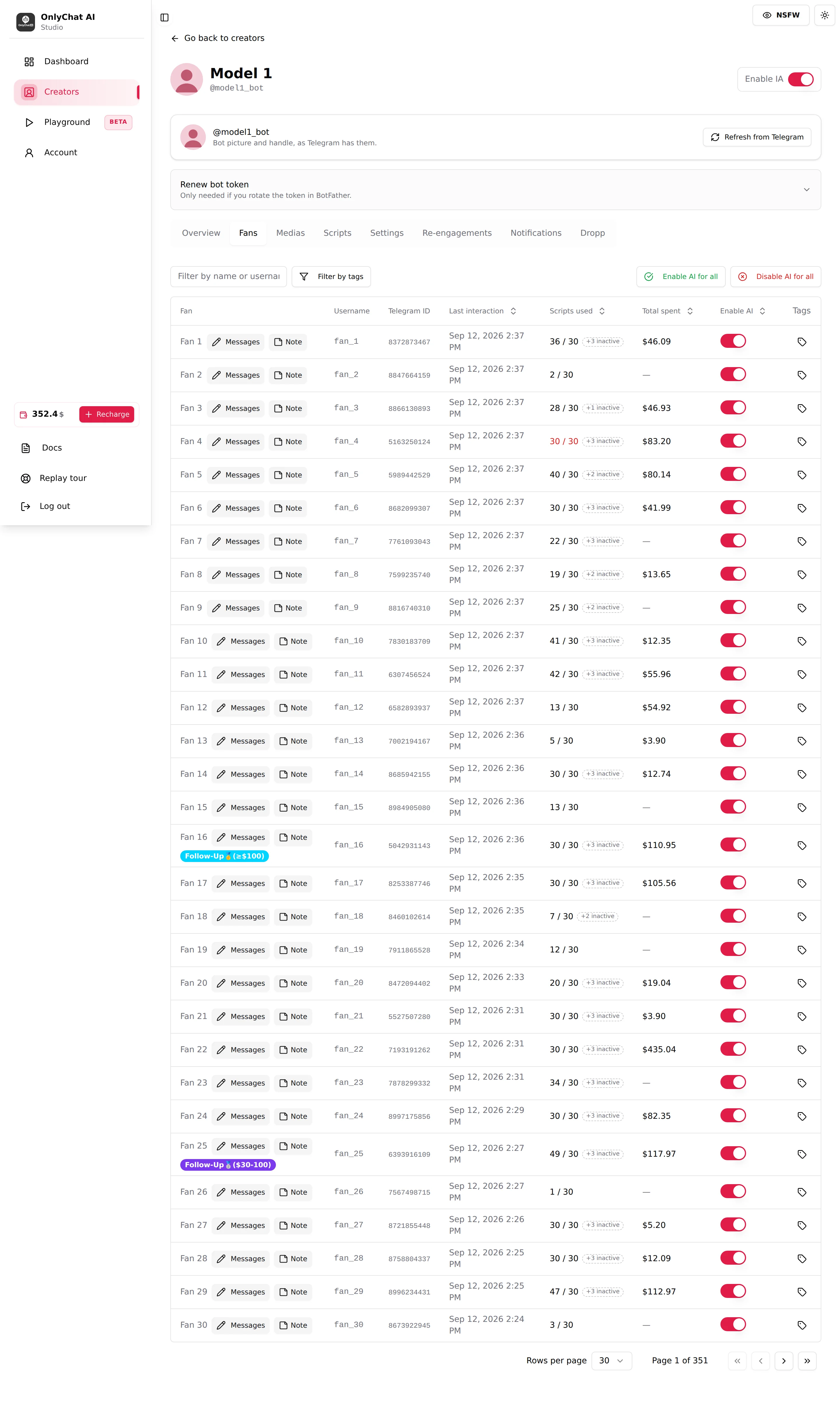
Two ways to fill a PPV
Apply a ready-made step
The fastest route is a script step: its message, its media and its price are already set, so one action drops all three into the composer. This reuses the ladder you already built, so the price and the media stay consistent with the rest of the funnel. Script steps on Telegram are covered in Scripts on Telegram.
Pick the media yourself
The other route is to choose the media by hand. Open the media picker and select from the creator's library, then set the price. Where the media comes from and how the library is organised is in Media on Telegram.
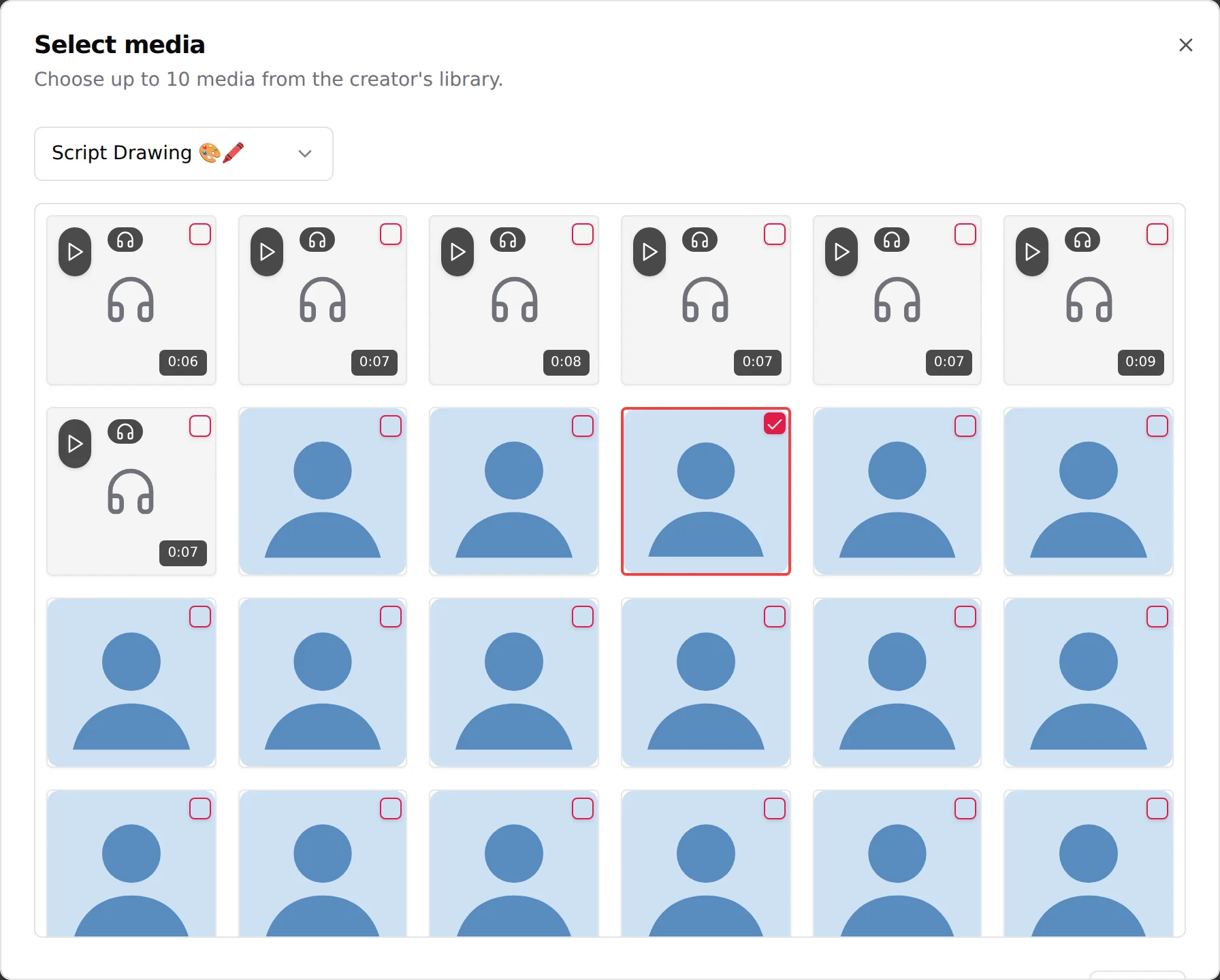
Set the price in Stars
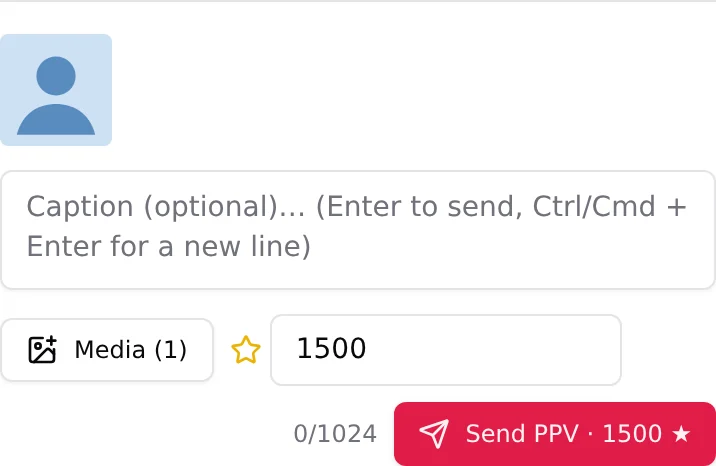
The price is in Stars, not dollars. Once media is attached and a price is set, the send button becomes Send PPV with the amount, for example "Send PPV, 1500 Stars". The fan pays that number of Stars to open the set. A paid message only accepts photos and videos, not audio. Stars, their conversion and payouts are covered in Telegram Stars.
What the fan sees
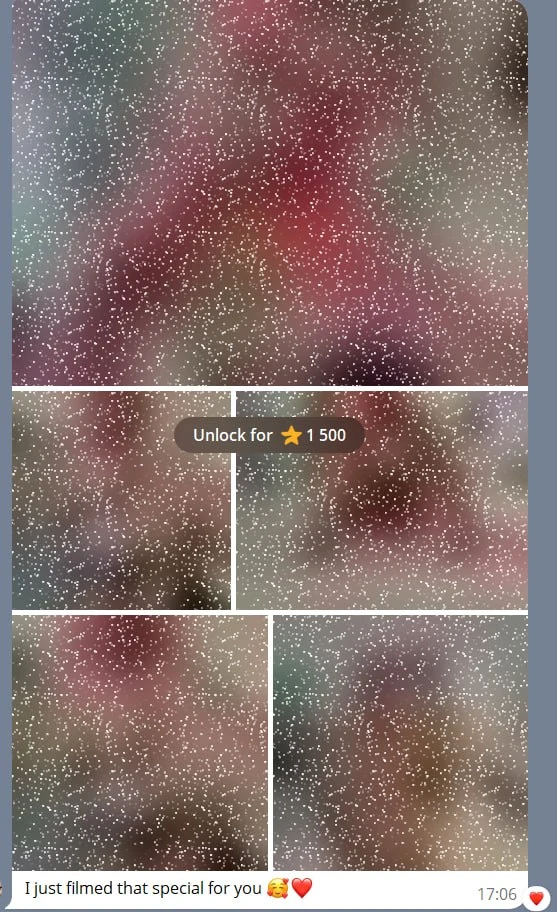
In the Telegram chat the fan gets a locked album: a blurred set with the price on it. Paying the Stars unlocks the media in place, in the same conversation. Nothing is sent in the clear before payment.
Commission
A PPV you send by hand still leaves through the OnlyChat bot, so on Telegram it is always commissioned, at one of two rates:
- 15%, the standard Telegram rate, when the AI sold it, when you send it while the AI is chatting the fan, or within 30 minutes after you switch the AI off on that fan. This is the anti-fraud rule: the AI did the warm-up.
- 4%, a reduced rate, when you send it by hand on a fan whose AI is off, meaning more than 30 minutes after switching it off, or with the AI disabled on that fan.
There is no zero-commission case on Telegram, since the set always goes out through the bot. This differs from OnlyFans, where a sale you close by hand on a fan whose AI has been off for more than 30 minutes carries no commission, because there the human sells through OnlyFans directly, not through our bot. The full table is in Plans and commission.