
On Telegram, fans pay for content with Telegram Stars, the in-app currency Telegram sells to users. The AI sends a paid step of a script, the fan taps to pay in Stars, Telegram unlocks the content, and the Stars land on the creator's Telegram account. OnlyChat prices every paid step in Stars, records each Stars sale, converts it to dollars for the dashboard, and charges its 15% commission from your balance. Stars are the currency Telegram requires for digital content sold inside a chat: for a fan, they are the way to pay without leaving the conversation.
Where Stars appear
| Place | What you see |
|---|---|
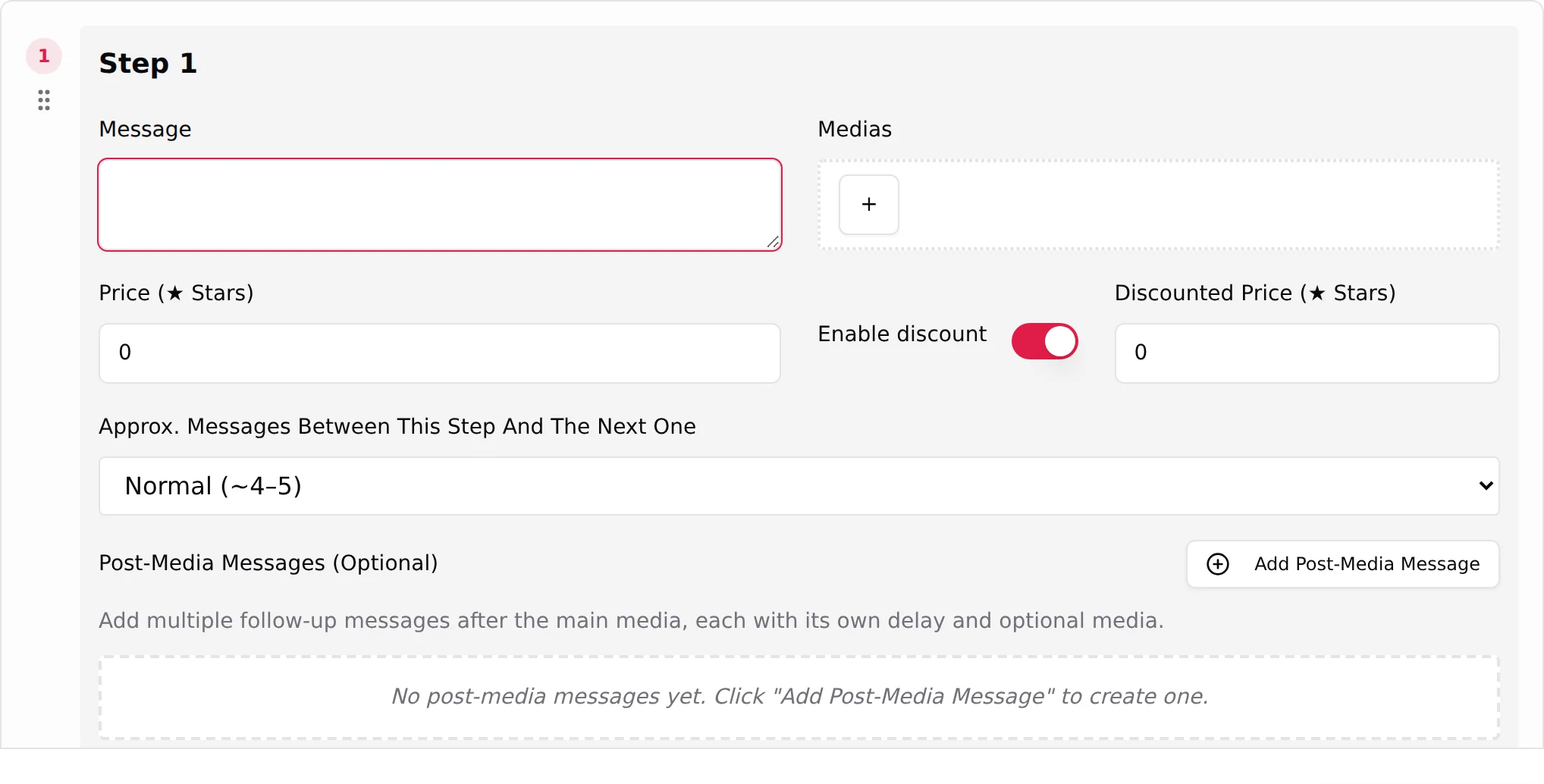
| Script editor, each step | Price (Stars) with placeholder "e.g. 100"; with Enable discount, Discounted Price (Stars) with placeholder "e.g. 50". |
| Scripts tab, Steps column | Step summaries in Stars: "Step n: free", "Step n: X to Y with discount". |
| Creator Overview tab | Revenue (7d): "Telegram Stars collected by this creator over the last 7 days (AI + manual)", shown as a Stars count with "≈ $x". |
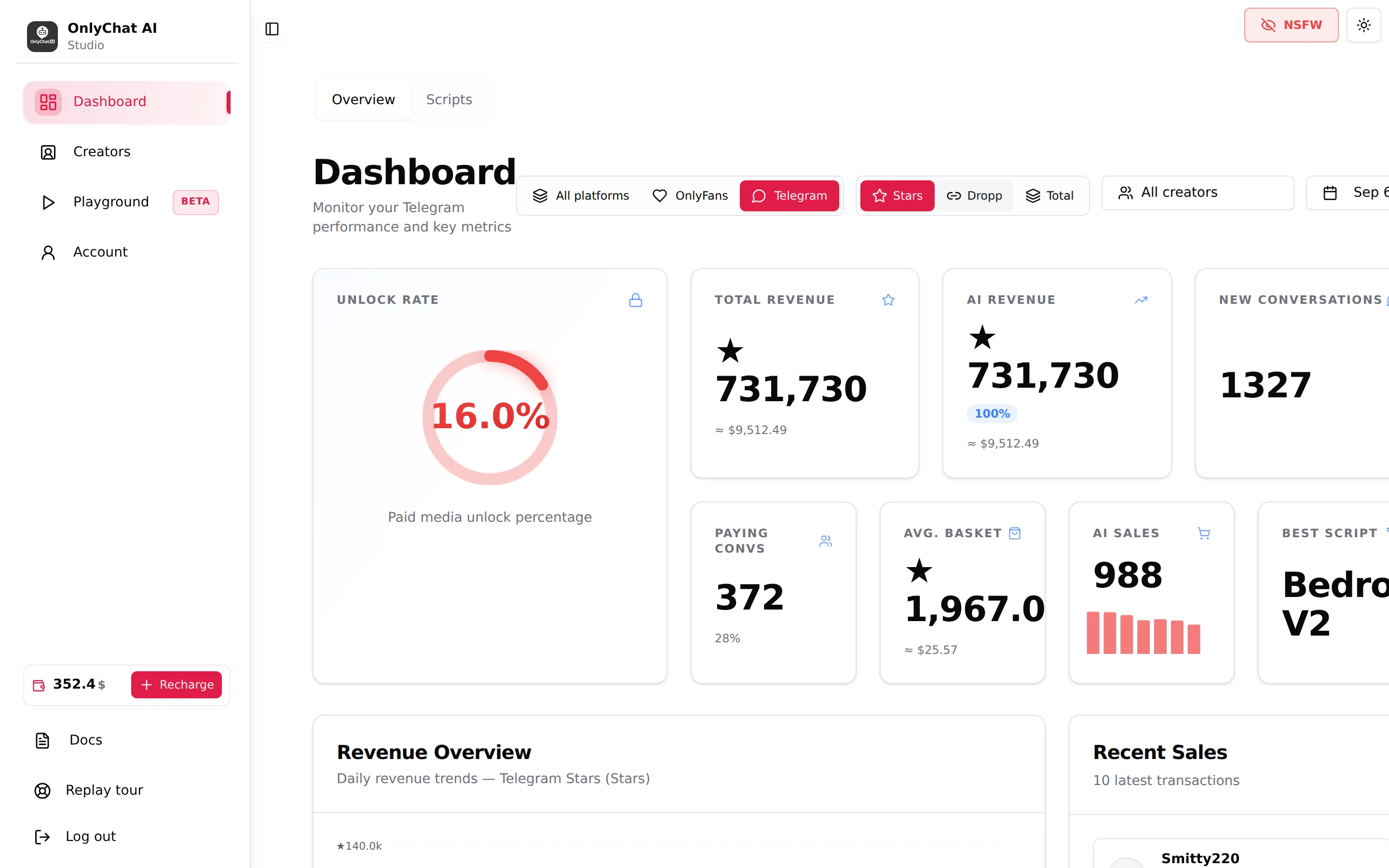
| Dashboard, Telegram | Revenue view buttons Stars · Dropp · Total ("Telegram sales are paid in Stars. Switch to USD for the converted value."). |
| Account, Transaction History | "Telegram sale commission (saleId=…)", the 15% on each sale in dollars. |
| Fans tab (Telegram) | Column Total spent per fan. |
How a Stars payment happens in the chat
- The AI reaches a paid step of the script and sends the media as paid content with the price in Stars.
- The fan sees the locked media and the price, taps, and confirms with the Stars on their Telegram account (Telegram sells Stars to the fan if they have none).
- Telegram unlocks the media for the fan and credits the Stars to the creator's account, the one connected through Telegram Business.
- OnlyChat records the sale on the conversation, on the fan's Total spent, on the Overview and the Dashboard, and charges the commission from your balance.
The AI works with the two prices you set on the step: the full Price and, when Enable discount is on, the Discounted Price it can fall back to when the fan hesitates. Pricing strategy is covered in Prices and discounts.
Setting prices in Stars
- 0 in Price means the step is free; the media is sent directly.
- A paid step needs at least one media ("At least one media is required (or select a Dropp link)").
- A step with a Dropp.fans Link is locked to "Free, the fan pays on Dropp.fans instead": Stars and Dropp do not mix on one step, see Dropp.fans.
- Think in Stars, not in dollars: the fan sees the Stars figure, and the dollar value depends on what Telegram charged them for those Stars. Round numbers (100, 250, 500) read better than a converted price like 187.
Dashboard and conversion
The Dashboard converts Stars to dollars so that OnlyFans and Telegram creators can be compared: "Telegram Stars and Dropp payments are converted to USD by the API". Three views on the Telegram dashboard:
| View | Includes |
|---|---|
| Stars | Stars sales only (label "Telegram Stars"). |
| Dropp | Sales paid on Dropp.fans links (label "Dropp.fans"). |
| Total | Both, in dollars ("Stars + Dropp"). |
OnlyChat applies Telegram's official rate, about $0.013 per Star (100 Stars ≈ $1.30); the interface shows it as "≈ $" figures. The commission rows in Transaction History are the precise dollar amounts OnlyChat used.
Withdrawing Stars
Stars are held by Telegram on the creator's account, not by OnlyChat. Withdrawal is done in the Telegram app, from the creator's account, under the Stars balance, following Telegram's own rules (holding period, minimum amount, payout in the crypto Telegram supports). OnlyChat has no withdrawal screen and never touches the Stars themselves; its commission is charged from your OnlyChat balance in dollars. The path today: Stars are locked for 21 days after the sale (Telegram's anti-fraud hold), then converted through Fragment (KYC required) into TON, which you can swap to USDT or any other crypto. Fans pay by card, Apple Pay or Google Pay, in the chat, with no account to create. The full purchase history is visible from the owner account, through the bot's @, and in your OnlyChat dashboard. For current conditions, read Telegram's public page on Stars: https://telegram.org/blog/telegram-stars.
Good to know
- Manual Stars sales from the composer: a paid Stars item is usually sent by the AI through a script step, but you can also send one by hand from the OnlyChat composer with Send a PPV by hand: attach media, set a price in Stars, and send. A hand-sent PPV still goes out through the bot, so it carries commission, 15% or a reduced 4% depending on whether the AI is on for that fan, see Plans and commission.
- Refunds: Stars refunds are handled by Telegram. Whether a refunded sale is removed from the OnlyChat figures is not shown in the interface.
- Alerts: turn Sales on in the creator's Notifications tab to get one Telegram message per Stars sale, see Telegram notifications.
- Best script: the Overview tab shows "Best script, name and Stars" so you can see which script brings the Stars.