
Dropp.fans is a checkout service: you create payment links there, and OnlyChat lets the AI send those links inside Telegram scripts instead of (or as a fallback to) paid media in Stars. When a fan pays on Dropp, Dropp tells OnlyChat through a webhook, and the sale is attributed to the conversation. The integration exists for agencies that want the payment methods Dropp offers on Telegram, or content that lives on Dropp rather than in a Telegram media, while keeping the AI in charge of the conversation. Setup is in two parts: once per organization (the API key), then per Telegram creator (profile, folders, links).
Part 1: organization setup
Open Account, tab Integrations (permission Manage Telegram bot), card Dropp.fans. The card reads: "Agency-wide Dropp.fans API configuration. Entering your API key automatically registers the webhook on Dropp, no manual setup needed." with a link "Need help setting this up? See the documentation".
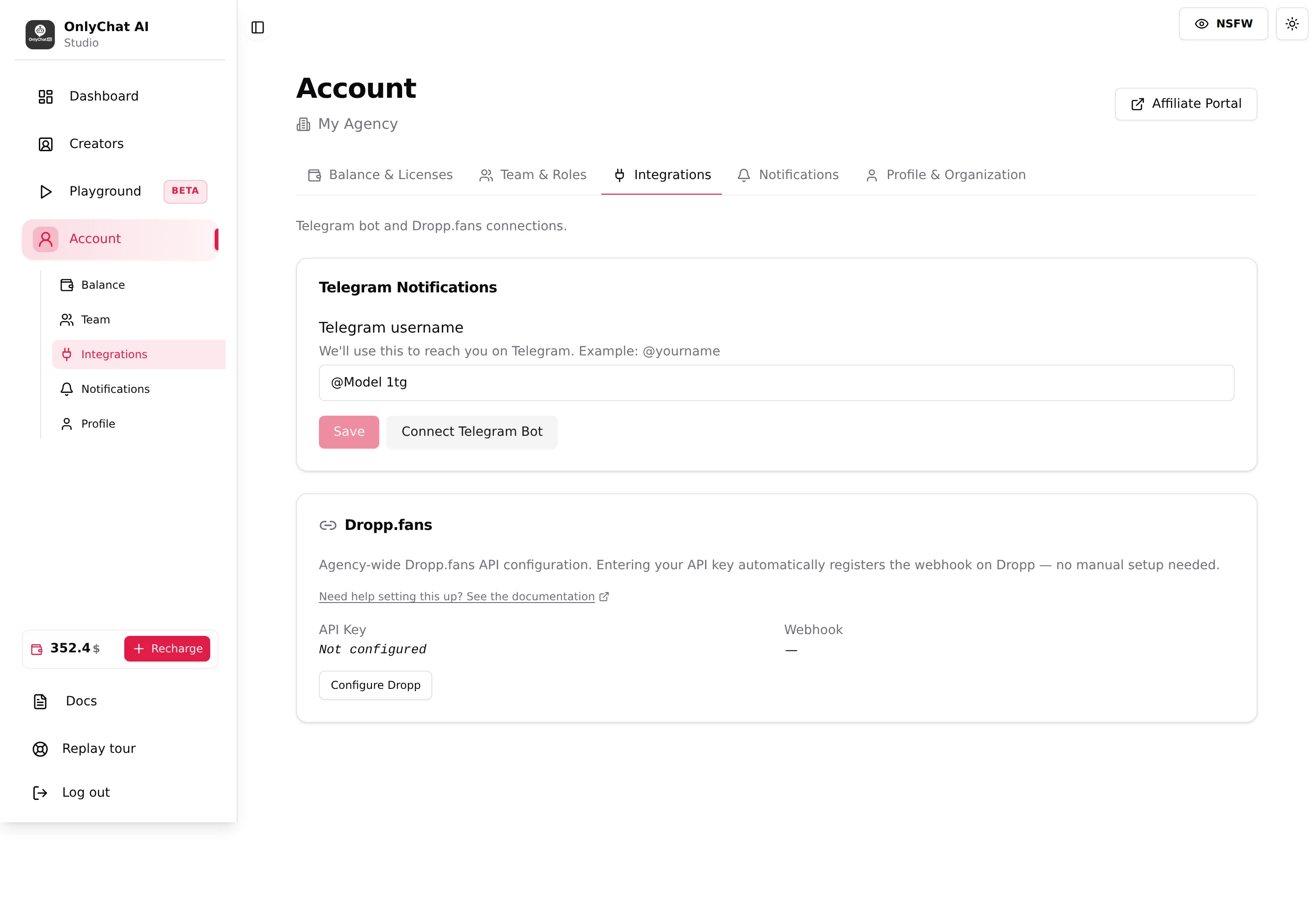
Status rows
| Row | Values |
|---|---|
| API Key | "Not configured", or the last 4 characters of the saved key. |
| Webhook | "Active" or "Not registered". Link syncing and sale attribution only work while it is Active. |
Configure Dropp / Update API key
The button is Configure Dropp the first time and Update API key afterwards. It opens a form with one field, **API Key ***, placeholder drp_live_..., and a show/hide control.
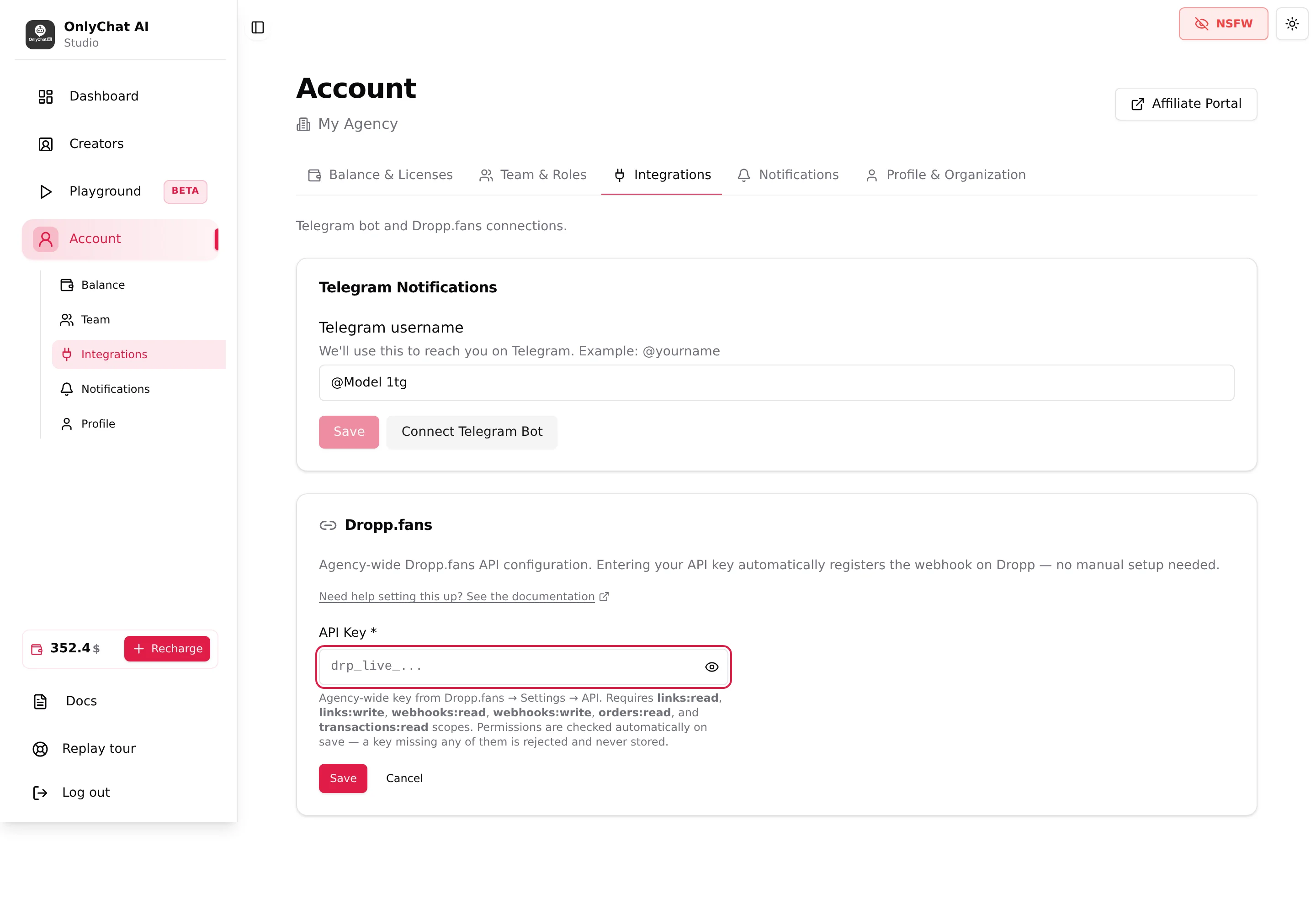
The helper under the field, verbatim: "Agency-wide key from Dropp.fans → Settings → API. Requires links:read, links:write, webhooks:read, webhooks:write, orders:read, and transactions:read scopes. Permissions are checked automatically on save, a key missing any of them is rejected and never stored."
Save ("Verifying & saving...") ends with "All required permissions verified" and the toast "All permissions verified, Dropp configuration saved and webhook registered". Errors:
| Message | Fix |
|---|---|
| "API key is required" | The field is empty. |
| "This API key appears to be invalid, it was not saved. Double-check you copied the full key from Dropp.fans → Settings → API." | Copy the whole key again, no spaces. |
| "This API key is missing required permissions, it was not saved. Generate a new key on Dropp.fans with all the scopes listed above and try again." | Create a new key on Dropp with the six scopes. |
| "Failed to save Dropp configuration" | Retry; if it persists, see Contact the team. |
- Create the key on Dropp.fansDropp.fans, Settings, API. Grant the six scopes: links:read, links:write, webhooks:read, webhooks:write, orders:read, transactions:read. Copy the key; Dropp shows it once.
- Paste it in Configure Dropp and SaveWait for the toast. The card now shows the key's last 4 characters and Webhook: Active.
Part 2: creator setup (Dropp tab)
Open a Telegram creator and click the Dropp tab. A link "Dropp.fans setup guide" points to this documentation.
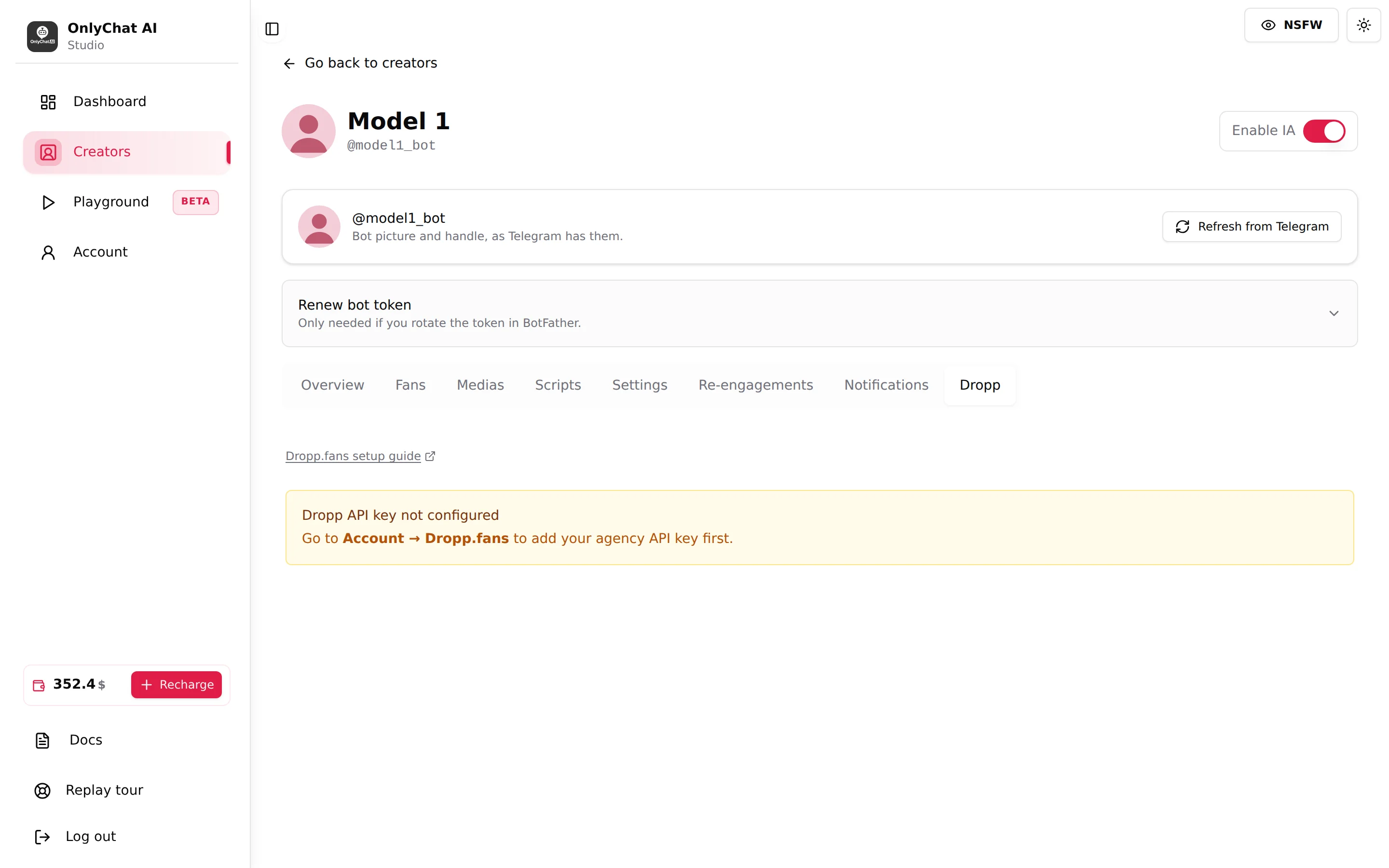
Guard banners
- "Dropp API key not configured, Go to Account → Dropp.fans to add your agency API key first."
- "Dropp webhook is not active, Go to Account → Dropp.fans and re-save your API key. Link syncing is disabled until then."
Once the key is saved and the webhook active, the tab shows three cards.
Dropp Creator Profile
Subtitle "Select which Dropp.fans creator corresponds to this bot." Starts at "No profile linked". Select Profile opens a select ("Select a profile...") listing the creators found for your API key; the agency account itself is marked "(agency account)". "No creators found for this Dropp API key." means the Dropp account has no creator profiles yet. Toasts: "Dropp profile linked" / "Failed to save Dropp profile".
The profile decides which links this creator can import: links belong to a Dropp profile, so each Telegram creator points at its own.
Link Folders
Subtitle "Select which folders to sync. Only links from selected folders will be imported." Click Fetch Folders ("Fetching..."; toast "N folder(s) fetched from Dropp"; error "Failed to fetch folders, check your API key and profile"). Each folder has a checkbox, its name ("Unnamed folder" if none) and "N link(s)". Empty state: "No folders yet. Click "Fetch Folders" to load them from Dropp.fans." Toggling a checkbox saves immediately ("Failed to update folder selection" on error).
Organise on Dropp with folders per creator or per content type; here you only tick what this creator sells.
Dropp Links
Subtitle "Showing links from selected folders only." (or "Showing all synced links." when no folder is selected). Sync Links imports the links: toasts "N Dropp link(s) synced", or "N Dropp link(s) synced, N deleted on Dropp, marked inactive"; errors "Sync failed, check that your Dropp API key and profile are configured" and "Dropp webhook is not active, cannot sync links until it's registered". Empty state: "No links synced yet. Select folders above then click "Sync Links"."
The table has the columns Name · Description · Price · Content · Status (Active/Inactive) · Actions, grouped by folder ("No folder" for loose links, "N link(s)" per group).
| Action | What it does |
|---|---|
| Add description... (or the pencil) | Opens Edit Description, "Shown to the AI as context for "<link>"." Placeholder "e.g. 5 exclusive photos, lingerie shoot", 500 characters maximum, toast "Description saved". |
| Trash | Delete Dropp Link: "Are you sure you want to delete "<name>"? This removes it from OnlyChat only, it will remain on Dropp.fans and can be re-synced later." Toast "Dropp link deleted". |
Beyond the name and the price synced from Dropp, the description is what the AI knows about the link: what the fan gets, how much of it, in what style. Write it the way you describe a media in the Medias tab. A link without a description is a link the AI cannot sell well.
- Select ProfilePick the Dropp creator that matches this Telegram creator.
- Fetch Folders and tick the ones to importLeave all unticked to import every link of the profile.
- Sync LinksThe table fills. Re-run it whenever you add, reprice or archive links on Dropp.
- Describe every linkOne line per link, what the fan gets. Save.
Part 3: Dropp links in scripts
In the Telegram script editor, each step has a picker Dropp.fans Link (Optional): "Select Dropp.fans Link, Choose a payment link from your creator's Dropp.fans folders to attach to this step." Links are listed with their folder ("· <folder>"); "No links in this folder." when a folder is empty.
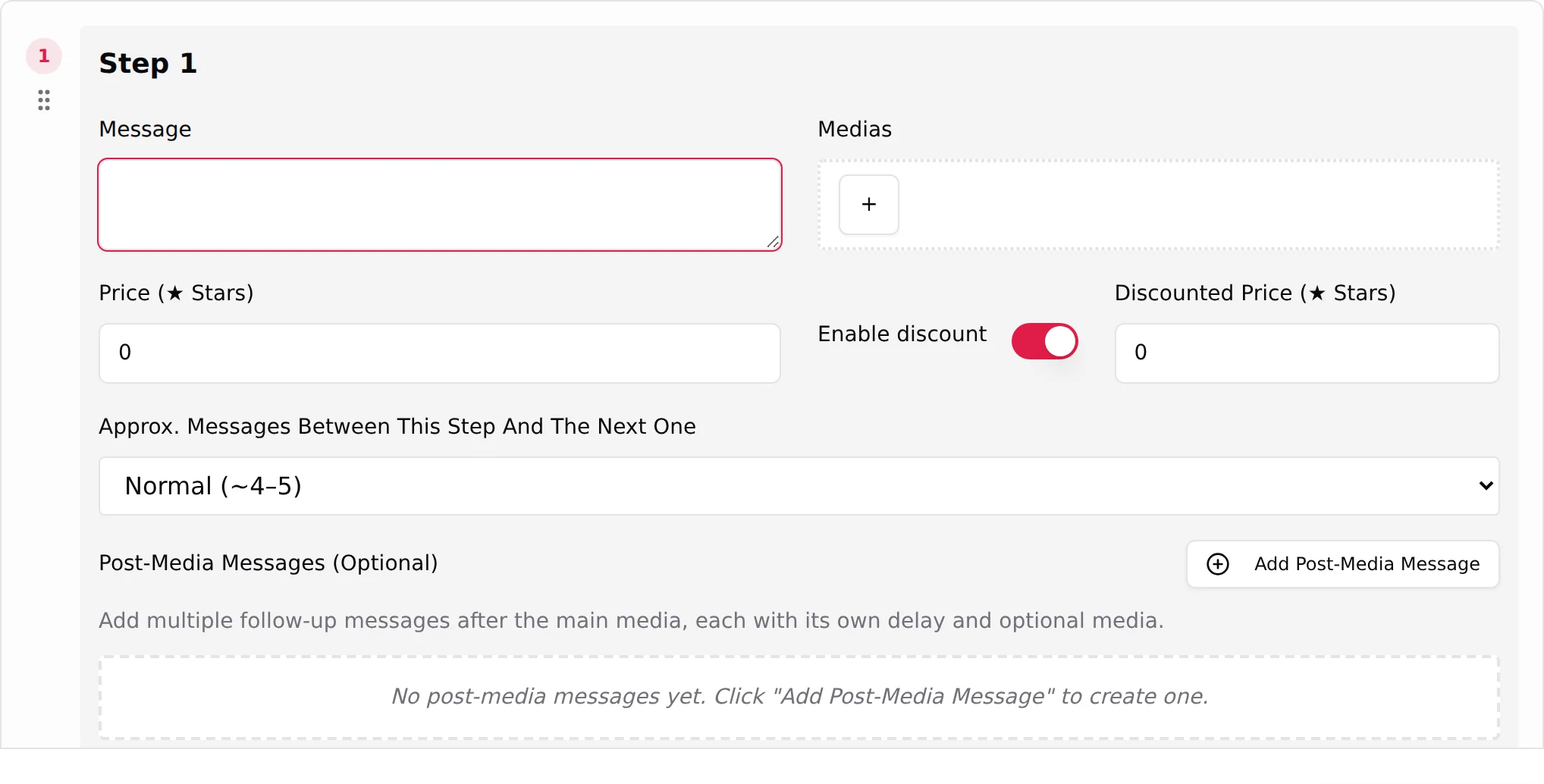
| Control | Behaviour |
|---|---|
| Dropp.fans Link (Optional) | Attaches the link. The price fields lock with "Free, the fan pays on Dropp.fans instead." The step summary in the Scripts tab reads "Step n: paid on Dropp, <link>". |
| Link preview | Switch: "Enable "Link preview" to show Telegram's preview card for that URL." Off gives a text-only message. |
| Discount Dropp.fans Link (Optional) | Appears with Enable discount: "Pick a Dropp link below for the discounted offer." and "When set, the discounted offer sends this tracked Dropp URL instead of resending the original media at a reduced price." Create the cheaper link on Dropp first. |
The validation "At least one media is required (or select a Dropp link)" confirms that a Dropp link can replace the media on a paid step.
In the conversation: the AI sends the step message with the tracked Dropp URL. The fan pays on Dropp; the webhook marks the sale on this conversation and the Dashboard counts it under Dropp and Total, see Telegram Stars for the views.
Good to know
- Webhook Not registered is the usual cause of "links do not sync" and "sales are not attributed". Re-save the key in Account, Integrations.
- Deleting a link here does not delete it on Dropp; syncing brings it back.
- Links deleted on Dropp are marked Inactive after a sync, not removed; steps that used them need a new link.
- Commission: a Dropp sale closed by the AI is an AI sale; the 15% Telegram commission applies from your balance.
- OnlyFans creators have no Dropp tab; the integration is Telegram only.