
A step is one block the AI sends to a fan inside a script: a message, its media, a price, and what happens around it (a teaser before a video, a delay, follow-ups when the fan goes quiet). Steps go out in order, separated by a few normal AI messages. This page goes through every field of the step card, what it changes in the conversation, and what to set. The choice of which media goes in which step is covered in Media per step; prices in Prices and discounts.
Where to find it
Step cards are the lower part of the New Script, Edit Script and Duplicate Script pages, under Script Steps ("Define the conversation flow and actions for this script"). Add Step adds a card at the bottom; the drag handle on the left of each card reorders them. Cards are numbered "Step 1", "Step 2" and so on in sending order.
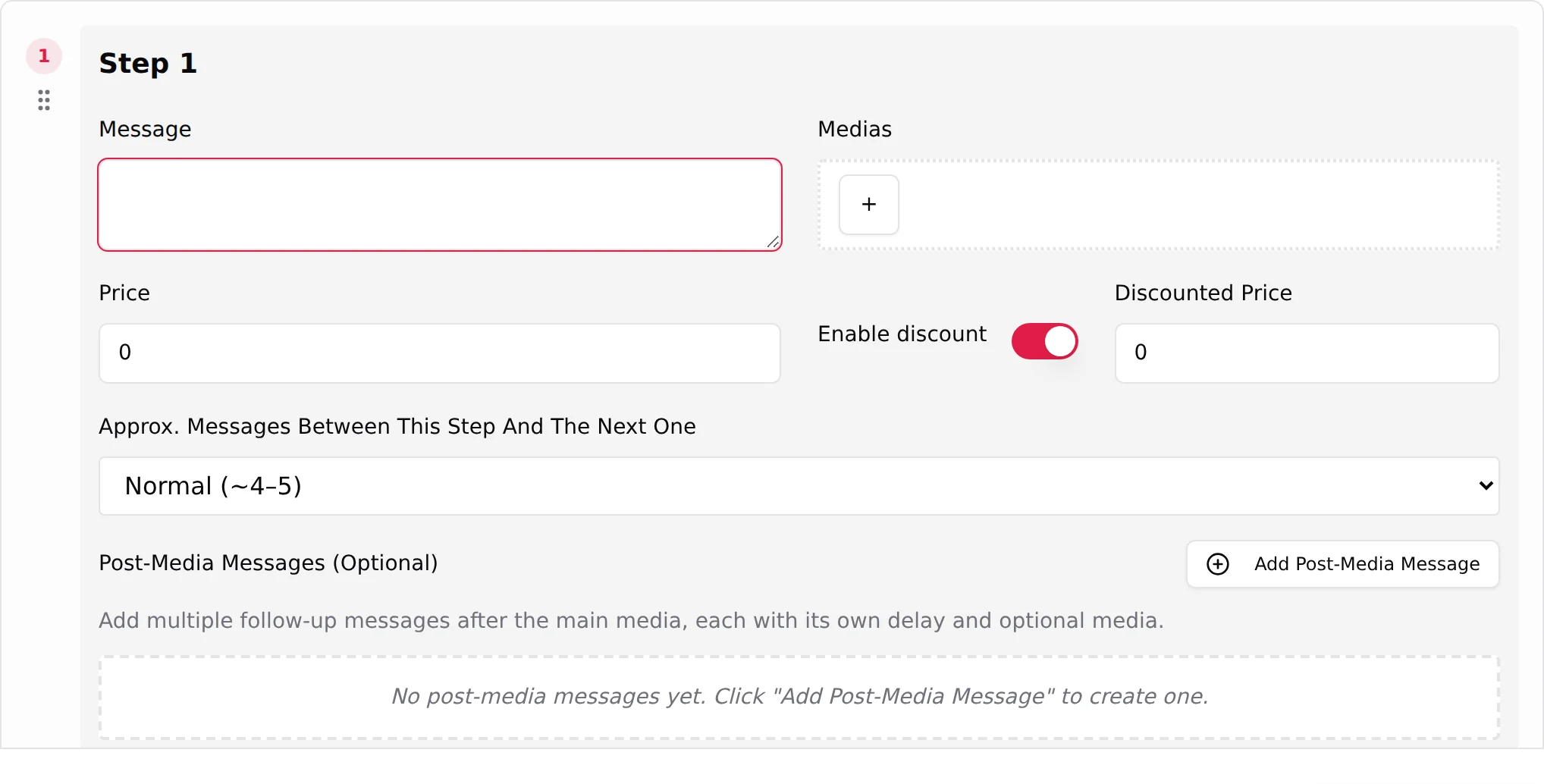
Some fields appear only when they make sense: Wait before sending video/audio and Pre-Media Teaser (Optional) once the step holds a video or an audio; Discounted Price once Enable discount is on; Skip media followup if paid (send next step) once the price is above 0. Telegram adds Send as bubble and the Dropp.fans link fields.
Message
The text sent to the fan with the media, in the creator's voice, first person, short. The field guide is explicit: it "is sent as you wrote it, the tone dials on the Settings tab do not rewrite this line. The only thing that can change it is translation, when the fan is speaking another language."
That makes the message the one place where your writing reaches the fan verbatim. A few rules that hold on both platforms:
- Talk to him ("you", "your"), ask for his reaction ("tell me what you would do", "rate it"), and say what to do ("open it", "unlock it") on paid steps.
- Do not describe the outfit or the photo: he is looking at it.
- Avoid time-of-day words ("tonight", "this morning"): you do not control when the step goes out. "Right now" and "today" are safe.
- Keep spelling clean. Cute misspellings and text-speak abbreviations read as fake.
- A paid message that oversells ("everything, uncensored") on a soft media produces refund requests. Match the media.
An empty message blocks the script ("An empty message on a step" in the field guide's list of traps).
Medias
Click + to open the picker Select Medias ("Choose media files from your creator's library to add to this step."). On OnlyFans, first pick a list in Select a media list, then click the items. On Telegram, use Filter by folder (All folders, No folder, or one folder).
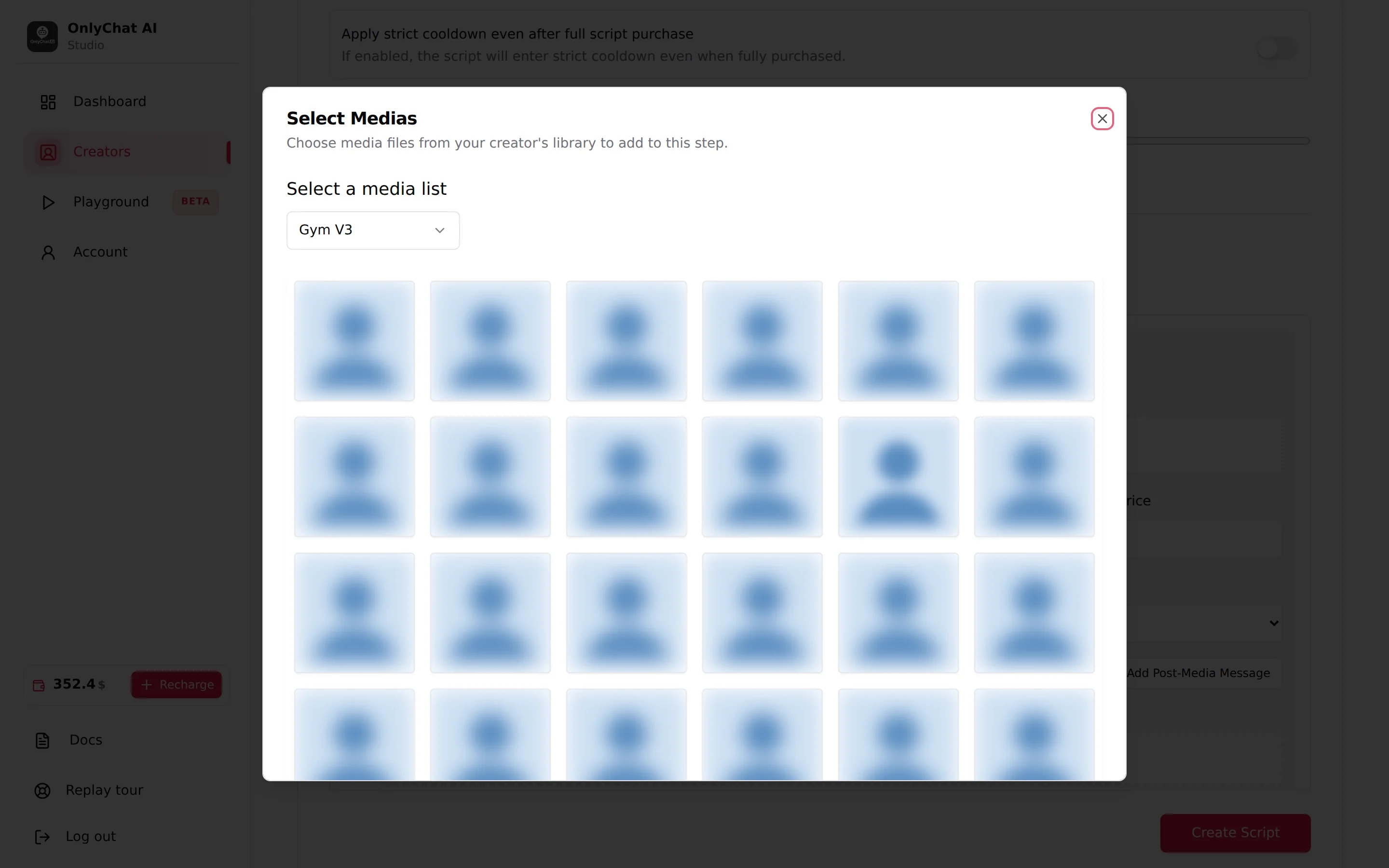
- Hovering an item shows "Add this media to the step" or "Remove this media from the step"; a click toggles it.
- An item used in another step of the same script is greyed out and marked Used ("Already used in this script"). The guide explains why: "the same photo is never sold twice."
- Clear selection empties the step.
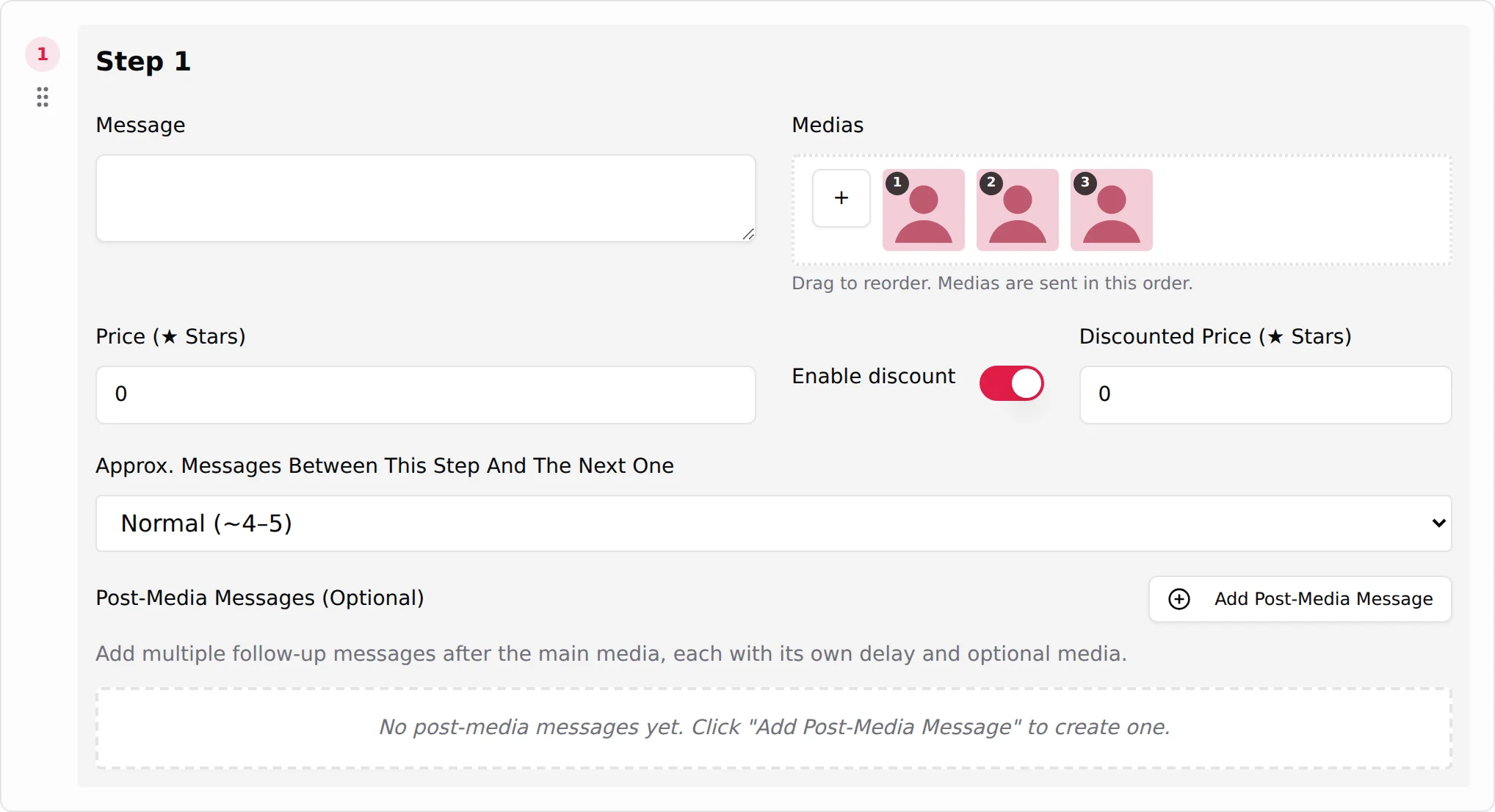
- On a Telegram creator, the chosen media appear on the step card with a number each, first in the order you ticked them. Under them: "Drag to reorder. Medias are sent in this order." Drag a thumbnail to change the numbers; the fan receives the media in the numbered order, so put the one that opens the scene first and the one that sells it last.
- "No media for creator found" ("Please sync your vault to access creator's media") means nothing is synced yet: go to the Medias tab first. See Media library.
- Saving a step without media fails with "At least one media is required (or select a Dropp link)".
Selected items appear as thumbnails next to the + button, with a duration badge on videos. The AI never sees the file: "the description you wrote on the Medias tab is what tells the AI what it is sending". A media without description is still sent with its step; the risk is the fan who asks what she does in the video before unlocking it: the AI falls back on the PPV caption, and if the caption does not say what happens, it invents.
Wait before sending video/audio
Appears when the step holds a video or an audio. A switch, on by default. Helper text: "If enabled, the video/audio will be delayed by its duration. Disable to send it immediately without delay or pre-media teaser."
Why it exists: a real person needs time to record or upload a two-minute video. With the switch on, the AI waits about the media's duration before the media message lands, so the timing feels real. With it off, the video arrives instantly, and the pre-media teaser below is not used.
Keep it on for anything above a few seconds. Turn it off for very short clips or when a step holds a video that the fan is explicitly waiting for after a negotiation, where a delay reads as stalling.
Pre-Media Teaser (Optional)
Appears with a video or an audio. Placeholder "Text sent immediately if step contains video/audio...". Helper text: "Sent immediately when step contains video/audio. The main media message will be delayed at least by the media duration."
This is the line the fan reads while the AI "records". The field guide: "A long clip takes real seconds to upload, and silence reads as the creator walking off; this line goes out immediately so the wait feels intentional." Write one short sentence in the creator's voice that announces what is coming without describing it: "wait, let me film this for you", "give me a minute, you need to see this". Leave it empty on photo-only steps (it is not shown) and when Wait before sending video/audio is off (it is not sent).
Price
On OnlyFans the field is Price in dollars; on Telegram it is Price (Stars) (placeholder "e.g. 100"). 0 means free. The field guide: "What this step's media costs the fan. 0 sends it free; anything above turns it into a pay-per-view."
What changes in the chat: a free step arrives as a normal message with visible media. A paid step arrives locked on OnlyFans (the fan pays to open it) or as a Stars payment request on Telegram. The AI presents the price in its own words around your message, and defends it if the fan pushes back.
The Scripts tab summarises the ladder per script: "Free" chips for price 0, price chips otherwise. See Prices and discounts for how to build the ladder.
Enable discount and Discounted Price
Enable discount is a switch; when on, Discounted Price (Telegram: Discounted Price (Stars), placeholder "e.g. 50") appears next to it. Off by default.
The field guide: "Turn Enable discount on and a second field appears. When the fan doesn't take this step at its full price, the AI re-offers the same media at the discounted one instead of moving on." So the discounted price is a floor, not a starting point: the AI asks the full price first, argues, and only then comes down to this amount. On the Scripts tab a discounted step shows both amounts ("$15" then "$12").
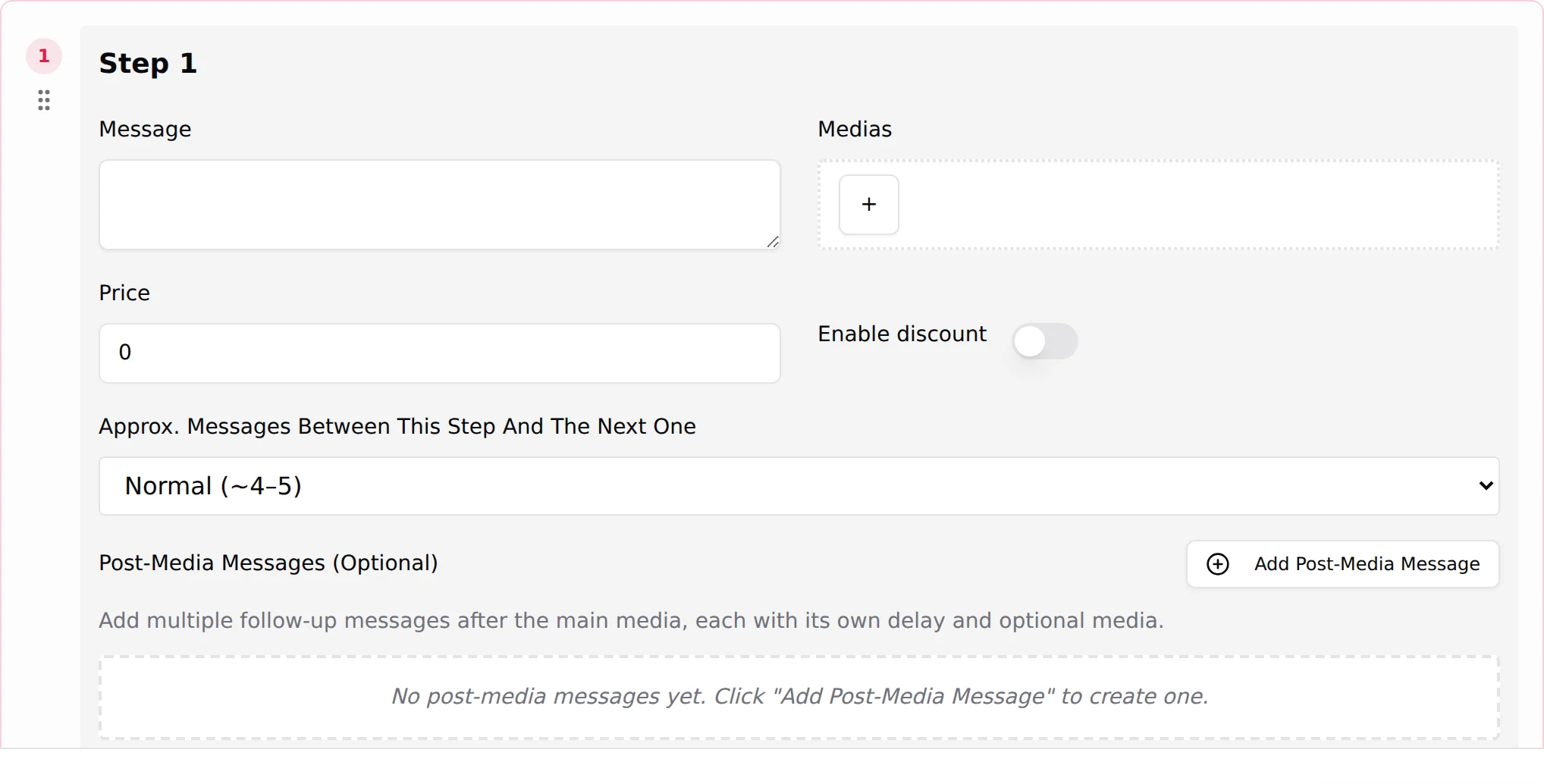
Set a discount on the steps where hesitation is most common (the first paid step, and the expensive ones). Leave it off on the cheapest step if you would rather lose the sale than teach the fan that prices are negotiable from the start.
Send as bubble (Telegram)
telegram Shown on Telegram for free videos. On by default. Helper text: "Free videos under 60s are sent as a Telegram video note. Turn off to send a regular video." The card tells you what will happen with the current media: "This free video (≤ 60 s) will be sent as a bubble (video note). The step message is sent right after.", "This video is longer than 60 seconds, so it cannot be sent as a bubble", "Duration unknown for now: at send time, if the video is ≤ 60 s it will go as a bubble", "This video will be sent as a regular video (bubble disabled).", or, for photos, "Free photo: sent directly in the chat (Telegram does not support bubbles for photos)." Details in Scripts on Telegram.
Dropp.fans Link (Optional) and Link preview (Telegram)
telegram Instead of a Stars price, a Telegram step can sell through a Dropp.fans payment link picked in Select Dropp.fans Link ("Choose a payment link from your creator's Dropp.fans folders to attach to this step."). When a link is set, the price fields lock and read "Free, the fan pays on Dropp.fans instead."; the Link preview switch shows or hides Telegram's preview card for the URL. With a discount enabled, Discount Dropp.fans Link (Optional) lets you pick a second, cheaper link: "When set, the discounted offer sends this tracked Dropp URL instead of resending the original media at a reduced price." The Scripts tab then shows "paid on Dropp" for that step. See Dropp.fans.
Approx. Messages Between This Step And The Next One
A select with three values: Few (~2-3), Normal (~4-5) (default), Many (~6-9). It is the pacing: how many ordinary AI messages go out between this step and the next one, "so the sequence doesn't arrive as a back-to-back catalogue" (field guide).
| Value | In the conversation | Use it when |
|---|---|---|
| Few (~2-3) | The next step follows almost immediately. Two or three lines of chat, then the media. | Between two free teasers that belong together, or right after a purchase when the fan is hot and asking for more. |
| Normal (~4-5) | A short exchange, then the next step. | Default for most steps. |
| Many (~6-9) | A real conversation between two steps: questions, teasing, answers. | Before the first paid step, to build the tension, and before the most expensive steps. |
The number is approximate: the AI adapts to the fan's replies. A fan who answers in one word gets to the next step faster than one who asks questions.
Skip media followup if paid (send next step)
Appears when the price is above 0. A switch. Helper text: "If enabled and the fan pays this step's media but doesn't reply, the bot will skip the usual media-paid followup and directly send the next step."
By default, when a fan pays and says nothing, the AI writes a follow-up ("did you like it?") and waits. With this switch on, silence after a payment is read as "keep going": the AI sends the next step without asking.
- Turn it on for the middle of the ladder, where a fan who pays without a word usually wants the next one, and for fans who binge.
- Leave it off on the last paid step (the free closing step, if you added one, follows on its own; the follow-up is the natural close) and on the first paid step if you want the AI to check the reaction before raising the price.
Post-Media Messages (Optional)
The follow-ups of the step: what the AI sends when the fan does not react to the media. The section reads "Add multiple follow-up messages after the main media, each with its own delay and optional media." and, when empty, "No post-media messages yet. Click "Add Post-Media Message" to create one." The field guide sums it up: "Sent after their delay when the fan doesn't react to this step's media."
Click Add Post-Media Message for each follow-up. Each one has:
| Field | What it does |
|---|---|
| Message Post Media | The follow-up text (placeholder "Post-media message text..."). Written by you, sent as is. |
| Delay (in seconds) | How long after the previous message it goes out ("Relative to previous"; placeholder 30). The first delay counts from the main media, the second from the first follow-up, and so on. |
| Medias | Optional extra media sent with the follow-up: a small free preview that makes the locked media more tempting. |
| Send as bubble | telegram Same rule as above, for a free video under 60 seconds attached to the follow-up. |
Follow-ups can be reordered with their drag handle. What they change in the conversation: on a paid step, a fan who reads the price and hesitates receives, after the delay, one more nudge ("still there?", "you will not regret this one", a free preview). On a free step, a follow-up keeps the rhythm when the fan does not react to the photo.
Two or three follow-ups on paid steps is plenty; more reads as pressure. Keep the delays short on the first one (20 to 40 seconds keeps the momentum of the reveal) and longer on the next ones. On the last step of a script, use the follow-up as a soft close ("thank you, that was fun") rather than a push.
A paid step with a video, as it plays out
Here is what a fan of Model 1 sees for a step priced $24 with a 50 second video, a discount at $18, Wait before sending video/audio on, a pre-media teaser and two follow-ups:
- The AI has been chatting for four or five messages since the previous step (Normal pacing).
- The pre-media teaser goes out at once: "wait, I need to film this for you".
- About 50 seconds later, the step message arrives with the locked video at $24. The AI adds a line of its own to present the price.
- The fan does not answer. 30 seconds later, follow-up 1: "it is the one I told you about, open it". 90 seconds later, follow-up 2 with a free preview photo.
- The fan says it is too expensive. The AI defends the price, then offers it at $18. The fan pays.
- Because Skip media followup if paid is on, the AI moves on to the next step after the usual pacing instead of asking for his reaction.
The AI skipped a step (went from step 1 to step 3)
By design the AI walks the steps of a script in order and never skips one: step 2 is sent when step 1 is done, whatever the fan says. If a fan received step 1 and then step 3, treat it as a problem to report, not as a setting to tune. Before reporting, check three things:
- Open the script and read step 2. A step edited but not saved is still the old one; a step whose Message is empty or whose media was removed cannot be sent. Save the script and check the step exists as you expect.
- Confirm it is the same script. Open the fan's conversation and read which script each message belongs to. If the fan stayed silent longer than the script's Script inactivity timeout (hours), that script is finished for him, and what looks like "step 3" is often the first paid step of the next script, started after the Strict Script Cooldown.
- Check what the fan already received. The Scripts used column of the Fans tab, and the conversation itself, show whether he had already seen step 2 earlier (for example in a previous version of the same script).
If step 2 is complete and saved, the messages belong to the same script and the fan never received it before, send the creator name, the fan, the script name and the times of the messages to the team, see Contact the team.