
A fan who stops answering mid-conversation is money left on the table. Re-engagements is the Telegram tab that sends him timed messages after his last message, at the hours you choose, for up to 24 hours. It is the Telegram counterpart of the OnlyFans Nudges tab, with one difference: Nudges fire when a fan comes back online, Re-engagements fire on a clock counted from the fan's last message. You define a timeline of up to 4 checkpoints and a tone; the AI writes each message in the creator's voice, aware of where the conversation stopped.
Where to find it
Sixth tab of the Telegram workspace, Re-engagements, or the Jump to card on the Overview tab.
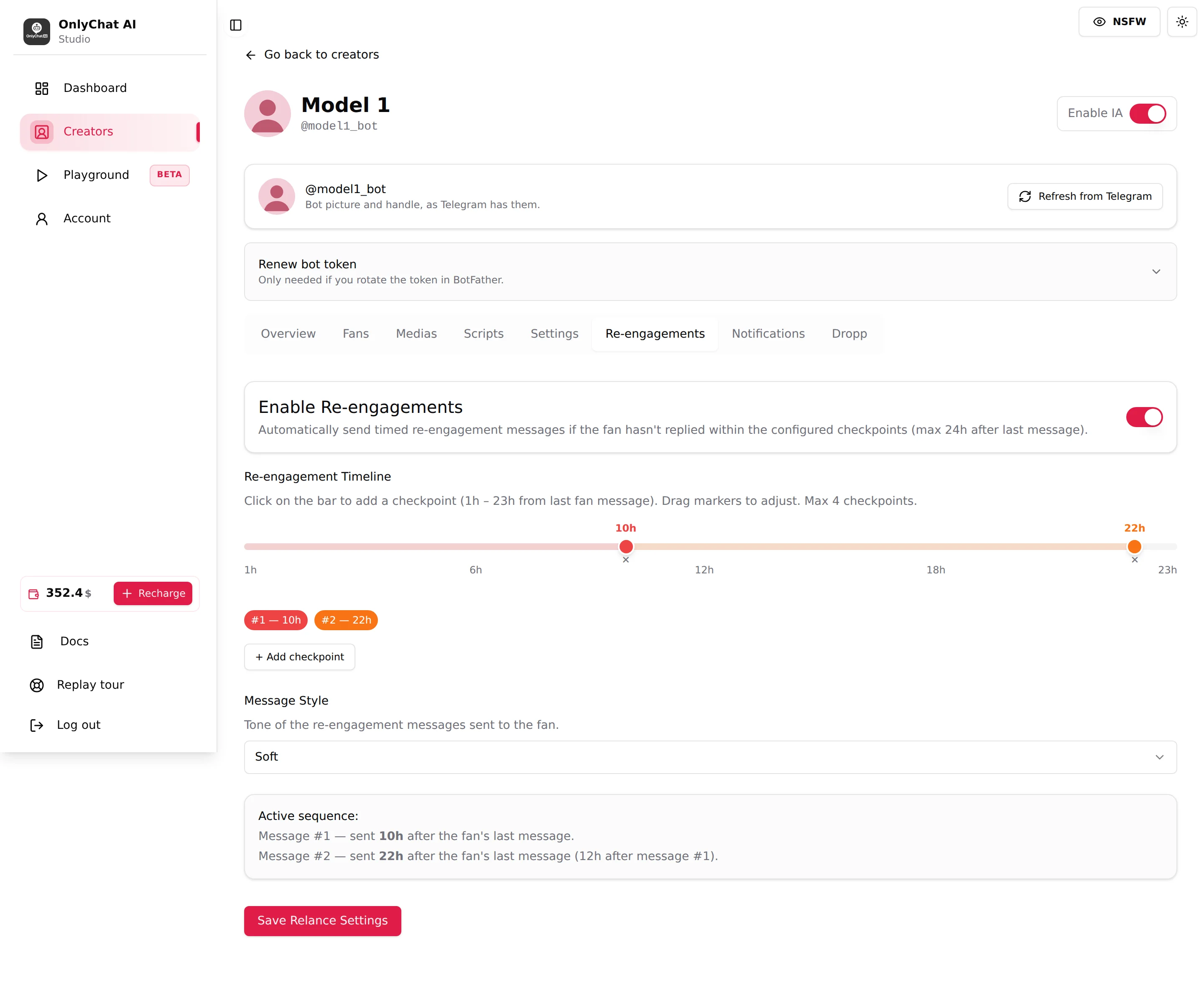
Enable Re-engagements
Switch at the top of the card. Helper: "Automatically send timed re-engagement messages if the fan hasn't replied within the configured checkpoints (max 24h after last message)."
Off: none of the checkpoint messages of this timeline are sent, whatever it says. The follow-ups inside a live script (the Follow-Up Delay, minutes after an unanswered message) are a separate setting and keep running. On: the timeline runs for every fan whose Enable AI switch is on. Fans you paused on the Fans tab are not re-engaged.
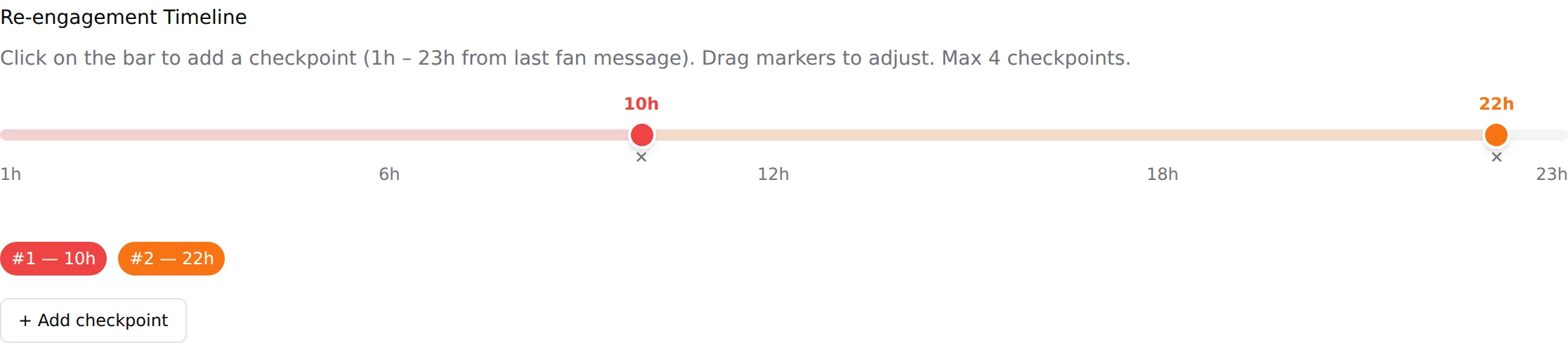
Re-engagement Timeline
Helper: "Click on the bar to add a checkpoint (1h - 23h from last fan message). Drag markers to adjust. Max 4 checkpoints."
The bar runs from 1h to 23h with ticks at 6h, 12h and 18h. Each checkpoint is a marker on the bar with its hour above it and a small cross below it to remove it. Under the bar, pills recap the sequence: "#1: 10h", "#2: 22h".
| Control | What it does |
|---|---|
| Click on the bar | Adds a checkpoint at that hour. |
| Drag a marker | Moves the checkpoint. The hour label follows. |
| Cross under a marker | Removes that checkpoint. |
| + Add checkpoint | Adds the next checkpoint without aiming on the bar. Disabled at 4. |
How the clock works
Every checkpoint is counted from the fan's last message, not from the previous re-engagement. If the fan writes back at any point, the sequence stops and restarts from zero with his new message. If he never writes back, the AI sends message #1 at the first checkpoint, message #2 at the second, and so on, and stops after the last one; nothing is sent beyond 24 hours. The next time the fan writes, the normal conversation resumes.
Choosing the hours
- A first checkpoint early (2 h to 4 h) catches fans who got distracted mid-script, while the context is still warm. It is the checkpoint that converts most.
- A second one around 10 h to 12 h reaches a fan who went to sleep or to work.
- A last one late (20 h to 23 h) is a final nudge before the window closes. Beyond that, the fan is gone for now; the AI will pick him up when he writes again.
- Four checkpoints is the maximum. Two or three well spaced usually do the job; four messages in a day to a silent fan reads as pressure.
Message Style
Helper: "Tone of the re-engagement messages sent to the fan." A select whose default is Soft. Soft messages are light and playful: a tease, a question, a callback to the last thing the fan said, never a price. The list offers other tones; pick one and read the Active sequence before saving. If a Custom style is available in the list, a text area for your own instructions appears under it.

The AI writes each message itself, in the creator's language and voice, using the conversation so far. You choose the tone, not the words.
Active sequence
A read-only recap under the style: "Active sequence:" then one line per checkpoint, for example "Message #1: sent 10h after the fan's last message." and "Message #2: sent 22h after the fan's last message (12h after message #1)." Read it before saving; it says in plain words what the fan will experience.
Save Relance Settings
Nothing on this tab applies until you click Save Relance Settings at the bottom, including the Enable switch. Leaving the tab loses unsaved changes.
What a fan sees
Suppose a fan asked the price of the second paid step at 22:00 and vanished. With checkpoints at 3h and 12h and the Soft style, he receives around 01:00 a short message from the creator's profile picking up where they left off, and around 10:00 another one, lighter, as if she just thought of him. If he answers, the AI picks the conversation up, but not the script: at 3 hours the script's inactivity timeout (1.5 hours by default) has already passed, so that script is finished for him and is never resumed. The AI chats, then starts the next unseen script once the Strict Script Cooldown allows it. To let a re-engagement land inside a still-open script, the first checkpoint must be shorter than the script's timeout. If he ignores both, silence until he writes again.