
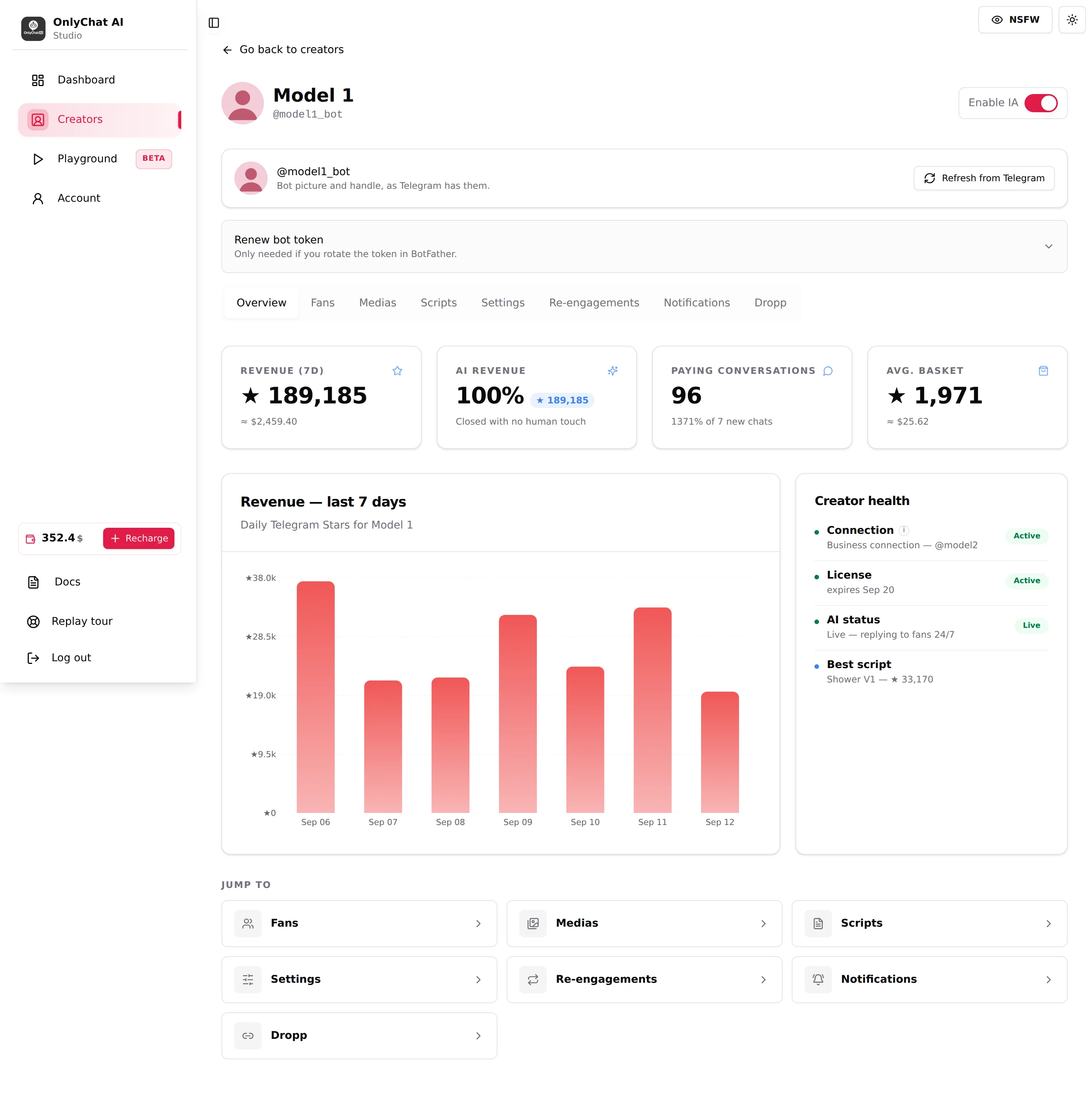
The Overview tab is the health check of a Telegram creator. In one screen you see whether the bot is connected, licensed and replying, how many Stars it collected in the last 7 days, which share came from the AI alone, and which script sells best. It is also where you maintain the bot itself: pull its picture from Telegram and, when needed, replace its token. Open it every morning for every live creator.
Where to find it
First tab of the Telegram workspace, or Overview in the Quick access row of the creator card.
Bot card
Text: "Bot picture and handle, as Telegram has them." The card shows the bot's avatar and "@botusername" exactly as BotFather has them. It is a copy: OnlyChat does not update it by itself.
Refresh from Telegram
Click it after you change the picture or the username in BotFather. The button reads "Refreshing…" then one of three toasts:
| Toast | Meaning |
|---|---|
| "Bot profile updated." | Picture and handle refreshed. |
| "Bot profile updated: no picture set in BotFather yet." | Handle refreshed; send /setuserpic to BotFather to add a picture. |
| "Couldn't reach Telegram. Try again." | Telegram did not answer, or the token is no longer valid. If it persists, check the token in BotFather. |
Empty state on the card: "No bot picture yet: set one in BotFather with /setuserpic, then refresh."
Renew bot token
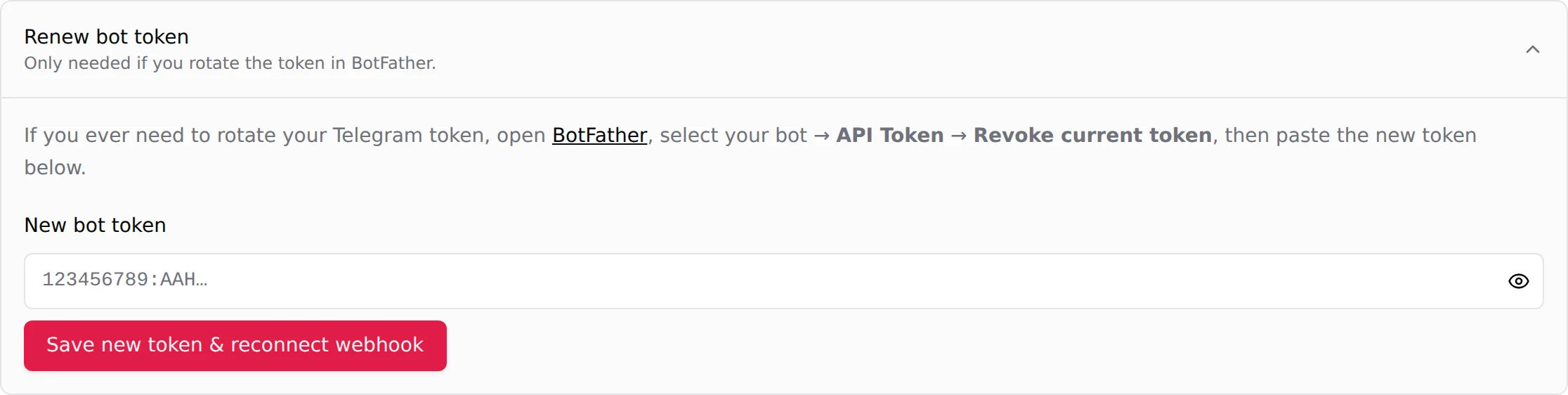
The panel header reads "Renew bot token. Only needed if you rotate the token in BotFather." Expanded, it says: "Open BotFather, select your bot → API Token → Revoke current token, then paste the new token below."
When do you rotate a token? When it leaked (someone else had access to the BotFather message or to a screenshot), when a team member who knew it leaves, or when Telegram stopped accepting it. Rotating is the only way to lock out whoever has the old one.
- Prepare before revokingOpen the creator's Overview tab in OnlyChat with the Renew bot token panel visible, and have BotFather open on the phone or computer that owns the bot. The bot is down between the revoke and the save, so do the two back to back.
- Revoke in BotFather/mybots, select the bot, API Token, Revoke current token. BotFather sends a new token. From this instant the bot stops replying to fans until step 4.
- Paste in New bot tokenPlaceholder "123456789:AAH…". Use the eye icon to check what you pasted.
- Click Save new token & reconnect webhookThe button reads "Updating…", then "Bot token updated and webhook re-registered." The bot resumes.
- Check ConnectionIn Creator health, Connection should still read "Business connection @username". If it reads "No business connection", toggle a permission off and on in the creator's Telegram app and verify again. See Telegram setup.
Errors:
| Error | Meaning | Fix |
|---|---|---|
| "Paste your new bot token first." | Field empty. | Paste the token. |
| "Could not validate the token. Check and try again." | Telegram rejects it: typo, or you pasted the old token. | Copy the new one from BotFather again. |
| "Couldn't save the bot token. Try again, or remove the bot from the other creator first." | This token belongs to a bot already attached to another creator in your organization. | Delete the other creator or use a different bot. |
The four KPIs (last 7 days)

| KPI | Tooltip text | How to read it |
|---|---|---|
| Revenue (7d) | "Telegram Stars collected by this creator over the last 7 days (AI + manual)" | Everything the creator's account received in Stars, whether the AI or a human closed it. |
| AI revenue | "Share of the last 7 days' Stars revenue generated exclusively by the AI", subtitle "Closed with no human touch" | Percentage plus the Stars amount. 100% means nobody wrote by hand. This is the base of the 15% commission. |
| Paying conversations | "Conversations with at least one Stars sale over the last 7 days", line "N of N new chats" or "No new conversation in the period" | How many fans paid at least once, compared with how many new chats started. It can exceed 100% when returning fans buy. |
| Avg. basket | "Average revenue per paying conversation (revenue ÷ paying conversations)" | Stars per paying fan. Rising basket with flat conversion means the script ladder is doing its job. |
Stars appear with the star symbol and a "≈ $x" line, converted at the current rate.
Revenue chart
"Revenue: last 7 days", subtitle "Daily Telegram Stars for [creator]". One bar per day. Use it to spot a day at zero: that is usually a dropped connection or the AI switched off, not a quiet audience.
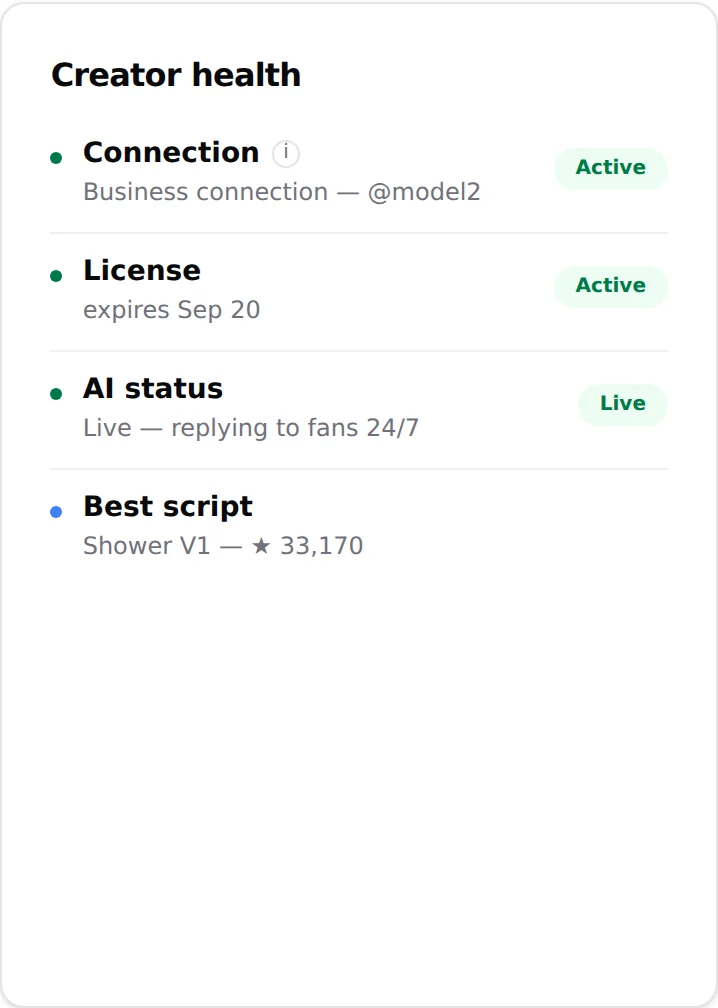
Creator health
| Line | States | What to do |
|---|---|---|
| Connection | "Business connection @username" (Active) or "No business connection: the bot can't reply". Tooltip: "Telegram Business connection the bot uses to read and send messages on the creator's account". | Red: go through Telegram setup again (toggle a permission off and on, verify). |
| License | "expires MMM D" (Active), "expired MMM D", "No license assigned" | Expired or none: assign a license. Turn Renew on. |
| AI status | "Live: replying to fans 24/7" or "Paused: no automatic replies" | Paused: flip Enable IA in the header. If it refuses, read the dialog. |
| Best script | "[script name]: [Stars]" or "No sale attributed to a script yet" | Shows which script earned most; use it to decide which script to duplicate. See Activate and monitor. |
Jump to
Shortcut cards to Fans, Medias, Scripts, Settings, Re-engagements, Notifications and Dropp. Same as clicking the tab.