
A script ends when the fan has gone through its steps, or when he stays silent longer than the script's inactivity timeout ("After this delay without interaction, the bot exits the script"). At that moment the AI receives one instruction that frames what it does next: thank a buyer, let a scene fade, keep the conversation going. End of script is the strategy card that holds this instruction. It ships with a tuned default; set it to Custom to write your own.
Where to find it
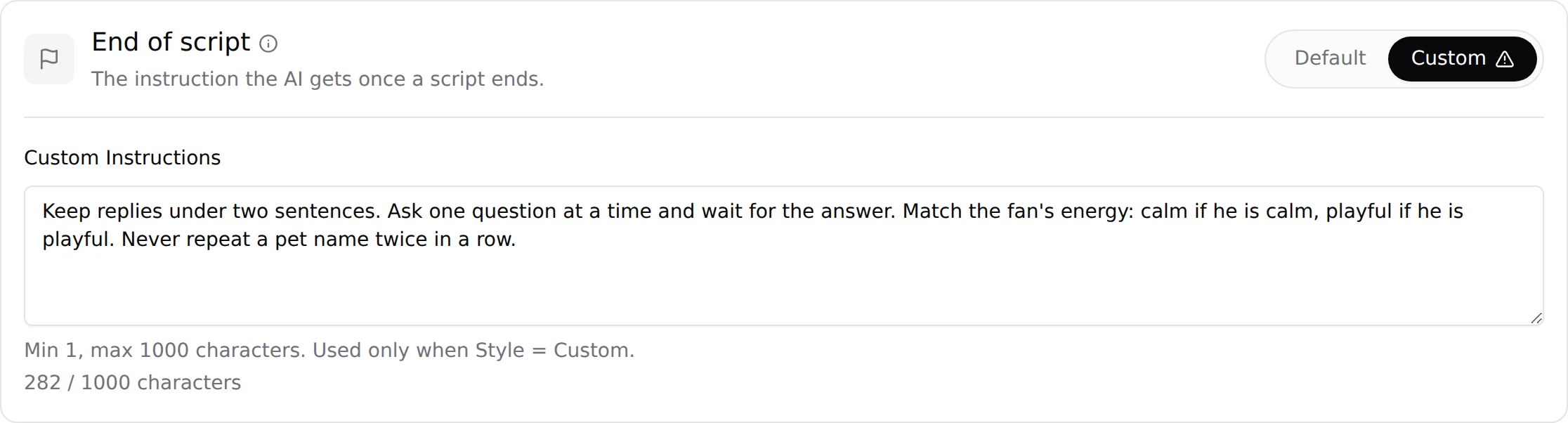
Open the creator, click Settings, then Strategies. The card End of script sits between Negotiation and Follow-up. Card text: "The instruction the AI gets once a script ends." Styles: Default, Custom.
The heading of the sub-tab now counts seven phases: Language, Launch script, Sexualisation, Negotiation, End of script, Follow-up and KYC. The six others are covered in Custom strategies.
Default vs Custom
| Style | What happens when a script ends |
|---|---|
| Default | The phase's tuned default. |
| Custom | The text you enter in Custom Instructions, 1 to 1,000 characters, used every time one of this creator's scripts ends. |
Write custom instructions
- Switch the card to CustomClick Custom on the End of script card. A confirm dialog opens, as for the other phases; confirm.
- Write the instructionFill Custom Instructions. The helper under the field reads "Min 1, max 1000 characters. Used only when Style = Custom." The counter under it shows the characters entered: "N / 1000 characters".
- SubmitClick Submit at the bottom of the Settings tab. The instruction applies to every script that ends from now on, for this creator.
With the style on Custom, the field needs 1 to 1,000 characters, like the other phases with their own limits.
What to put in it
The end of a script is a delicate moment: the fan may have said "too expensive" two messages ago, the steps are used up, and a clumsy closing line turns a maybe into a never. Write the instruction around three questions.
- How does the conversation go on? A fan who is still writing about the last media, asking how to pay, or arguing the price has not left. Tell the AI to keep answering him naturally and to leave the door open, without repeating a price or promising anything.
- How does the scene fade? A fan who bought gets a warm thank-you and a tease about next time. A fan who did not buy gets no reproach: no "you ruined the moment", no guilt, no goodbye. The conversation simply continues.
- What is forbidden? List the sentences you never want to read at that moment. Short lists work better than long explanations.
Keep it under 1,000 characters, in the language you use for the other custom phases, and test it on a few conversations before you roll it out to every creator. If you are not sure what you would change, keep Default: it was tuned on real conversations.
What belongs elsewhere
- Prices and discounted prices live on the step, see Prices and discounts. How the AI argues a price belongs to the Negotiation phase.
- Which script comes next is decided by the AI, or by your Script order.
- The Script inactivity timeout is set on each script, and the two cooldowns in Behavior, see Cooldowns.