
The Strategies sub-tab splits every conversation into seven phases, and each phase "ships with a default tuned on real conversations". Setting a phase to Custom throws that default away and replaces it with the text you write. The interface is blunt about it: "Custom replaces it entirely." This is the most powerful and the most dangerous screen in the creator workspace. This page covers each phase, the confirm dialog, the limits, and how to write instructions that make the AI better rather than worse.
Where to find it
Open the creator, click Settings, then Strategies. The heading announces seven phases driving every conversation of the creator, each with a tuned default, and advises to go Custom only when you know exactly what you want. Save with Submit at the bottom.
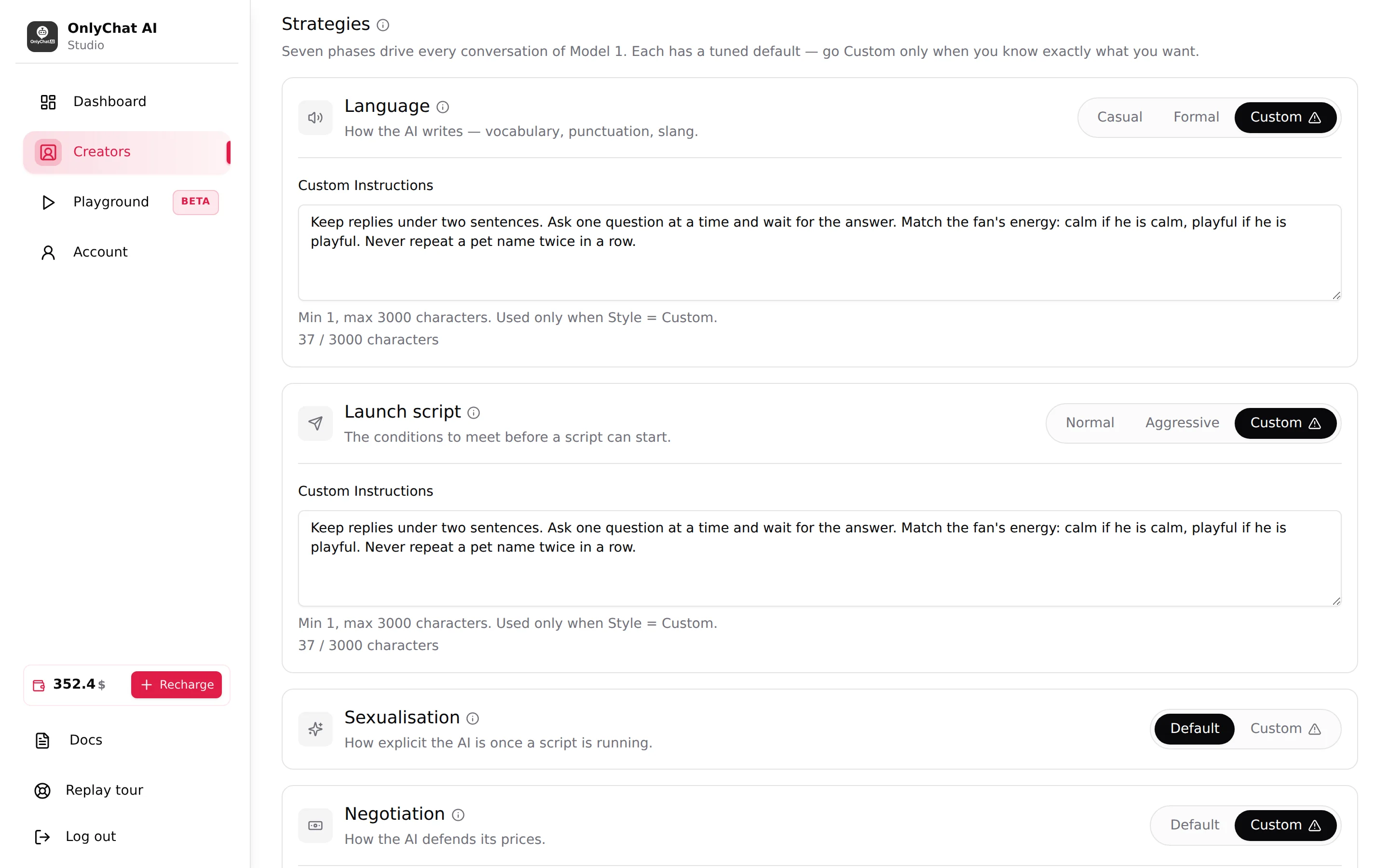
Default vs Custom
Every card has a Style control on the right. Built-in styles (Default, Casual, Formal, Normal, Aggressive) need nothing from you. Custom shows a warning icon and opens a Custom Instructions field under the card, with the helper "Min 1, max N characters. Used only when Style = Custom.", N being 3000 for Language, Launch script, Sexualisation, Negotiation and Follow-up, and 1000 for End of script, and a live counter of the characters entered against that limit ("n / 3000 characters", "n / 1000 characters").
What Custom means in practice:
- The tuned default for that phase is not used at all. Not blended, not used as a fallback. Yours is the only instruction for that phase.
- The other six phases keep their own setting. Custom Language does not change Negotiation.
- The Message text of script steps is still sent as written. Strategies shape what the AI writes on its own.
The Switch to Custom dialog
Clicking Custom on any card opens a confirmation:
Switch [phase] to Custom? The default for this phase was tuned on real conversations. Going Custom replaces it entirely, none of that tuning is kept. Badly written instructions degrade results, and you become fully responsible for what the AI says. Do not write anything that breaks the law or platform rules. If you're not sure exactly what you want to change, keep the default.
Buttons: Keep the default (nothing changes) and I know what I'm doing (the phase switches to Custom and the field appears).
Read it as a contract. Once you click I know what I'm doing, what the AI says in that phase is on you, on the platform's rules as much as on the law.
The seven phases
Language
Card text: "How the AI writes: vocabulary, punctuation, slang." Styles: Casual, Formal, Custom. Placeholder "Enter custom language instructions...".
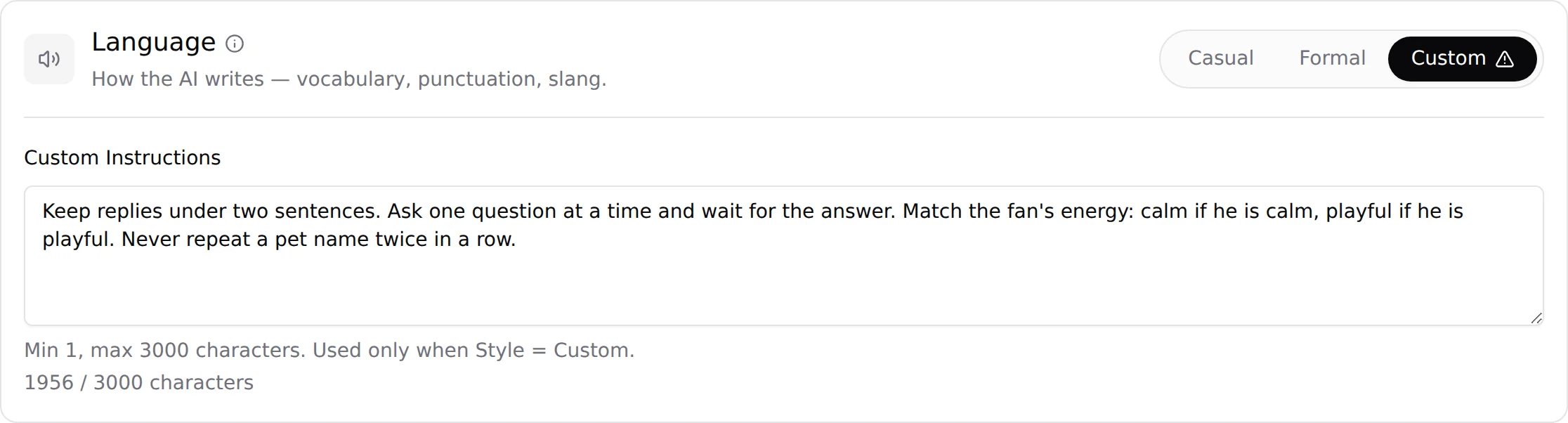
Use Custom Language for fixed writing rules: casing, emoji policy, message length, words to use or avoid, how she signs off. Example of a good instruction set:
WRITING STYLE
- all messages in lowercase, no capital letters ever
- max one emoji per message, never in two messages in a row
- short: one idea per message, under 15 words
- never use "babe" or "hun"; she says "cutie"
- no perfect punctuation, drop the final period
Do not put facts about the persona here (that is Additional info) and do not put sales rules here (that is Negotiation).
Launch script
Card text: "The conditions to meet before a script can start." Styles: Normal, Aggressive, Custom.

Custom Launch script is for explicit triggers: what must have happened in the conversation before the AI is allowed to start a script. Write conditions, not a script:
BEFORE ANY SCRIPT
- the fan has answered at least 3 messages
- she knows his first name and where he lives
- he has said something flirty first
- never in his first 5 minutes on a new day
The Normal and Aggressive styles are described in Language and negotiation style.
Sexualisation
Card text: "How explicit the AI is once a script is running." Styles: Default, Custom.

This phase controls how explicit the conversation gets between script steps. Custom is useful for a persona with a specific register (soft and suggestive rather than raw, or the reverse) or with hard limits on vocabulary. It is not the place to list what she never does: those refusals belong in Additional info, where they apply to the whole conversation, not only during a script.
Negotiation
Card text: "How the AI defends its prices." Styles: Default, Custom.

Custom Negotiation changes how the AI argues when a fan refuses or haggles. It cannot change the numbers: the price and the Discounted Price are set per step, and the AI cannot go below them. A useful custom rule is one about timing and words: "never offer the discount before the second refusal", "when he says he is broke, tease, do not argue".
End of script
Card text: "The instruction the AI gets once a script ends." Styles: Default, Custom. The field takes 1 to 1,000 characters.
This is the instruction the AI receives the moment a script ends, bought out or not: the tone, how the conversation goes on, what never to say. It has its own page: End of script.
Follow-up
Card text: "How the AI comes back when a fan goes quiet." Styles: Default, Custom. Placeholder "Enter custom follow-up instructions...".
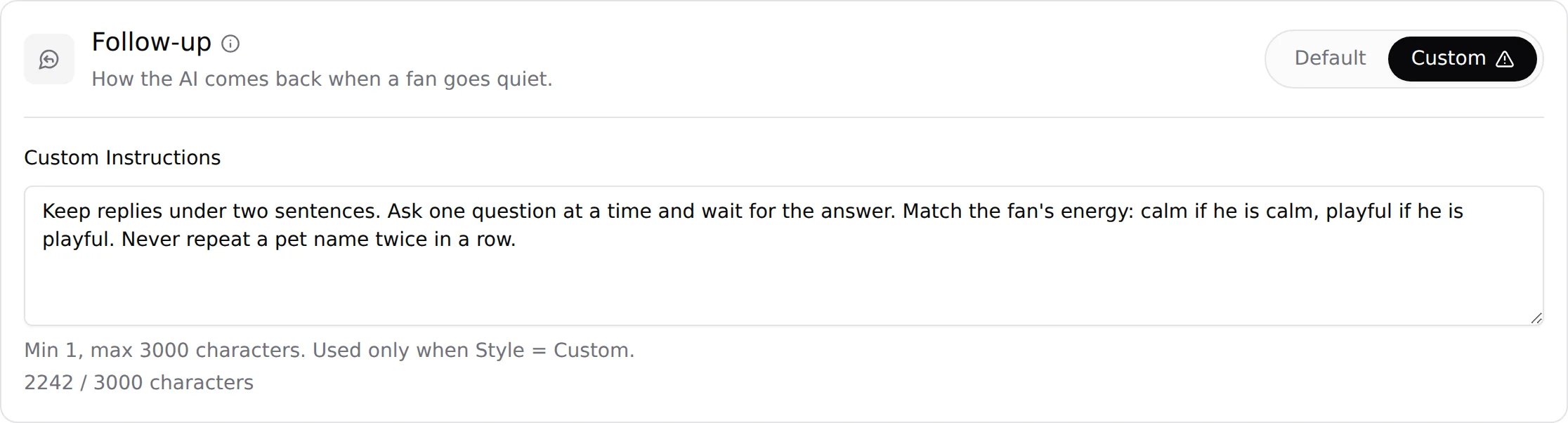
The wait before a follow-up is set by Follow-Up Delay (minutes) on the Behavior sub-tab. This phase sets the content: how she re-opens, how many times, in what tone. Example:
FOLLOW-UP
- first follow-up: one short, casual line, never mention the unsent reply
- second follow-up: something about her day, a question
- never send a third follow-up in the same session
- tone: soft, a bit vulnerable, never needy, never guilt-tripping
KYC
Card text: "What the AI learns about a fan, and how." Styles: Default, Custom. This card is different: Custom opens two fields.

KYC Targets (max 500 characters) is the list of things the AI tries to learn. The default text is:
- First name
- Age
- City/Location
- Occupation
- Relationship status (single, in a relationship, married)
- Passions/Hobbies
Custom Instructions (max 2,500 characters here, not 3,000) says how the AI asks: in what order, how fast, how to react to a fan who will not share.
Reaching every target does not switch the questions off: the AI keeps asking about the fan's life as any person would, it has simply finished its introduction KYC. Targets are what make the follow-ups and the scripts personal later. Add targets that your persona's scripts can use ("does he live alone", "what he does on weekends"), remove those you never use. Keep the list short: a fan interrogated with ten questions in his first session leaves.
Limits and validation
| Field | Limit | Message when violated |
|---|---|---|
| Custom Instructions (Language, Launch script, Sexualisation, Negotiation, Follow-up) | 1 to 3,000 characters | "Custom [phase] instructions are required when [phase] style is CUSTOM" / "Custom [phase] instructions must be 3000 characters or less" |
| Custom Instructions (End of script) | 1 to 1,000 characters | Field helper: "Min 1, max 1000 characters. Used only when Style = Custom." |
| KYC Targets | 500 characters | Counter under the field |
| KYC Custom Instructions | 2,500 characters | Counter under the field |
Errors block Submit with "Fix the fields marked below, then submit again." The faulty card is highlighted on the Strategies sub-tab.
Writing instructions that work
- Name the problem firstWrite down the exact behaviour you saw in a real conversation and want changed ("she offered the discount at the first no"). If you cannot point at a conversation, keep the default.
- Test the default on the PlaygroundOpen the Playground, create a conversation with the creator, and reproduce the situation. Confirm the default really does what you think.
- Draft in the Playground's Custom ParametersEnable Custom Parameters, set the matching style to Custom, paste your draft, Save Parameters, and replay the situation. Iterate there: nothing touches real fans.
- Write rules, not proseUppercase heading, one rule per line, imperative, concrete. "Never" and "always" beat "try to". Under 1,000 characters is usually enough.
- Switch the creator to Custom and SubmitOn the Strategies sub-tab, click Custom, confirm with "I know what I'm doing", paste, Submit. Check "Creator info updated!".
- Watch one week of dataCompare Unlock Rate and the Scripts Analytics before and after. If it dropped, go back to the built-in style: nothing is lost, the default is always one click away.
Good to know
- Custom is per creator. To reuse instructions on another creator, copy the text and paste it there.
- Styles and instructions are saved with Submit, together with every other Settings field.
- The Additional info sheet is read in every phase. Do not duplicate it in seven custom fields; a rule that applies everywhere belongs in Additional info.
- New to OnlyChat? Stay on Default. Learn the tool with Additional info alone for the first weeks; move a phase to Custom only when you have a precise strategy the default does not cover and some experience writing instructions for an AI. Custom replaces OnlyChat's built-in instructions for that phase entirely.
- The Playground's Custom Parameters panel offers the same styles (Language, Negotiation, Sexualisation, Launch Script, KYC) per test conversation. Follow-up is the only phase not testable there.