
Two of the six strategy phases come with more than one built-in style, Language (Casual and Formal) and Launch script (Normal and Aggressive); Negotiation has a single Default tuned on real conversations. Picking between them is a one-click decision with no text to write: each built-in style is maintained by OnlyChat. This page explains what each one changes so you can choose per creator. Writing your own instructions is a different, heavier decision, covered in Custom strategies.
Where to find it
Open the creator, click Settings, then the Strategies sub-tab. Each phase is a card with a segmented Style control on the right. Save with Submit at the bottom.
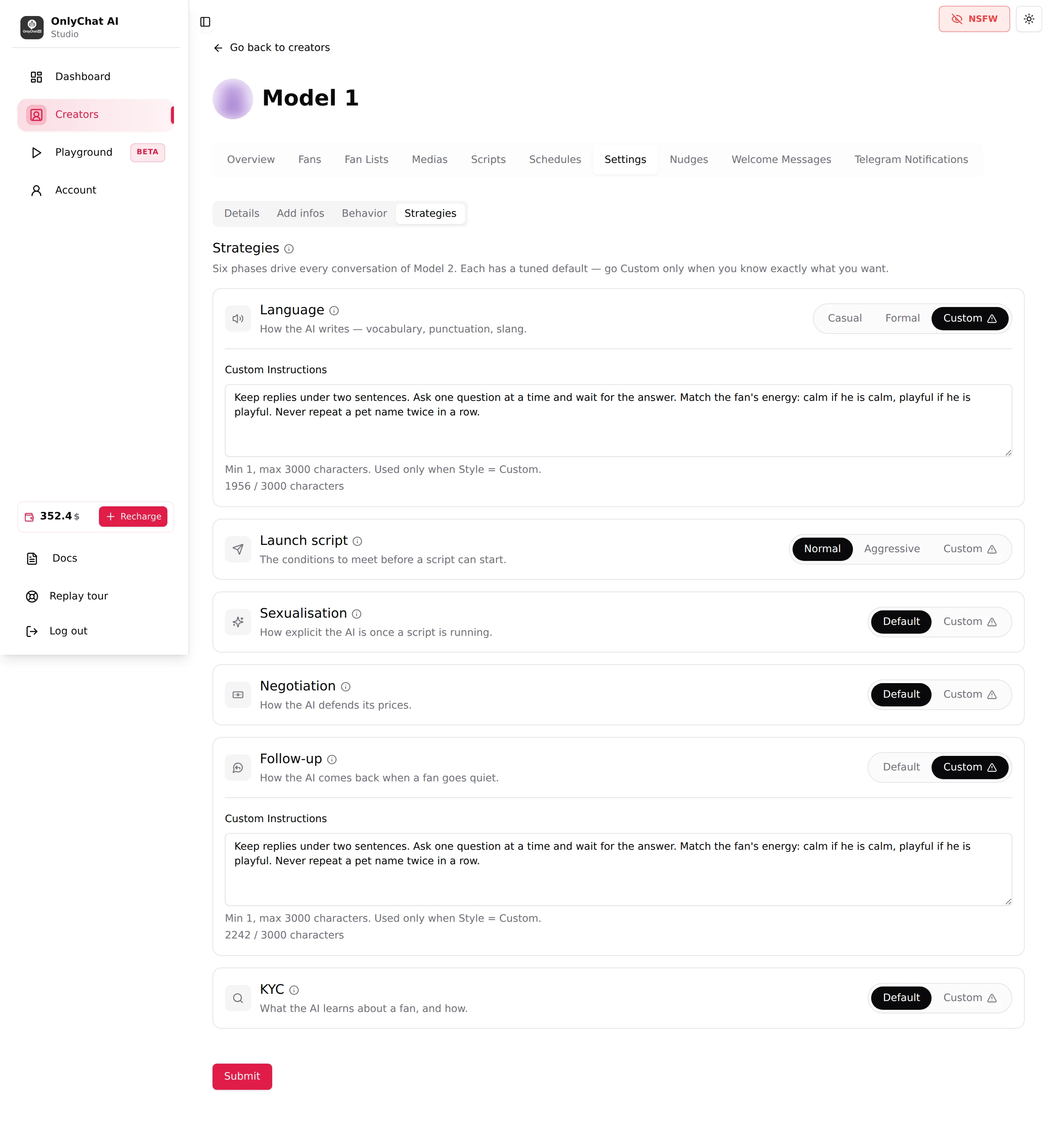
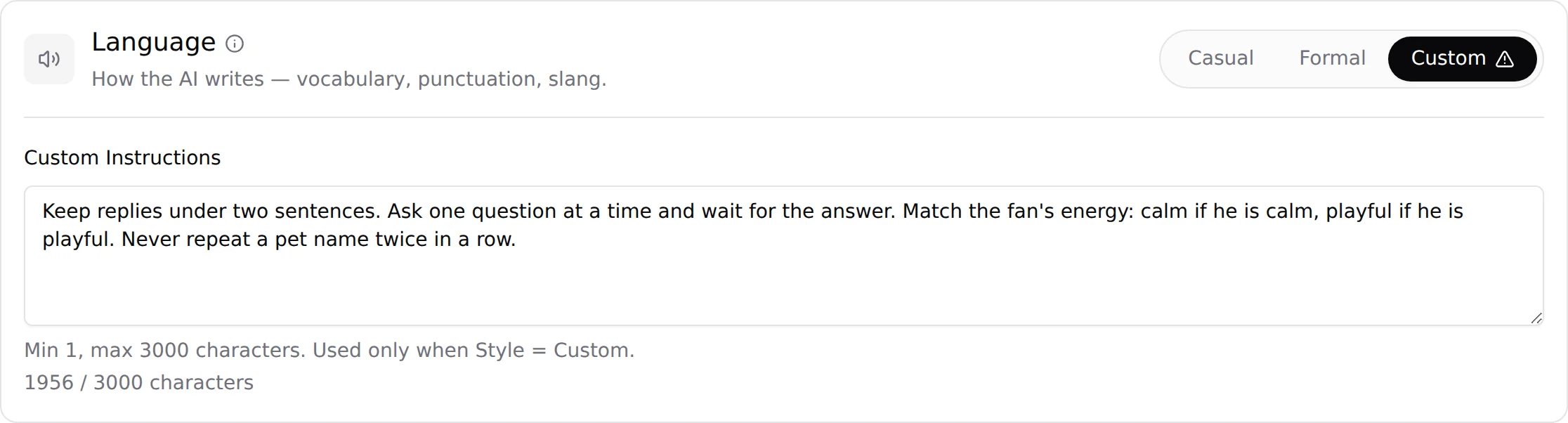
Language
Card text: "How the AI writes: vocabulary, punctuation, slang."
| Style | What changes in the chat | When to use |
|---|---|---|
| Casual | Short lowercase messages, abbreviations, slang, emojis, the way a 20-something texts. "omg ur so sweet", "wyd rn". | The default choice for almost every persona on OnlyFans and Telegram. Fans expect a girl on her phone, not a customer service desk. |
| Formal | Full sentences, correct capitalisation and punctuation, no slang. | Personas built around a "classy" or older image, or languages and markets where informal spelling reads as poor education rather than as intimacy. Test it on the Playground first: in many niches it reads colder than Casual. |
| Custom | Your own writing rules, up to 3,000 characters. | Only when Casual is close but needs a fixed rule the AI does not pick up from Additional info (for example "always lowercase, never more than one emoji per message"). See Custom strategies. |
Language does not touch the Message text of your script steps: those are sent as you wrote them, translated if the fan writes in another language. It shapes everything the AI writes on its own between steps.
Launch script
Card text: "The conditions to meet before a script can start."

| Style | What changes in the chat | When to use |
|---|---|---|
| Normal | The girlfriend-experience way in: the AI builds rapport first (a bit of discovery, some back and forth, the fan engaged and flirting) and launches the script once the relationship is there. Scripts start later and land better. | Girlfriend-experience personas, fans acquired through social media who need warming up, any creator whose unlock rate matters more than speed. |
| Aggressive | Faster to the script, less relationship first: the AI spends less time on rapport and moves the fan into a script sooner. More scripts sent per day, more fans who see a PPV in their first session. | High-volume creators with lots of new fans a day, personas whose promise is explicit content now, and testing a new script quickly. Watch the Unlock Rate on the dashboard: if it drops, go back to Normal. |
| Custom | Your own conditions. | When you know the exact trigger you want (for example "never before the fan has said where he lives"). See Custom strategies. |
The strategy decides when a script starts. Which script starts is decided on the Scripts tab (star for the first script, Active switches) and by the cooldowns. See How the AI sells.
The AI chats too much before selling: how to make it more aggressive
Some fans do not want a relationship, they want content now, and an AI set to build rapport first will keep asking about their day while they wait for the first PPV. Three settings decide how fast the AI gets to the sale, and to the next one:
- Launch script: Aggressive (Settings, Strategies, Launch script card). The main lever. The AI spends less time on small talk and moves the fan into a script sooner. Applies to the whole creator.
- Minimum Sexualization Cooldown (Settings, Behavior, Cooldowns). The number of days the AI waits after a script ends before steering the same fan toward sex again on its own. At 2 (the default) two days of rapport separate one scene from the next, whatever the style; set it to 1 for a persona whose fans expect a new scene right away, 0 only for testing. See Cooldowns.
- Strict Script Cooldown (same card). The number of hours after a script ends during which no new script can start for that fan, even if he asks. At 10 (the default) a fan who bought at noon and asks for more at 2 pm is told to wait; lower it to a few hours for fans who chain purchases, keep it high for personas where pacing sells better.
Rule of thumb: Aggressive + Sexualization Cooldown 1 + Strict Script Cooldown low = fast, content-first; Normal + 2 + 10 = girlfriend experience. Styles and cooldowns apply to the whole creator, not per fan list: a creator who needs both approaches needs two creators.
Negotiation
Card text: "How the AI defends its prices."

| Style | What changes in the chat | When to use |
|---|---|---|
| Default | The AI holds the step price, answers "too expensive" with value and teasing rather than a discount, and only falls back to the Discounted Price of the step when one is set and the fan still refuses. | Every creator, unless you have a specific rule to enforce. |
| Custom | Your own price defence, up to 3,000 characters. | Only when the default does something you can name and want changed, for example a persona that never discounts, or one that offers the discount at the first refusal. See Custom strategies. |
The AI can never go below the Discounted Price you set on the step, and cannot discount at all if Enable discount is off for that step. Negotiation style changes the words, not the floor. See Prices and discounts.
The other three phases
Sexualisation, Follow-up and KYC only have Default and Custom. There is no style to choose: leave Default, or write your own instructions as described in Custom strategies.
Recommended starting point for an agency
| Phase | Start with | Change when |
|---|---|---|
| Language | Casual | The persona is explicitly "classy" or the market punishes slang. |
| Launch script | Normal | The creator gets more new fans per day than the AI converts, and you want faster pitches. |
| Negotiation | Default | You have a written rule that the default breaks. |
Change one phase at a time and give it a week on the dashboard before changing the next. Two changes at once and you will not know which one moved the Unlock Rate.
Good to know
- The style controls are saved with Submit, like every field of the Settings form.
- Switching a phase to Custom opens a confirmation dialog and requires text in Custom Instructions; the field is shown only while Custom is selected and, as its helper says, "Used only when Style = Custom".
- Styles apply to the whole creator. You cannot set Aggressive for one fan list and Normal for another. Use separate creators for that.
- You can try Language Style, Launch Script Style and Negotiation Style on a single test conversation in the Playground without touching the creator's settings.