
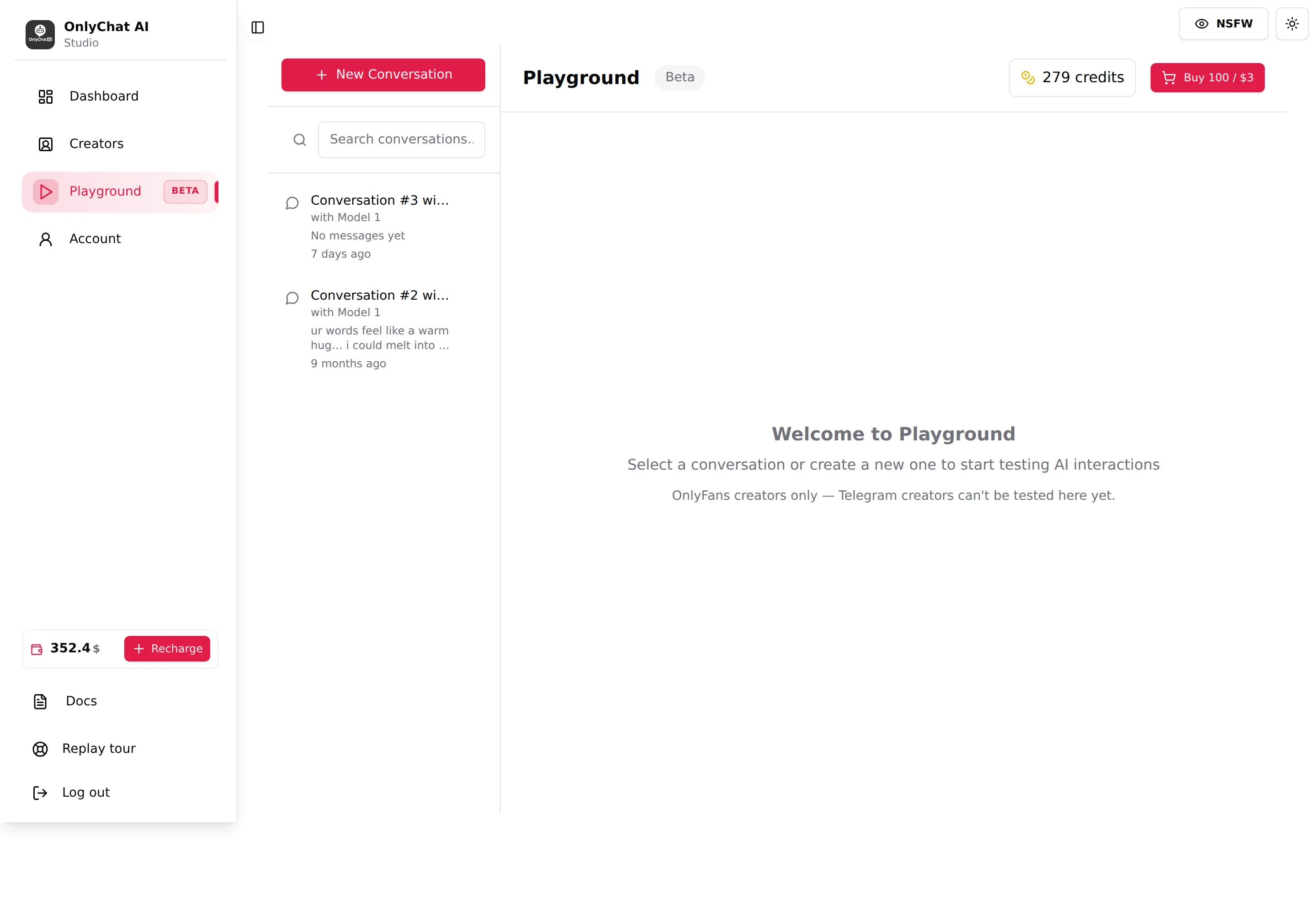
The Playground is a private chat where you play the fan and the creator's AI answers, with the creator's real settings, scripts and media, without touching any real fan. Use it to hear a new persona before it goes live, to reproduce a bad answer, and to try a Custom strategy with no risk. It is marked Beta and works with OnlyFans creators only: the empty state says "OnlyFans creators only, Telegram creators can't be tested here yet." Each message you send costs 1 credit, bought separately from your balance (100 credits for $3). onlyfans
Where to find it
Click Playground in the left sidebar (the item carries a "Beta" pill). Using it needs the "Use playground" and "Access playground" permissions; without them the page shows "Access Denied, You are not authorized to use the Playground."
Credits
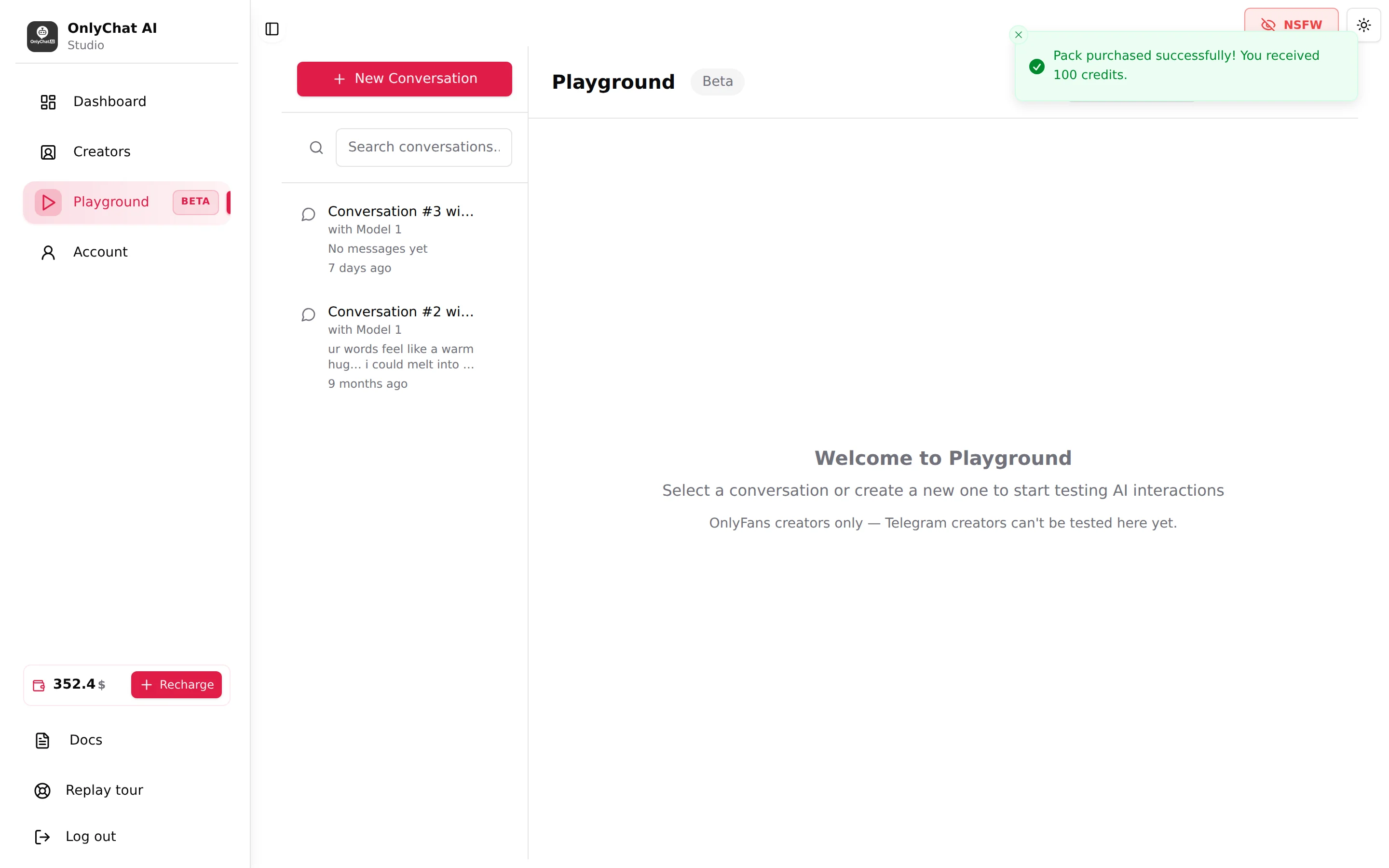
Playground messages are paid with credits, not with your main balance. The chip in the header shows "N credits". The button Buy 100 / $3 buys a pack of 100 credits for $3 taken from your balance (needs the "Buy playground credits" permission; "View playground credits" to see the chip). Toasts: "Pack purchased successfully! You received 100 credits." or "Failed to purchase pack".
When credits run out, sending is blocked with "Insufficient Credits, You don't have enough credits to continue. Please purchase more credits to keep using the playground." and a Purchase 100 Credits / 3$ button. One message sent costs 1 credit, so a $3 pack covers 100 test messages. Credits are only spent in the Playground, which exists for OnlyFans creators only; Telegram creators have no Playground and no credits to buy.
Conversations
New Conversation
Click New Conversation. The dialog "Select a Creator" says "Choose a creator with an active license to start a new playground conversation." Creators with a license carry an "Active License" badge; without any, the dialog shows "No creators with active licenses found." and "You need an active license to use the playground feature." Pick one, click Create Conversation. Toast: "New conversation with [name] created!"
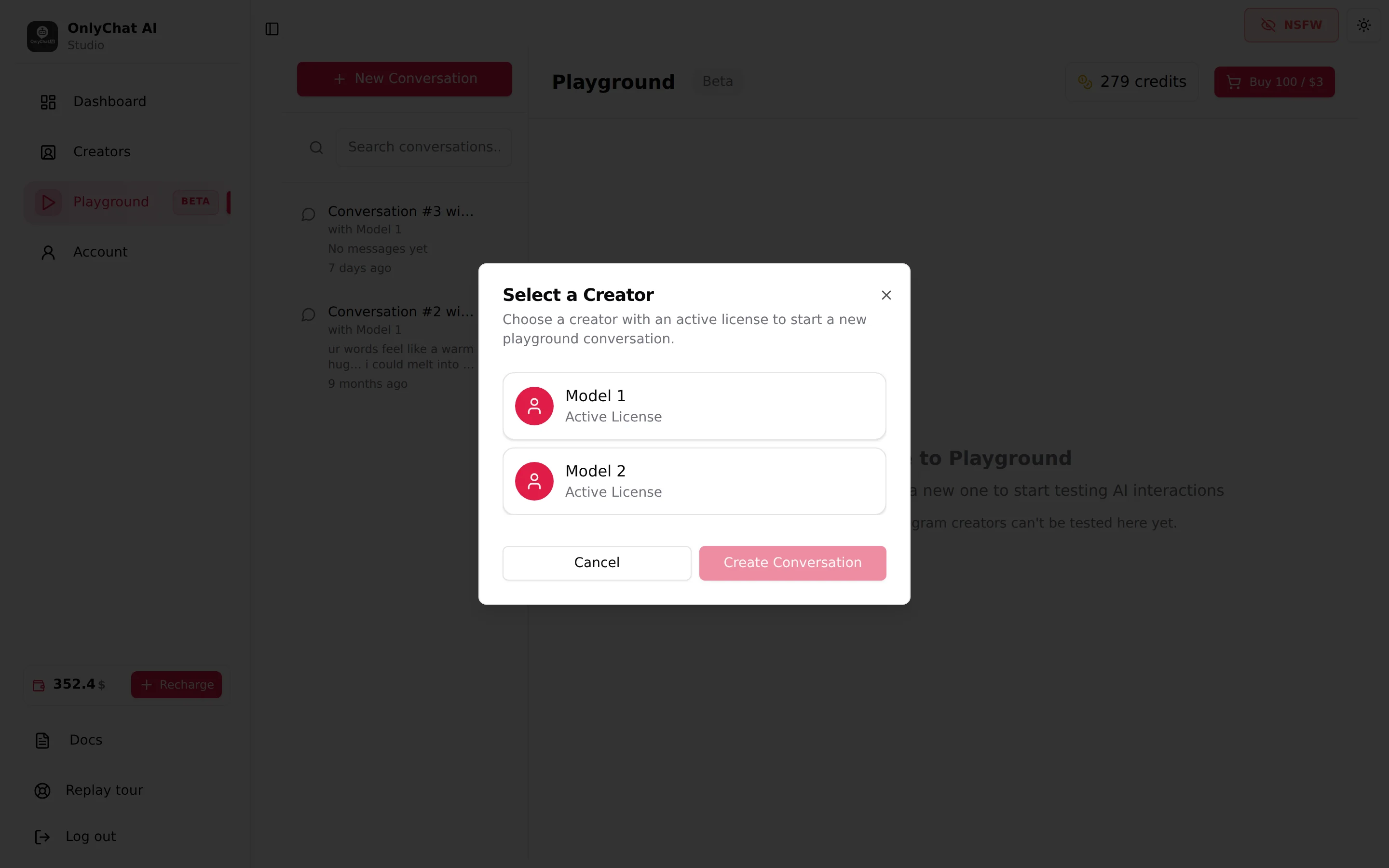
A creator does not need the AI switch on to be tested. The license is the only requirement, which is exactly what you want: test first, go live after.
The list
Left column: Search conversations... and one card per conversation ("Untitled Conversation" or "Conversation #N", "with [creator]", last message, age). Empty states: "No conversations yet", "No conversations found". Hover a card for Delete conversation; the currently open one cannot be deleted ("Cannot delete the currently selected conversation"). Toast: '"[title]" deleted successfully'.
Keep one conversation per scenario ("new fan, no KYC", "fan who refuses to pay", "fan who asks to meet") and re-open them after every settings change.
The chat
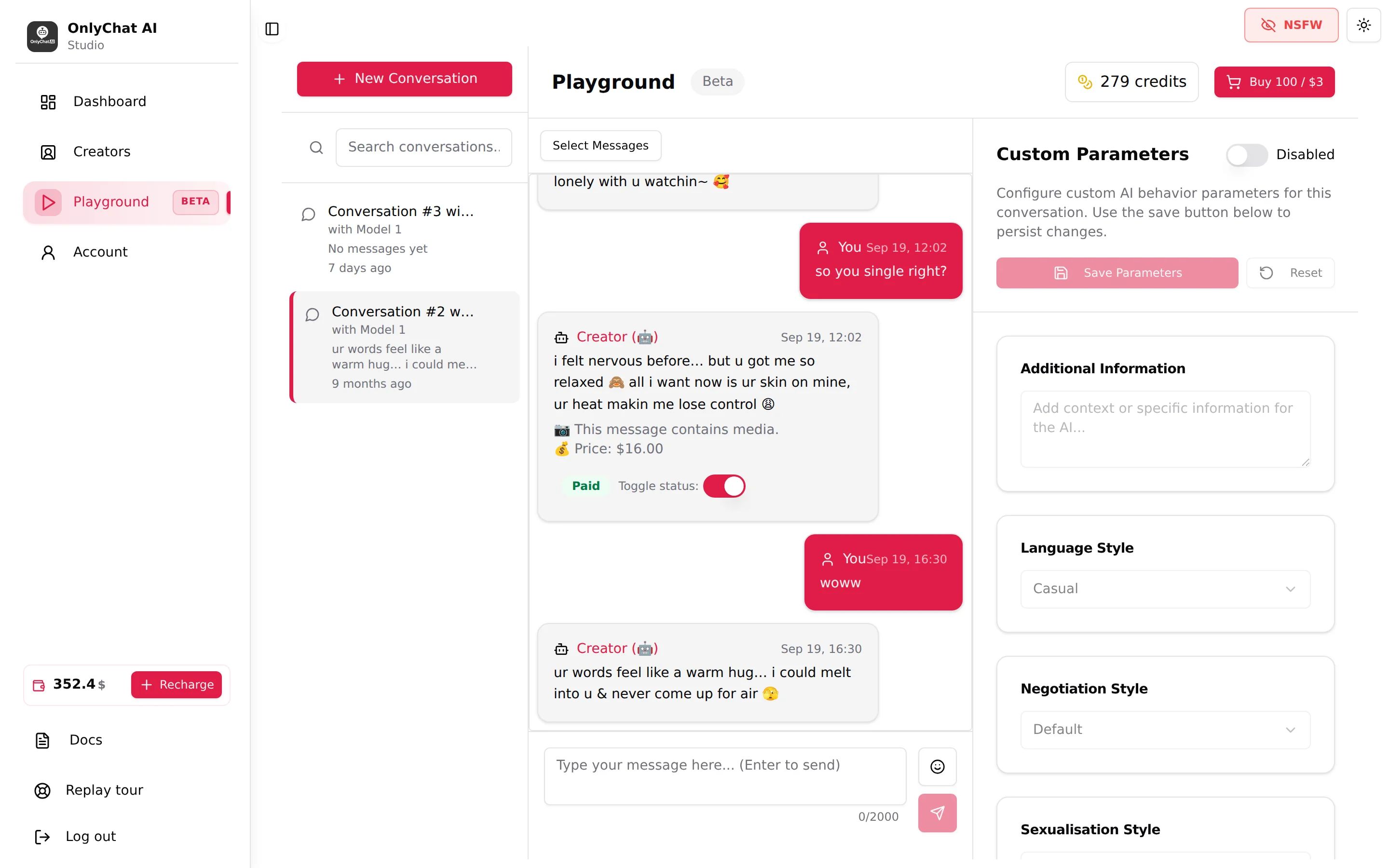
- You write as the fan in the composer, "Type your message here... (Enter to send)", 2,000 characters max. Press Enter to send; the status "Sending message..." shows while the AI answers.
- The AI's replies show as "Creator" with the robot marker, exactly as they will look on the Fans tab.
- A reply that carries a script media shows "This message contains media." and "Price: $N".
- Empty state: "No messages yet, Start the conversation by typing a message below". Scrolling up ends at "Beginning of conversation".
Toggle status: Paid / Not Paid
Under every paid media, a Toggle status switch with the label Paid or Not Paid. Flip it to tell the AI the fan bought (or did not buy) that media, and watch what it does next: the post-media messages, the next step, or the negotiation. Toast: "Media status updated to paid" / "Media status updated to not paid". This is the only way to test the paid branch of a script without spending money on OnlyFans.
Select Messages
Select Messages enters selection mode: checkboxes on messages, Select All / Deselect All, a counter "N of N selected", Delete N message(s), Cancel Selection. Toast: "N message(s) deleted successfully". Delete the tail of a conversation to replay a moment with different parameters instead of starting a new conversation from scratch.
Custom Parameters
Right panel, per conversation. Text: "Configure custom AI behavior parameters for this conversation. Use the save button below to persist changes." A master switch reads Enabled or Disabled; when on, a "Custom parameters enabled" badge appears on the chat. Save Parameters stores them for this conversation ("Parameters saved successfully"); Reset returns to the saved values ("Parameters reset to saved values").
| Card | Options | Overrides |
|---|---|---|
| Additional Information | Free text, "Add context or specific information for the AI..." | The creator's Additional info, for this conversation only |
| Language Style | Casual / Formal / Custom + "Describe the custom language style..." | The Language strategy |
| Negotiation Style | Default / Custom | The Negotiation strategy |
| Sexualisation Style | Default / Custom | The Sexualisation strategy |
| Launch Script Style | Normal / Aggressive / Custom | The Launch script strategy |
| KYC Style | Default / Custom + "Describe the custom KYC targets..." / "...instructions..." | The KYC strategy |
Nothing here is written to the creator. When the panel is Disabled, the conversation runs on the creator's real Settings. The panel has no Follow-up card and no pace or cooldown settings.
A test session that pays for itself
- Create one conversation per scenarioNew Conversation with the creator, name the scenario in your first message if you want to find it again in the search.
- Ask the identity questions"where are you from", "how old are you", "what do you look like", "are you a bot", "can we meet". Every answer must match Details and Additional info.
- Trigger a scriptFlirt as a fan would and see when the first script starts and which one (the starred one). If it never starts, the Launch script conditions are not met or the scripts are inactive.
- Refuse to paySay "too expensive" and read the negotiation. Then flip Toggle status to Paid and read the post-media messages and the next step.
- Try a Custom strategyEnable Custom Parameters, set one style to Custom, paste your draft, Save Parameters, delete the last messages, replay. Iterate here, then copy the final text to Settings, Strategies.
Good to know
- Playground conversations count nothing on the dashboard and never reach fans.
- Response Delay and Follow-Up Delay are not part of the Playground panel; judge pace on a real conversation.
- The Playground uses the creator's synced media: a script whose media has no description will show the same weakness here as with fans.
- Telegram creators cannot be tested here yet. Test them with a fan account of your own on Telegram.