
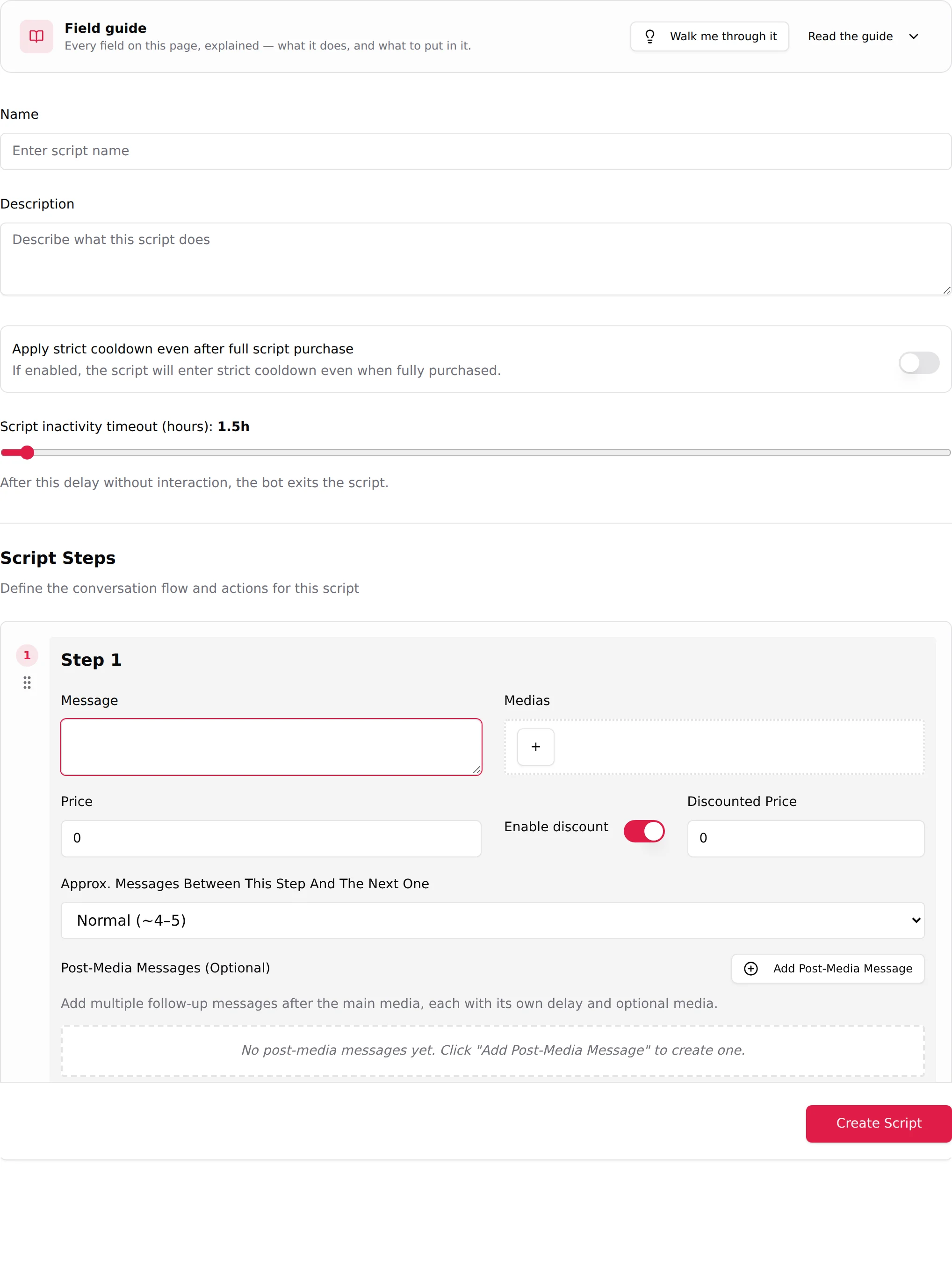
The Description field of a script is never shown to fans. It is written for the AI, and it does two jobs: it tells the AI when this script fits (which conversation, which mood, which kind of fan), and it tells the AI what the scene is about so the messages it writes around your steps stay in character. A script with a thin description gets launched rarely and clumsily. A script with a rich description gets picked more often and opens naturally. Of everything you can write on the New Script page, this is one of the fields with the biggest effect on how often the script goes out.
Where to find it
The Description field sits under Name at the top of the New Script, Edit Script and Duplicate Script pages, with the placeholder "Describe what this script does". The field guide groups it with the name and the two timers: "Everything above the steps is internal, fans never see it."
What the AI does with it
In a real conversation, the description is used at two moments.
- Choosing the script. When the launch conditions are met (see the Launch script strategy in Custom strategies), the AI has several active scripts the fan has not seen. It compares them to what is going on: the fan's mood, what he just said, what he said about himself during the KYC phase. A description that says "she is on the sofa after a long day, wants to unwind, works for a fan who likes to be teased slowly" gets chosen when a fan writes "long day, just got home". A description that says "hot script, sells well" gives the AI nothing to match.
- Opening the scene. Before step 1 goes out, the AI writes a few lines of its own to bring the fan into the situation. It takes the setting, the starting mood and the trigger from the description. If the description says the creator just came back from the gym and is still in her sportswear, the AI says so in its own words, then step 1 (your first photo) lands as the natural next thing.
What the description does not do: it does not change your step messages (they are sent as written), it does not set prices, and it does not make the AI more explicit than the Sexualisation strategy allows.
What to put in it
Write in the third person, present tense, as a scene brief. Aim for a real paragraph or several short ones, not a slogan. The more concrete the better; the AI reads all of it.
| Element | What to write | Example |
|---|---|---|
| When it fits | The type of conversation and fan this scene is for. Keep it broad and positive. | "Works with any fan who is chatting casually; ideal when he mentions being tired, at home, or bored." |
| Setting | Where she is, the light, the objects, what she is wearing. Describe the place without naming an hour of the day. | "Living room sofa, soft lamp light, oversized grey hoodie and nothing underneath, blanket on her knees, a series playing in the background." |
| Starting mood and trigger | How she feels at the start and what pushes her to share. | "Relaxed and a little bored. The fan's attention is what makes her playful; she wants to show him what she is hiding under the hoodie." |
| Progression | How the scene escalates, step by step, in plain words. This is what keeps the AI's teasing consistent with the media that is coming. | "First a cosy selfie, then the hoodie pulled up a little, then the first paid photo topless under the blanket, then a video getting rid of the blanket, then the explicit finale." |
| Fan profile | Who buys this scene. | "Fans who like a girlfriend feeling and slow teasing more than dirty talk." |
| Keywords | A few words the AI can match against what the fan says. | "sofa, hoodie, blanket, lazy evening, cuddles, series." |
Two examples
A gaming scene
She is sitting on the floor in front of the TV, controller in hand, wearing a pink oversized t-shirt and white socks, hair in a messy bun. She has been playing for a while and keeps losing because she checks her phone every time the fan writes. Works with any fan in a chatty, playful mood, especially those who talk about games, evenings at home or being bored. She starts cheeky and competitive, dares the fan to distract her more, and the scene turns into a game where each of his messages costs her a piece of clothing. First a selfie from the floor, then the t-shirt lifted while she pretends to focus on the screen, then the first paid photo with the t-shirt off and the controller covering her, then a video where she stops playing altogether, then the explicit finale on the floor. Fans who like teasing, dares and a girlfriend feeling. Keywords: gaming, controller, TV, pink t-shirt, socks, dare, distraction.
A shower scene
She has just finished cleaning the flat and is sweaty and laughing about it. Bathroom with white tiles and a big mirror, towel on the rack, steam building up. Works with any fan who is warm and responsive, no special context needed; good for fans who enjoy watching rather than talking. She starts light, joking that she needs help scrubbing her back, and gets bolder as the water runs. First a mirror selfie in a towel, then the towel dropped to the waist from behind, then the first paid photo in the shower with her hands covering her chest, then a video with the hands moving away, then the explicit finale against the glass. Fans who like a slow reveal and a playful tone. Keywords: shower, steam, mirror, towel, wet hair, cleaning day.
Both are long, describe a place and a progression, name the fan they suit, and never mention a price or a time of day.
Generate it with OnlyVault
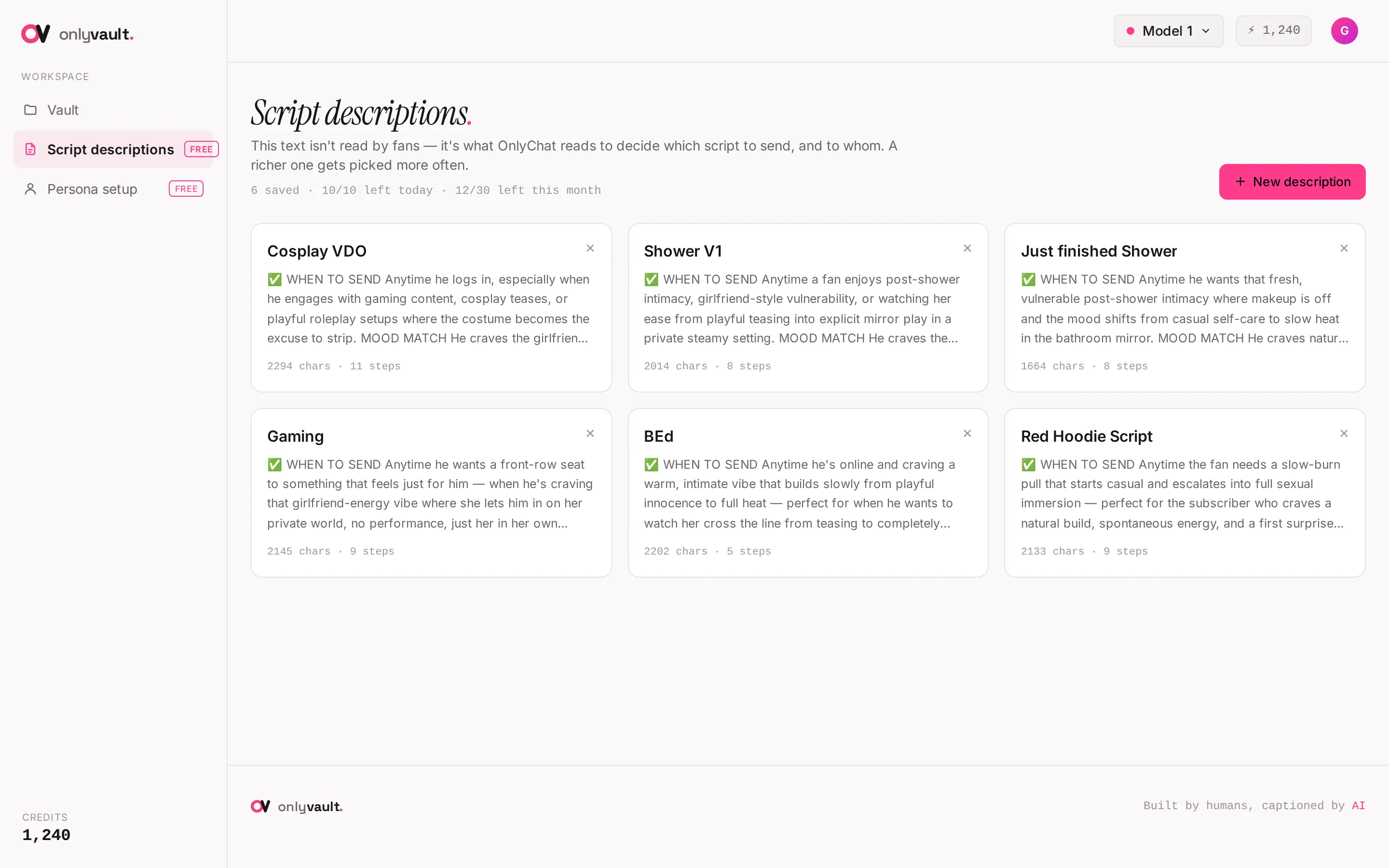
You do not have to write it by hand. OnlyVault, the companion tool, has a free Script descriptions page (10 a day, 30 a month per account): paste the description you already have, or a few details about the scene, plus the caption of each step, and it rewrites them into the form the AI reads best: when it fits, setting, mood and trigger, progression, fan profile, keywords. Copy the result, paste it into the Description field of the script in OnlyChat, then reread it against the real media before saving. There is no link between the two tools; it is copy and paste. Full walkthrough in Script descriptions in OnlyVault.
Common mistakes
- Too short. "Shower script, 5 steps" tells the AI nothing about when to use it. The AI then picks it by default, at random moments, and opens it with a generic line.
- A restriction without a reason. "Do not send late at night" or "only for fans who already paid" cuts the number of launches drastically. Add a restriction only when the scene really breaks without it.
- A time of day as decoration. "One afternoon" or "when she wakes up" is read as a rule. Describe the light instead.
- Prices in the description. Prices change, descriptions do not. Prices belong to the steps.
- Promising more than the media shows. If the description announces a full nude finale and the last step is a bikini video, the AI teases something the fan never gets. Write the description after you have sorted the media into steps.
- Copying the same description across versions. A variation that opens differently (other free teasers, another first paid message) needs its own opening in the description; the later steps can stay described the same way. Never write "this is version 2" or "for fans who saw version 1": any version can be the first one a fan receives. See Versions and variations.
- Describing the creator instead of the scene. Age, body, personality, languages live in the Settings tab and apply to every script. The description is about this scene only.