
The Integrations tab holds the two connections that belong to the organization rather than to one creator: the Telegram bot that posts alerts into your group, and the Dropp.fans API key that lets Telegram creators sell through payment links. Both are configured once and then used by every creator. The tab is reserved to members with the Manage Telegram bot permission, which is Owner only by default.
Where to find it
Account, tab Integrations ("Telegram bot and Dropp.fans connections."). Sidebar sub-item Integrations.
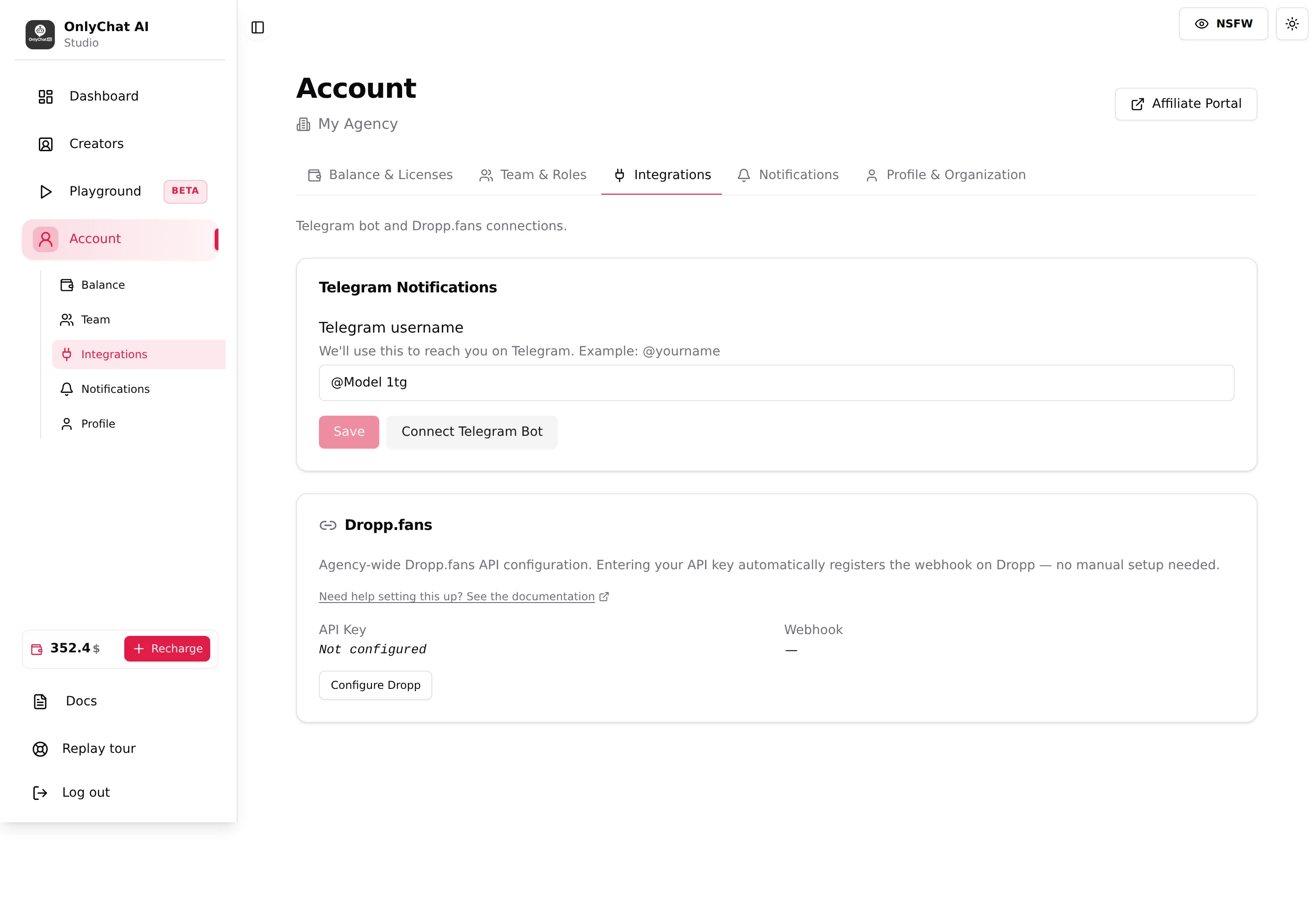
Telegram Notifications card
The notification bot is a Telegram bot named @onlychatai_notif_bot that you add to a group of your own. Once connected, each creator's notification tab (OnlyFans: Telegram Notifications, Premium; Telegram: Notifications) chooses which events go to the group: sales, AI disabled, no script left, rate limit, custom keywords.
| Element | What it does |
|---|---|
| Telegram username | "We'll use this to reach you on Telegram. Example: @yourname". The handle of the person who will add the bot to the group; the bot verifies it. Rules: starts with @, 2 to 64 characters. Save shows "Telegram username updated". |
| Connect Telegram Bot | Opens the modal with the four setup steps and the Add Bot to Group button. Refuses without a saved username ("Please set your Telegram username above before connecting the bot.") or without a qualifying license ("You need at least one active Premium OnlyFans license or one Telegram license to use Telegram notifications."). |
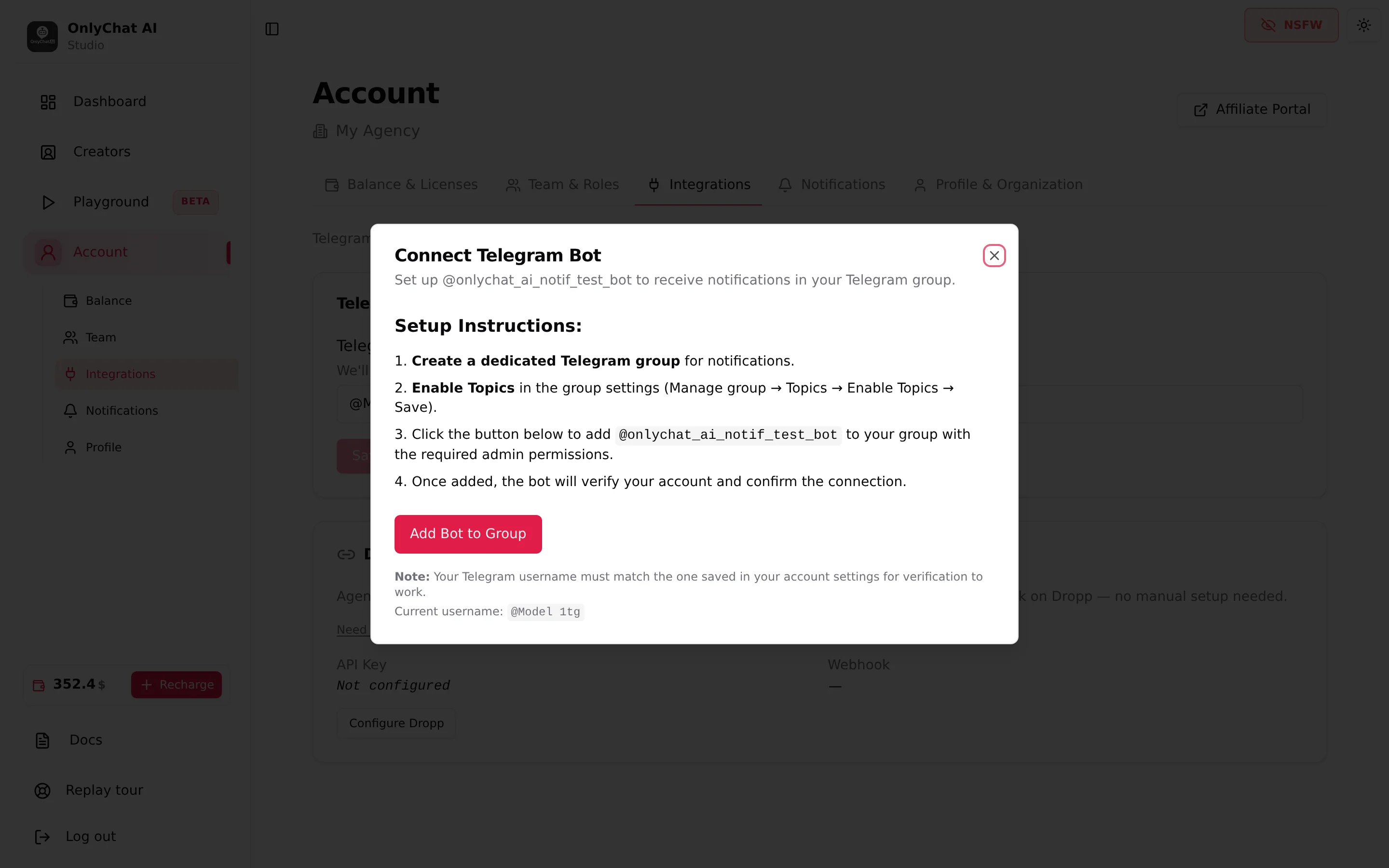
The full procedure, the group requirements (Topics enabled, admin rights) and the per-creator toggles are in Telegram alerts for OnlyFans creators and Telegram notifications for Telegram creators.
Dropp.fans card
Text: "Agency-wide Dropp.fans API configuration. Entering your API key automatically registers the webhook on Dropp, no manual setup needed."
| Element | What it does |
|---|---|
| API Key row | "Not configured" or the last 4 characters of the saved key. |
| Webhook row | "Active" once the key is saved and verified; "Not registered" otherwise. Sale attribution and link syncing need Active. |
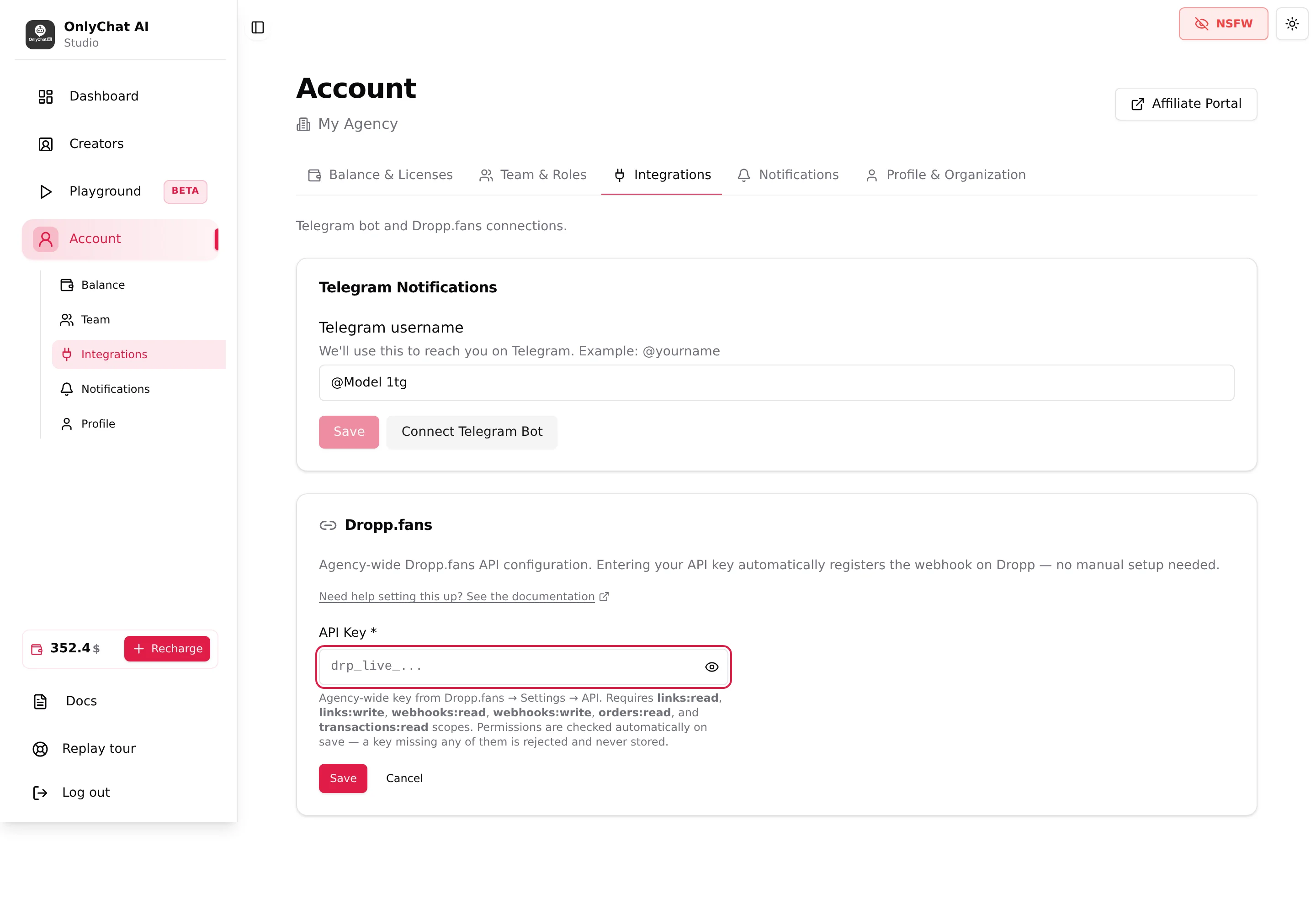
| Configure Dropp / Update API key | Opens the one-field form. The key must carry the six scopes listed under the field; a key missing one is rejected and never stored. |
The key, the scopes, the error messages and the per-creator Dropp tab are covered in Dropp.fans.
Who should do this
Both cards are organization-wide, so the person who owns the Telegram group and the Dropp account should be the one configuring them, usually the owner. If the agency changes its notification group, save the new username, then run Connect Telegram Bot again and add the bot to the new group. If the Dropp key is rotated on Dropp.fans, click Update API key; the webhook is re-registered on save.
- Telegram: save the username, then Connect Telegram BotFollow the four steps of the modal, see Telegram alerts.
- Dropp: create the key with the six scopes, then Configure DroppWait for "All permissions verified" and Webhook: Active.
- Go to the creatorsTurn on the notification toggles per creator; link each Telegram creator to its Dropp profile in its Dropp tab.
Good to know
- Permission: the tab is visible only with Manage Telegram bot, marked "(Owner only)" in the invitation modal. Admins invited with the template do not see it.
- The extension is not an integration: OnlyFans creators connect from the browser extension, downloaded from the "Add a creator" dialog, see Install the extension.
- MYM appears as "Soon" on the Creators board; there is no MYM integration here yet.