
The balance pays for everything and the AI stops when it runs out. The Organization Balance Alerts card sends an email to the organization owner when the balance drops under a threshold you choose, so the recharge happens before the creators go offline rather than after. It is a two-field card, but it is the one setting that protects revenue on every creator at once.
Where to find it
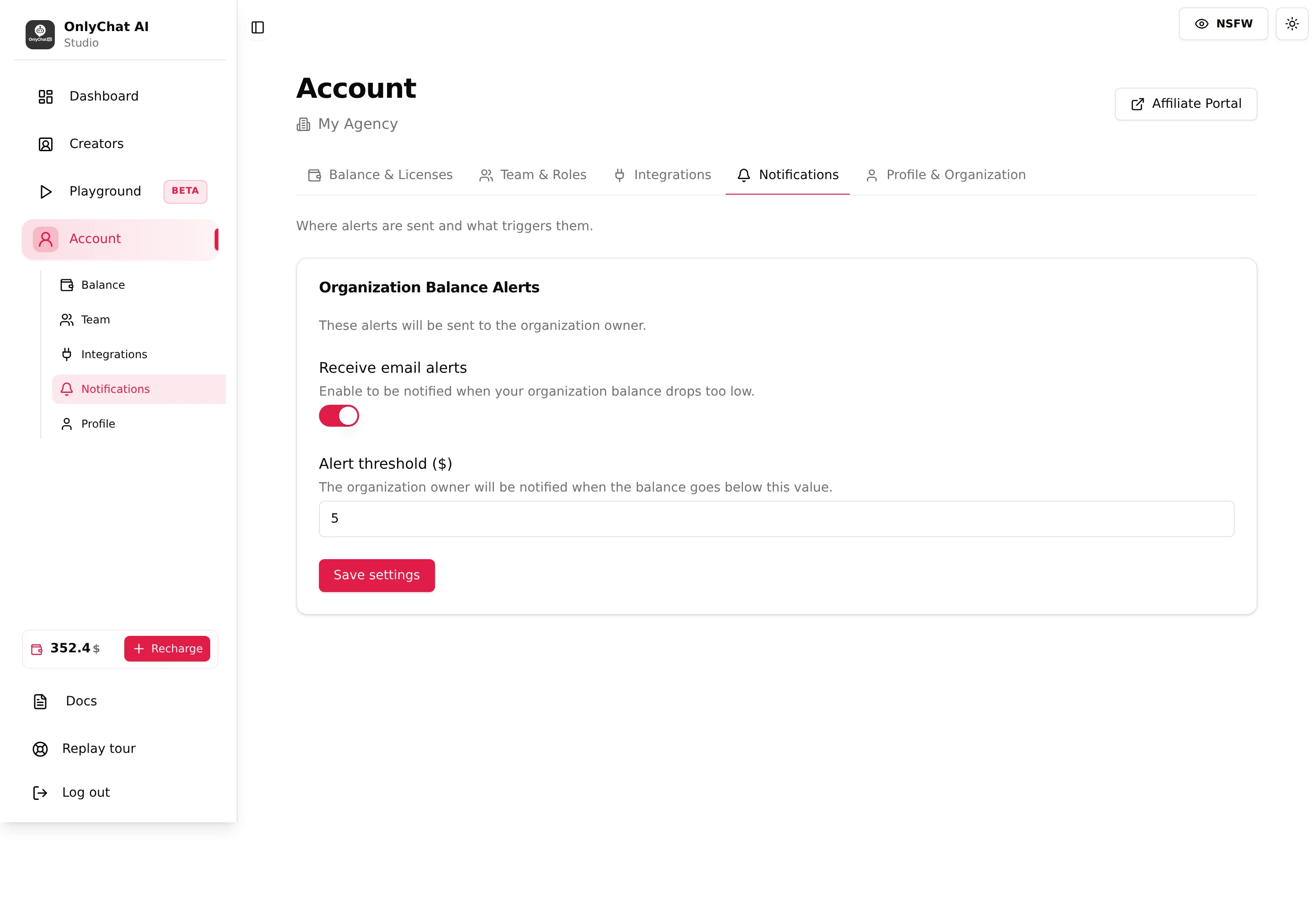
Account, tab Notifications ("Where alerts are sent and what triggers them."), permission Manage email alerts (Owner only by default). One card: Organization Balance Alerts, "These alerts will be sent to the organization owner."
The fields
Receive email alerts
Switch, helper "Enable to be notified when your organization balance drops too low." On means the owner's email address (the one in Profile & Organization) gets a message when the balance crosses the threshold. Off means no email at all, whatever the threshold says.
Alert threshold ($)
Number field, helper "The organization owner will be notified when the balance goes below this value." A new organization starts at $5, which is the value in the screenshot; raise it to fit your monthly spend.
How to choose the figure: count what one month costs you, licenses plus the commission you usually pay, and add the time it takes you to recharge in crypto. An agency with five creators at $20 and $600 of monthly commission spends about $700 a month, roughly $25 a day; a threshold at $150 gives around six days to send funds. The default $5 warns you only a few hours before the AI stops.
Save settings
Button. Toasts "Organization settings updated" / "Failed to update organization settings". Both fields save together.
- Open Account, NotificationsYou need the Manage email alerts permission; by default only the owner has it.
- Turn Receive email alerts onThe switch alone does nothing until you save.
- Type a threshold and click Save settingsWait for "Organization settings updated".
- Check the owner's inbox setupThe email goes to the organization owner, not to the member who set the alert. Make sure that mailbox is read every day, or forwarded.
What happens when the balance runs out
The balance can reach zero and go negative because the commission is charged at each AI sale, see Plans and commission. Three effects, in order:
| Situation | What the interface does |
|---|---|
| Balance at or below zero, AI currently on | Sales keep being charged as commissions and the balance goes negative. The AI Disabled alert exists for the case where OnlyChat switches the AI off; the exact moment a negative balance switches the AI off is not shown in the interface. |
| Trying to turn the AI on | The switch refuses: "Insufficient Balance, You need a positive balance to enable AI for this creator." The API message is "Insufficient balance to enable AI." |
| License renewal date | With Renew on, the license "is bought again from your balance when it expires". A balance that cannot cover $20 or $70 means no renewal and the creator goes offline. |
| Buying or upgrading | Purchase Licenses shows "New Balance after purchase" in red; the Premium upgrade modal shows "Insufficient balance. Please add funds to your account." |
Recovering is one recharge: once the balance is positive again, flip the AI switch back on for each creator that went off (or check the cards on the Creators board: Ready to launch means the license is fine and only the switch is off). See Balance and licenses for the recharge flow.
Per-creator "Low/Negative Balance" row
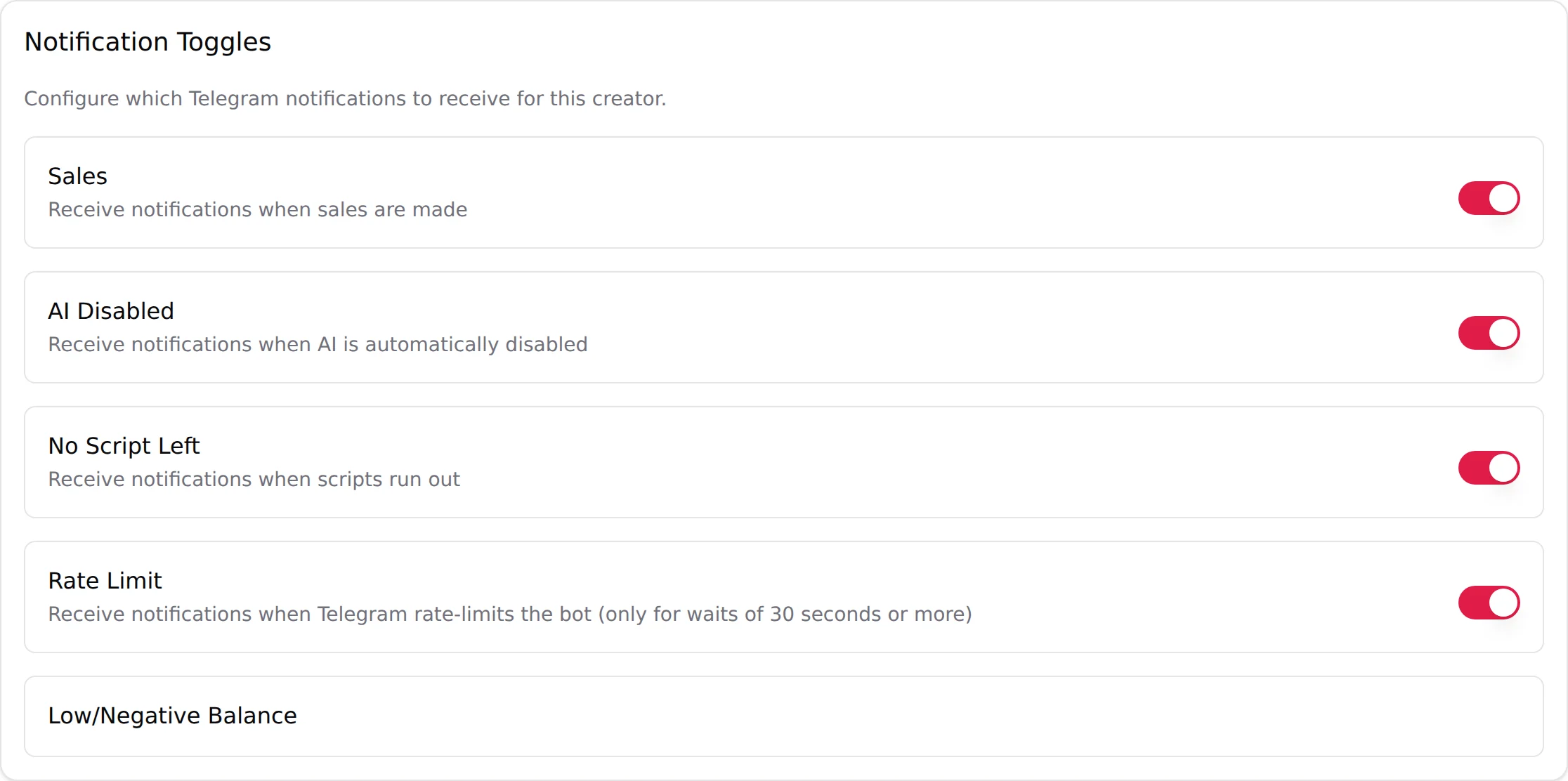
The Telegram Notifications tab of an OnlyFans creator (Premium) and the Notifications tab of a Telegram creator both list a row Low/Negative Balance without a switch. It refers to this organization-level setting: the threshold and the email switch are here. The alert itself arrives by email only; nothing is posted in the Telegram group for it. See Telegram alerts.
Good to know
- One threshold for the whole organization. There is no per-creator threshold.
- Email only. The balance alert is sent by email to the organization owner, never to a Telegram group. Watch that mailbox.
- The sidebar shows the balance on every page for members with View balance; check it as part of the daily routine, see Daily routine.
- Members other than the owner cannot receive this email from the interface; forward it from the owner's mailbox if someone else handles recharges.