
A fan note is the AI's own memory card of one fan. The AI keeps the full history of every conversation, on every license, and writes into the note a condensed extract of what matters about the fan: first name, city, job, relationship, what he likes, what he bought, how he reacts. You do not have to write it; the AI does, as the conversation goes. The field is labelled Personal Info, and on Telegram Personal Info (conversation).
What the license changes is only the visibility of that memory: on OnlyFans, the Note button that shows and edits the note needs a Premium license; on Telegram it is shown for every creator. A Basic creator's AI remembers its fans exactly the same way, you simply do not see the condensed note. premium
You can also write into the note yourself. The typical case: an old subscriber who arrives on OnlyChat with a long history the AI never saw. Put the essentials in his note (who he is, what he buys, what to avoid) and the AI uses it from its first reply.
Where to find it
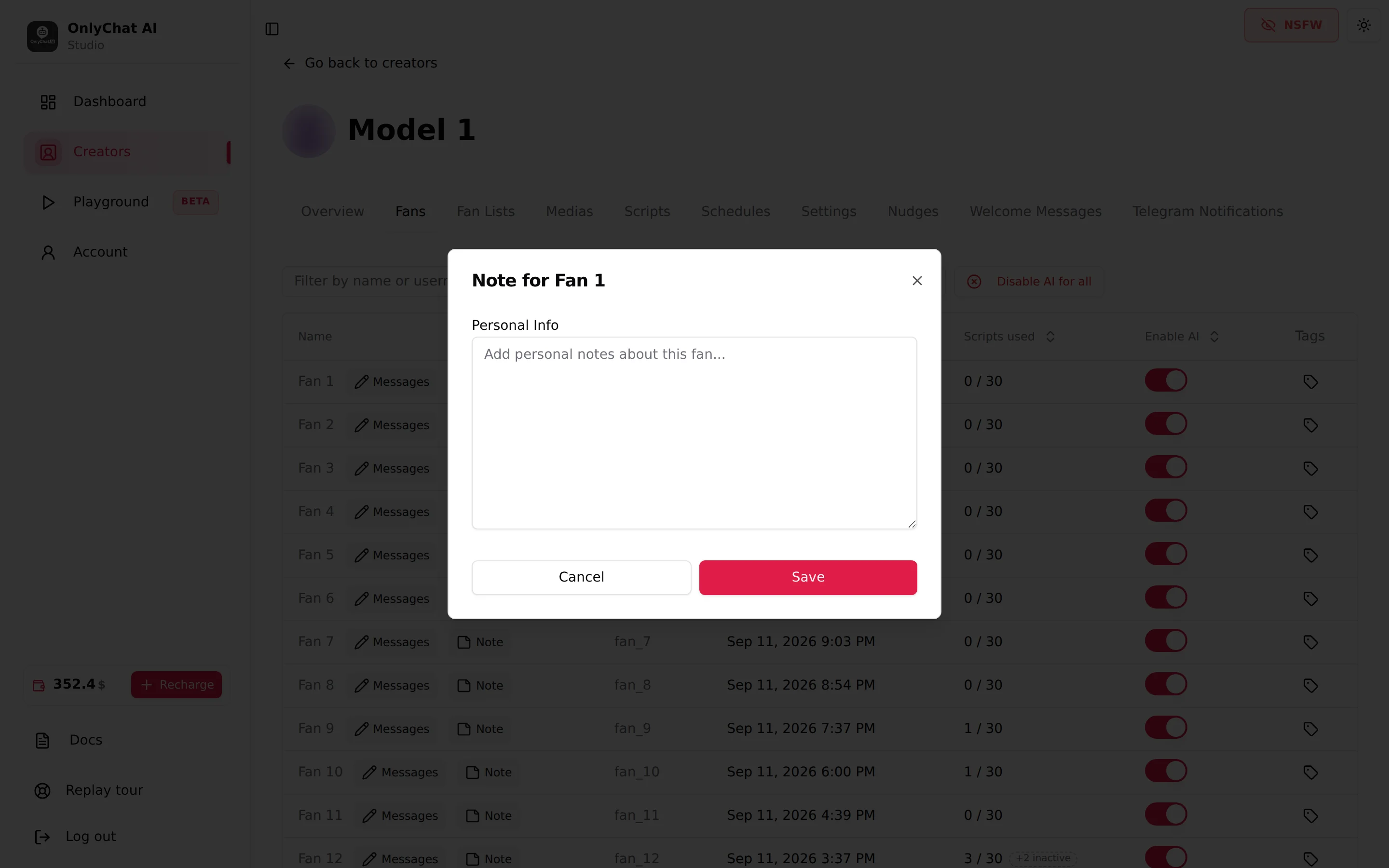
OnlyFans: open the creator, click Fans, then the Note button next to the fan's name. The modal "Note for [fan]" opens. Needs the "View fan notes" permission to open and "Edit fan notes" to save, plus a Premium license on the creator.
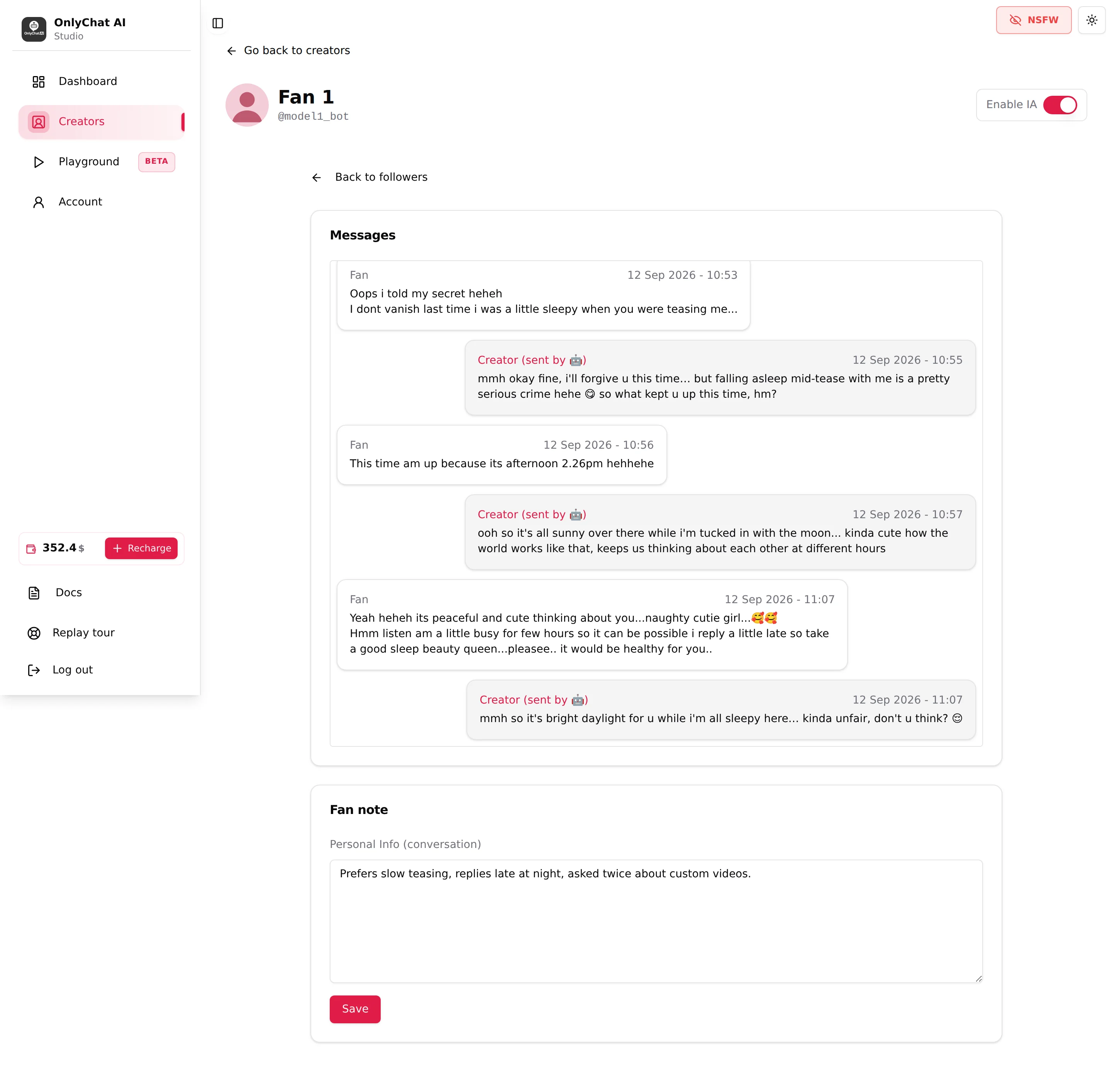
Telegram: open the creator, click Fans, click the fan's row (or Messages). The conversation page shows the messages, then a Fan note card with the field Personal Info (conversation) and a Save button.
The Note modal (OnlyFans)
| Element | What it does |
|---|---|
| Title "Note for [fan]" | Confirms which fan you are editing. |
| Personal Info | One free-text field. Placeholder "Add personal notes about this fan...". No formatting, no length shown in the interface. |
| Save | Writes the note. Toast "Note saved successfully" or "Failed to save note". |
| Cancel / close | Discards what you typed since opening. |
The Fan note card (Telegram)
Same field, different place: under the conversation, labelled Personal Info (conversation). Save shows "Saving…" then a confirmation toast. Some strings on this card are displayed in French ("Notes sur ce fan…" as placeholder, "Note enregistrée" on save, "Échec de l'enregistrement de la note" on failure); they mean placeholder, saved, and save failed.
What to write
Write the note as facts, one per line, in the language of the conversation:
Tom, 34, Chicago, works nights at a hospital
Single since March, two dogs
Likes slow teasing, hates being rushed
Bought the shower set, asked twice about customs
Do not mention his ex
Good notes are:
- Factual: things he said, things he bought, things he asked for.
- Actionable: "hates being rushed" changes how the next pitch should go; "nice guy" changes nothing.
- Short: a dozen lines. The note is a card, not a diary.
- Safe to reuse: never write anything you would not want reused in a message. Never write a real full name or contact details; the platform profile already identifies him.
How the note relates to the AI
The field is called Personal Info, and Personal Info is exactly what the KYC strategy collects ("What the AI learns about a fan, and how", with targets like first name, age, city, occupation, relationship status, passions). The note is where that information lives per fan. Whether the AI writes into the note on its own, and how much of your text it reads back into conversations, is not shown in the interface. Treat the note as the single place for a fan's personal facts, keep it consistent with what he actually said, and check a conversation after you add a line to see how it is used.
Notes versus tags
| Fan note | Tag | |
|---|---|---|
| Content | Free text about the fan | A short label with a colour |
| Read by the AI | Personal information, see above | No: "Tags are yours, the AI doesn't read them." |
| Filterable | No | Yes, "Filter by tags" on the Fans tab |
| Use it for | Facts about him | Sorting your inbox (VIP, manual, refund) |
See Tags.
Good to know
- On OnlyFans the Note button is present on every row but needs a Premium license on the creator. Without it, the Fans tab still works; notes and tags are the Premium part. See Premium overview.
- On Telegram the conversation page may show "Vous n'avez pas les droits pour voir cette conversation." (French for "you do not have the rights to see this conversation") when the member lacks the permission.
- Notes are per creator. A fan who follows two of your creators has two notes.
- The Playground has no notes. To test how the AI uses personal information, write it in the Additional Information card of Custom Parameters.
Related
- Tags
- Fans list
- Custom strategies (KYC targets)
- Premium: fan notes and tags