
On OnlyFans, the AI does not answer everybody: it answers the fans you allow through your OnlyFans lists. The Fan Lists tab pulls in the lists you already maintain on OnlyFans ("Following", "VIP", "Timewaster", whatever you named them) and lets you mark each one Active (the AI may answer its fans) or Excluded (its fans are never answered). One rule, printed on the tab: "The AI replies only to fans in at least one Active list and in no Excluded list, exclusion always wins." Membership is checked live on OnlyFans before every reply, so moving a fan between lists on OnlyFans is enough; nothing to re-import. onlyfans
Where to find it
Open an OnlyFans creator, click Fan Lists (third tab, after Fans). Telegram creators have no Fan Lists tab.
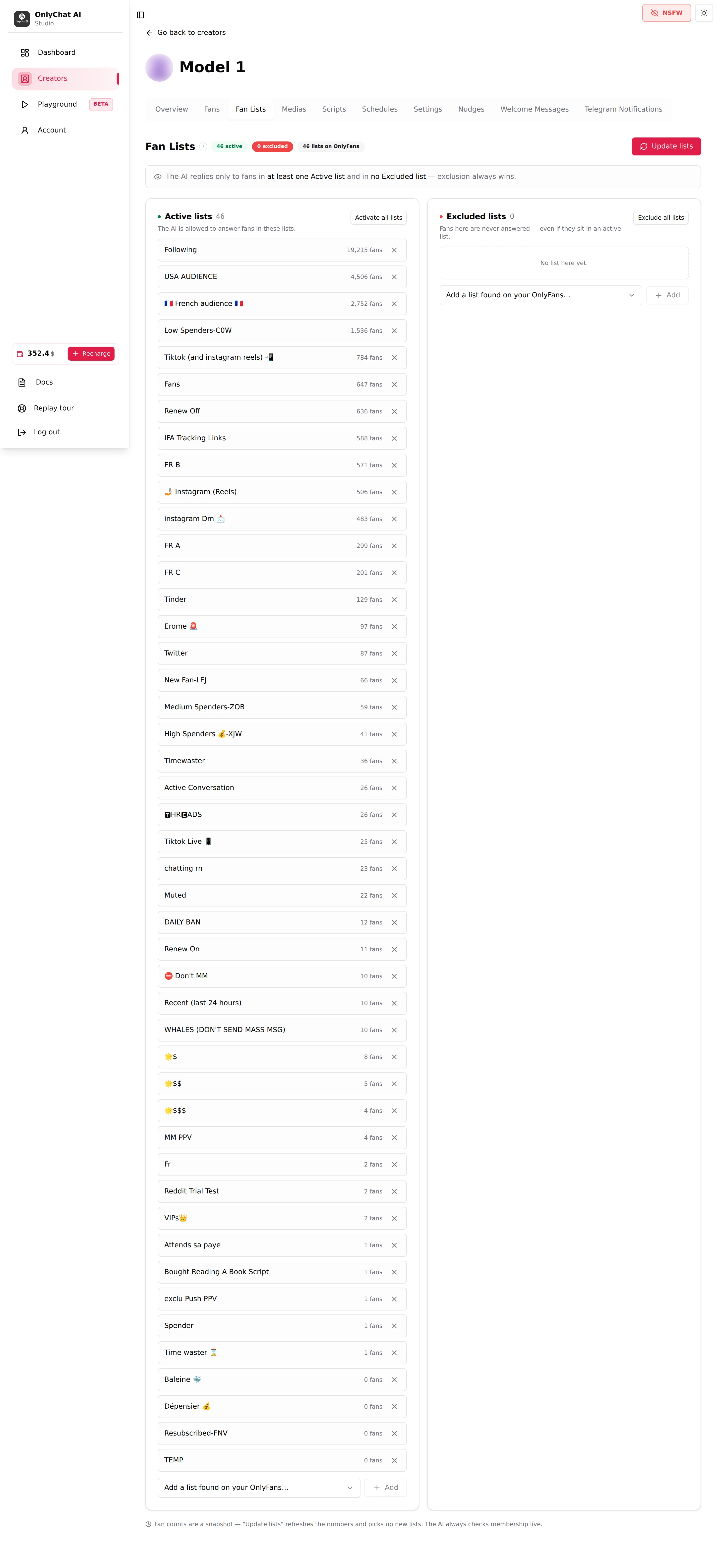
The intro under the title: "Lists come from OnlyFans. We never store which fan belongs to which list, the bot checks membership live before every reply, so you don't have to re-import after moving fans around."
First time: Import fan lists
A creator with no list imported shows: "No fan list imported yet. Import the lists you created on OnlyFans to control who the AI is allowed to answer." and an Import fan lists button. Click it: OnlyChat reads the lists that exist on the creator's OnlyFans account and shows them here. Then you choose which ones are Active and which are Excluded.

Update lists
Once lists are imported, the button reads Update lists. It fetches the current lists from OnlyFans again: new lists appear, renamed lists update, and the fan counts refresh. Toasts: "Fan lists refreshed from OnlyFans" or "Unable to reach OnlyFans, try again".
The footer of the tab explains what the counts are: "Fan counts are a snapshot. "Update lists" refreshes the numbers and picks up new lists. The AI always checks membership live." So: counts are for you and may be stale; the decision to answer a given fan is always taken against OnlyFans at reply time. Click Update lists after you create or rename a list on OnlyFans; not after you move fans.
The summary line
Next to the title: "N active", "N excluded", "N lists on OnlyFans". Use it as a health check: "0 active" on a live creator is a silent creator.

The rule

For each incoming message, the AI checks the fan against OnlyFans:
- Is he in at least one Active list? If not, no reply.
- Is he in any Excluded list? If yes, no reply, even if he is also in an Active list.
- Otherwise, reply (if the creator's AI is on and the fan's own switch is on).
A list you have neither activated nor excluded is "inactive": it plays no part in the decision.
Active lists and Excluded lists
Two cards side by side.
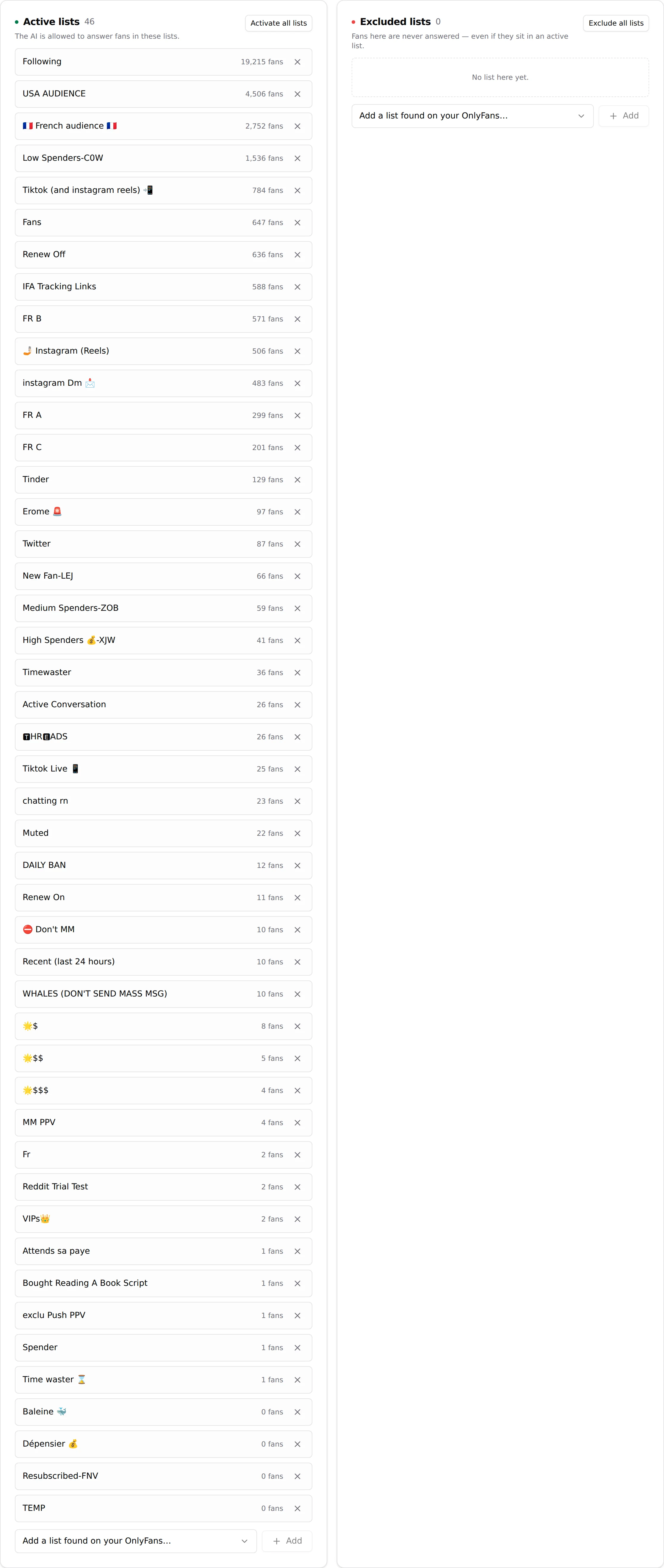
| Card | Text on the card | Meaning |
|---|---|---|
| Active lists | "The AI is allowed to answer fans in these lists." | Allow-list. A fan needs to be in at least one. |
| Excluded lists | "Fans here are never answered, even if they sit in an active list." | Block-list. Overrides everything. |
Each row shows the list name, its fan count ("N fans", the snapshot), and a cross, "Remove from this list", which puts the list back to inactive. Empty card: "No list here yet."
Add a list found on your OnlyFans
At the bottom of each card, a dropdown "Add a list found on your OnlyFans…" plus Add. It lists the OnlyFans lists not yet in that card. Pick one, click Add. When every list is already placed, the dropdown says "Every list is already here." Each list shows its current state ("currently ACTIVE", "currently EXCLUDED", "currently INACTIVE"); adding a list to the other card moves it.
Activate all lists
Button on the Active card. Confirmation: "Set all N lists to Active? The AI will be allowed to answer every fan on this creator." Use it on a creator where you want the AI on the whole inbox and will only carve out exclusions.
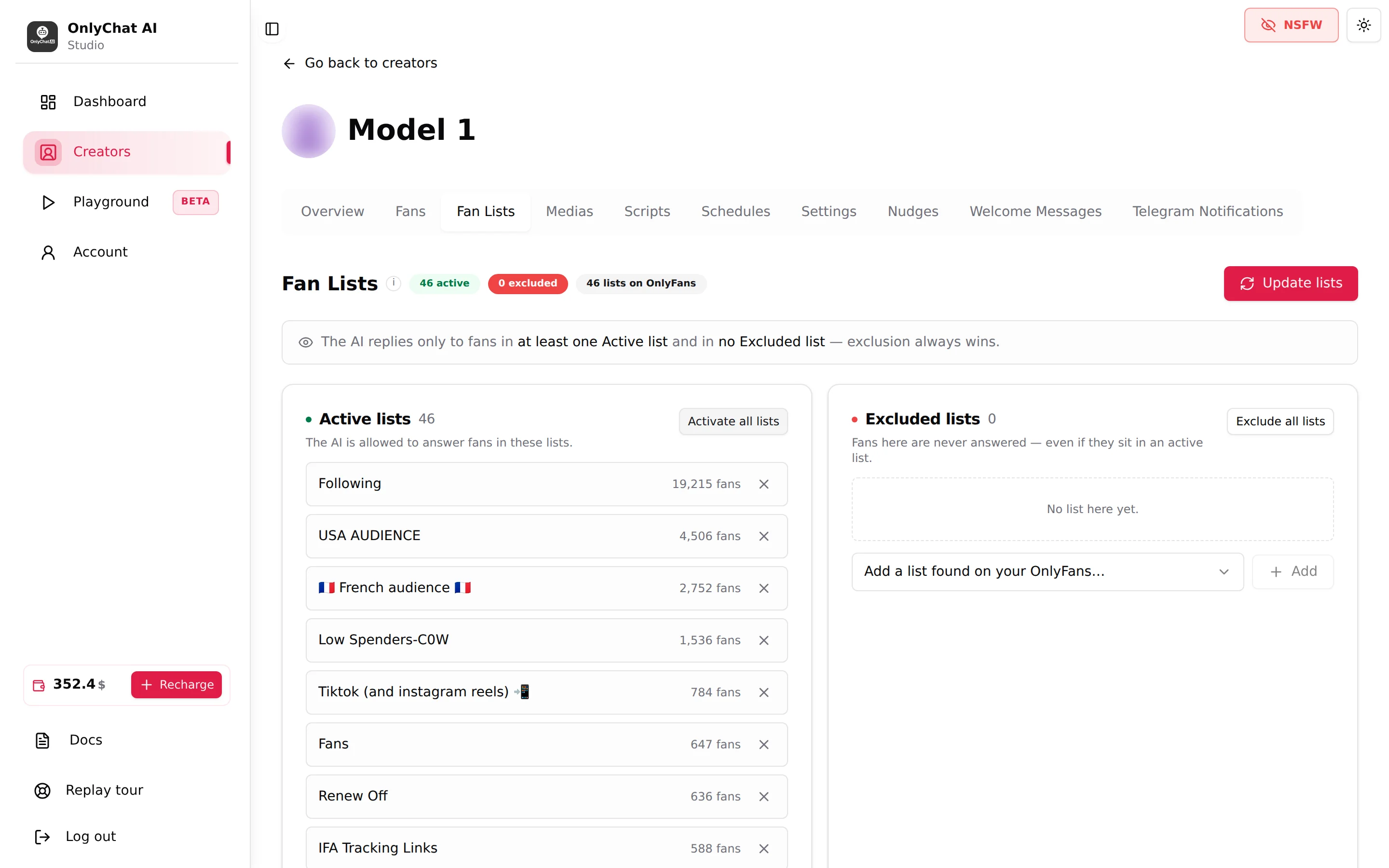
Exclude all lists
Button on the Excluded card. Confirmation: "Set all N lists to Excluded? The AI will stop answering every fan on this creator." It is a kill switch for the OnlyFans inbox that leaves the creator's AI switch, schedules and nudges untouched.
A setup that works for an agency
- On OnlyFans, keep two lists you controlOne broad list every subscriber lands in (OnlyFans' own "Following" or "Fans" list works), and one list you fill by hand for fans the AI must leave alone (name it "Manual" or "No AI").
- Import, then UpdateClick Import fan lists the first time, Update lists whenever you create a list on OnlyFans.
- Add the broad list to ActiveOr click Activate all lists if every list should be answered.
- Add the hand list to ExcludedFrom then on, moving a fan into that list on OnlyFans silences the AI for him instantly, no click in OnlyChat.
- Check the summary"1 active, 1 excluded" (or more). Then turn the creator's AI on.
Fan lists versus the per-fan switch
Both silence the AI for a fan. The difference is where you act:
| Fan lists | Enable AI per fan | |
|---|---|---|
| Where | OnlyFans app (move the fan), Fan Lists tab (choose the lists) | Fans tab, one switch |
| Scope | Whole lists, thousands of fans at once | One fan |
| Who can do it | Whoever manages lists on OnlyFans | Members with "Toggle AI for individual fans" |
| Best for | Structural rules (VIPs handled by humans, blocked fans, test accounts) | Momentary takeovers |
See Enable AI per fan.
Good to know
- "Unable to reach OnlyFans, try again" on Update lists means the extension session is not reachable. Check the creator card shows "Synced", see Extension and sync issues.
- Fan counts are informational. A list showing "0 fans" can still be the right one to activate if you just created it on OnlyFans.
- The Fans tab lists the fans the AI has met, not the members of your lists. To see who is in a list, use OnlyFans.