
A script the AI has already sent to a fan is burned for that fan: the AI never sends it to him again. That is what keeps a fan from seeing the same story twice. It also means that your best fans, the ones who went through every script you have, end up with nothing left to receive. Unburn gives a script back to the AI for one fan, so it can be sent to him again.
Where to see it
Open a creator, then Fans. The Scripts used column reads "x / y": x scripts already sent to this fan, out of y scripts currently active. The column is sortable: click Scripts used to bring the fans who burned the most to the top.
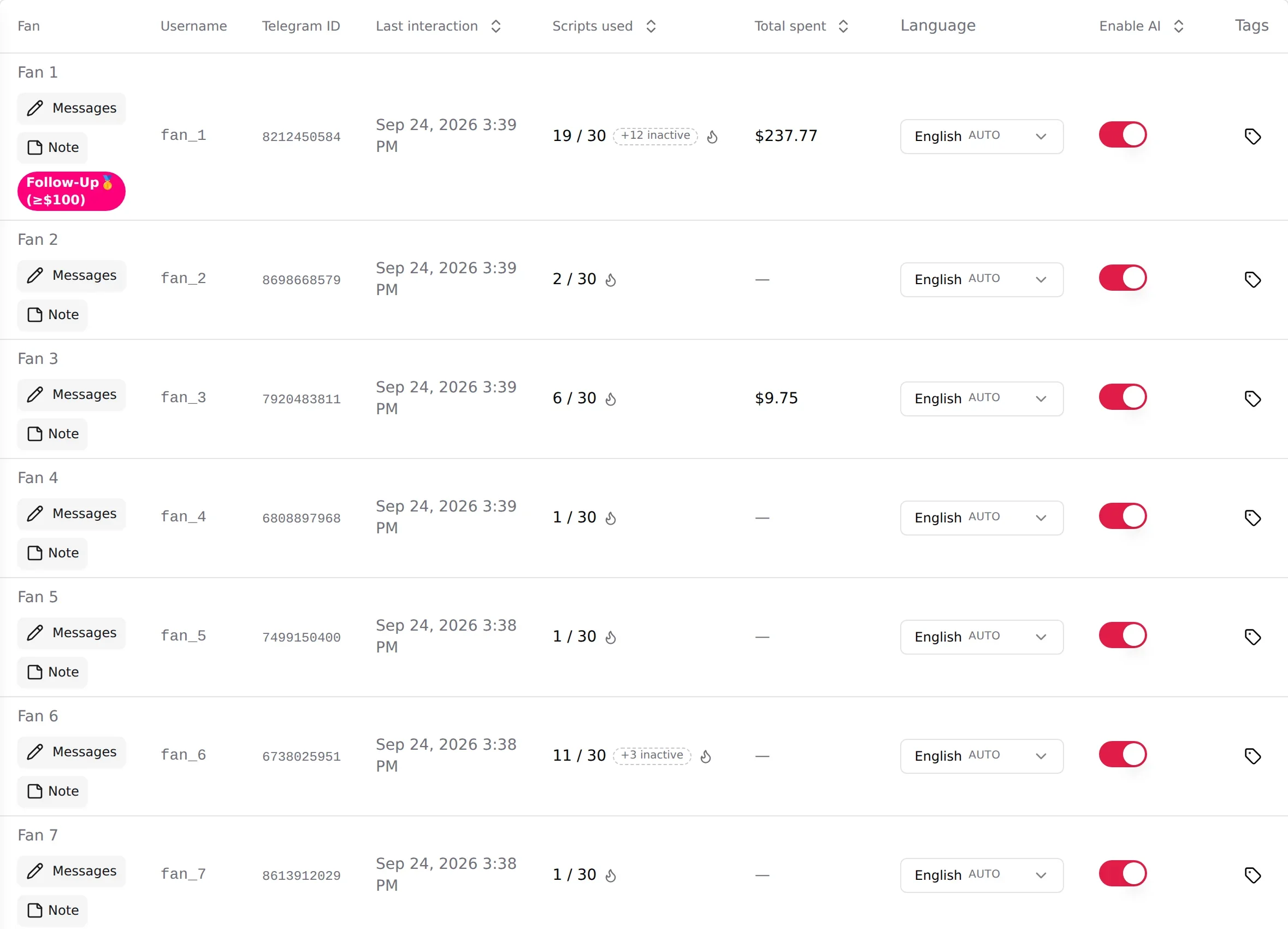
Two signals on the counter:
- Red counter at "y / y": every active script has been sent to this fan. The AI has nothing left to sell him.
- The flame next to the counter (tooltip "See the scripts used with this fan"): opens the list of burned scripts for this fan, with what he paid on each.
A pill "+N inactive" counts scripts sent to this fan that have since been deactivated. They are burned too, and they stay out of the way unless you reactivate the script.
The Burned scripts list
Click the flame. The modal "Burned scripts: [fan]" lists every script the AI already used with this fan, most recent first, and the total this fan spent on them.
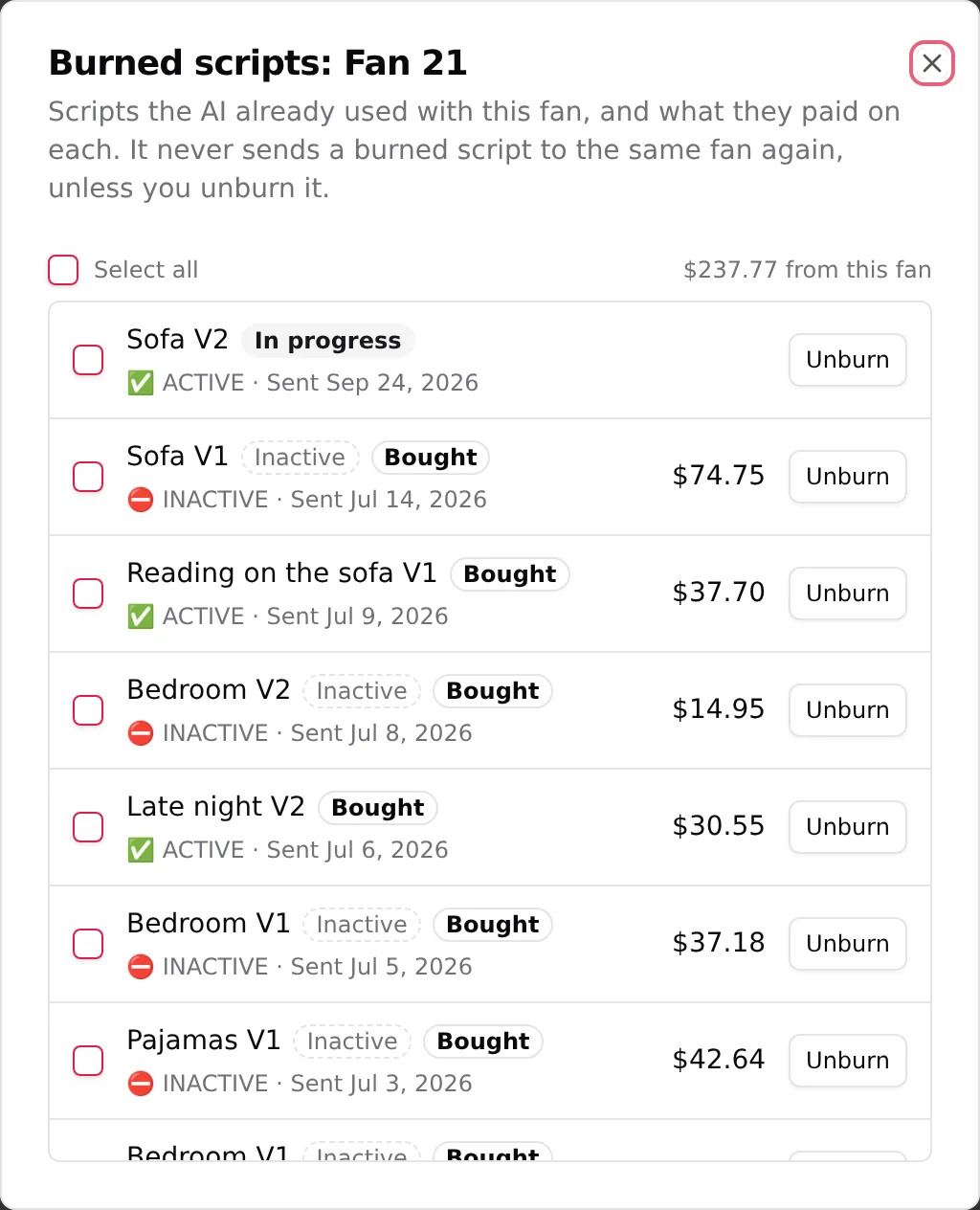
Each row shows:
| Element | Meaning |
|---|---|
| Script name | The script, with its version. |
| Bought | The fan paid on at least one step of this script. |
| Amount | What this fan paid on this exact script. |
| In progress | The fan is currently inside this script: the AI is still running its steps with him. |
| ACTIVE | The script is currently active for the creator. An inactive script can be unburned, the AI will use it once you reactivate it. |
| Sent [date] | When the AI sent this script to this fan. |
| Unburn | Gives the script back to the AI, for this fan only. |
Unburn one script
Click Unburn on the row. The script leaves the burned list for this fan. Nothing is sent right away: the AI simply gets the right to use that script with him again, when the conversation calls for it. Other fans are not affected.
Unburn everything
Tick Select all. The header switches to "N selected" and a button Unburn N appears. Click it to unburn every script in the list in one go.
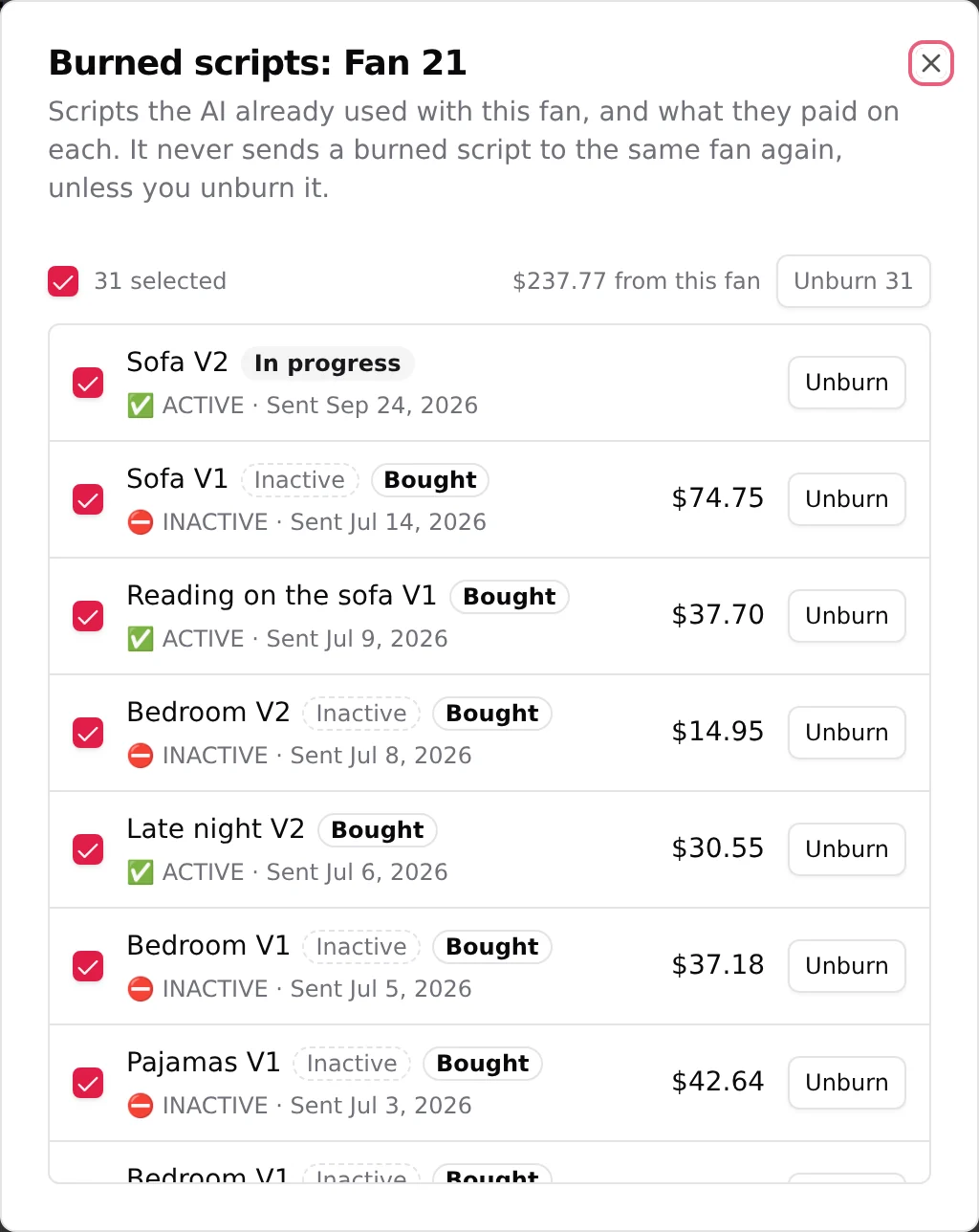
You can also tick rows one by one, then use the same button for your selection.
After an unburn
Back on the Fans table, the Scripts used counter drops by the number of scripts you unburned. The red disappears as soon as at least one active script is available again. The AI picks up from there with the scripts it now has for this fan.
When to unburn
Good to know
- A burned script that you deactivate stays in the fan's list, flagged as not active. Unburn it now if you want, it will be used again once the script is active.
- Versions (V2, V3 of the same script) are the first line of defence: a fan who received one version without buying can be offered another version, with content he has not seen. But as soon as he pays a PPV on any version, every version of that script is burned for him. That is when Unburn comes in. See Versions and variations.
- Unburn does not restart the script at step one for the fan right away. The AI decides when to use it, like any other available script.