Add Creator in OnlyChat
Register your Telegram bot as a creator in the OnlyChatAI dashboard.
Now that you have your bot and token, register it in OnlyChatAI.
Navigate to Creators Telegram
- Go to your OnlyChatAI dashboard
- Click Creators in the sidebar
- Select Creators Telegram
- Click Add a Creator

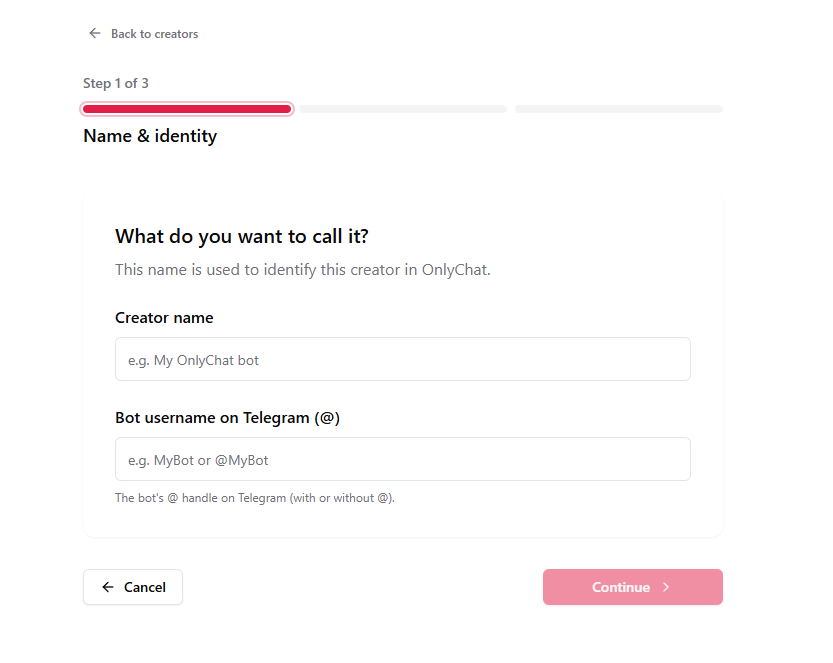
Fill in the Details
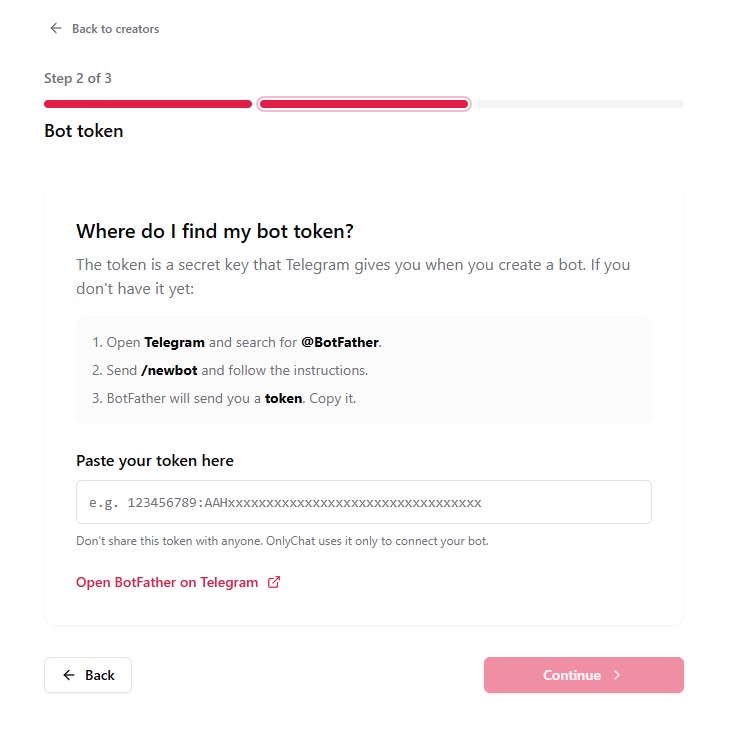
You'll be prompted to enter:
- Name — A display name for the creator (e.g.
Sophie Bot) - Username — The bot's Telegram username (e.g.
mycreator_bot) - Bot Token — The token copied from BotFather
Confirm
Click Save to register the creator. It will now appear in your Creators Telegram list.
Next: Assign a License →